

Should I use dynamic pricing for my vacation rental? For most hosts, yes, as long as you set a firm price floor and review the results every month. Dynamic pricing reprices every open night daily based on demand, which beats a rate card you update a few times a year.
Key Takeaways
- Dynamic pricing adjusts nightly rates automatically using signals such as seasonality, day of week, lead time, booking pace, comparable listings and local events.
- In a 2026 operator survey, 71.3% of respondents called dynamic pricing tools essential, but most published revenue lifts come from vendors and are not independently validated.
- The biggest risk is floor-chasing: with no minimum price, or a carelessly low one, average daily rate can collapse.
- A defensible price floor comes from your variable costs, a share of fixed costs, a target margin and the fee of the channel the night is booked on.
- Single-property owners with steady demand can price manually; multi-listing operators usually save the most time and revenue with automation.
- Boostly Connect syncs your existing PMS to your own WordPress booking website in under 20 minutes, so live availability and real-time pricing appear on a site where you keep the guest data and the full payment.
If you manage listings on Airbnb or Vrbo, you already know the commission math: 15 to 20 percent comes off every reservation before you see a dollar. That makes each nightly rate decision heavier. Price too low and you give away margin twice. Price too high and the calendar sits empty.
At Boostly Connect, we talk with hosts and property managers about pricing constantly, because the rate on your own website has to match the rate your PMS holds. In 2026, most operators we speak with already use some form of automated pricing. What matters is how you configure it.
This guide covers what dynamic pricing does, where it pays off, where it burns owners, how to calculate a floor, and how to test results honestly. You will also see how pricing connects to your direct booking site.
What Is Dynamic Pricing for a Vacation Rental and How Does It Work?
Dynamic pricing for a vacation rental is the practice of changing your nightly rate automatically in response to demand, instead of holding one fixed price per season. Software reads market signals, then updates the rate for every open night, usually once a day.
Typical inputs include seasonality, day of week, booking lead time, booking pace, comparable listings, local events and your own availability. Competitor rates alone are a weak signal. A neighbor charging more means little if that neighbor is also sitting empty, so the better engines weigh competitor occupancy alongside price. AirDNA’s write-up on pricing against real-time travel demand walks through this logic well.
Compare that to manual pricing. You set a summer rate and a winter rate, add a holiday bump, then touch the calendar a few times a year. It is simple, and it is blind to everything that happens between your updates: a festival announced in March, a gap week in October, a last-minute spike. If you rent a lakeside cabin and a regional fishing tournament lands on a weekend you priced as ordinary, a manual calendar quietly gives away that premium.
We built Boostly Connect around one belief: the pricing decision lives in your PMS and pricing tool, and your website should simply show that number faithfully. We do not ask you to run a second pricing system. We make sure the rate a guest sees on your own site is the rate your PMS holds.
Does Dynamic Pricing Increase Vacation Rental Revenue?
Dynamic pricing usually increases revenue when it is configured with sensible limits, because it captures demand spikes and fills slow nights that a fixed rate misses. The size of the lift varies by market and listing, and most published figures come from software vendors rather than independent studies.
The case for automation starts with seasonality. Shoulder seasons and off-peak months often run 15 to 20 percent or more below peak rates. A flat price either leaves peak money on the table or prices you out when demand softens. Vendors also report large gains, including a 46% increase in total bookings per listing in one published analysis. Treat that as a vendor claim from one data set, not a promise for your property.
Here is how we suggest reading the common claims:
| Claim you will hear | What it usually means | How to verify it yourself |
|---|---|---|
| More bookings per listing | Vendor-reported lift from one data set | Compare against your own date-matched history |
| Higher average daily rate | Rate can rise while occupancy falls | Track revenue per available night, not rate alone |
| Saves hours of work | Most true across several listings | Log time spent on pricing before and after |
| Essential tool, per surveys | Respondent opinion, not causation | Pilot on one listing before rolling out |
Our position: automation wins on consistency. It checks every night, every day, which no owner does by hand. But the revenue number that matters is the one in your own statements. Boostly Connect includes a reporting dashboard that tracks direct booking revenue in one place, so you can see what your direct channel contributes next to whatever your pricing tool reports.

What Are the Downsides of Using Dynamic Pricing?
The main downsides of dynamic pricing are floor-chasing, missed local events, poor comparable sets, reduced control and rate volatility that confuses guests or owners. All five are manageable, but only if you configure limits and check the output instead of trusting it blindly.
Floor-chasing and rate collapse
If you set no minimum, or a careless one, the algorithm can chase occupancy downward until your average daily rate collapses. You stay busy and earn less. This is the most common failure we hear about from hosts who tried automation and switched it off. A typical story: a host sees a 95 percent occupancy month, feels good, then finds that net revenue fell because the engine discounted weekends that would have sold at full price.
Missed events and bad comparables
Major events are often detected automatically. Small local events, such as a school graduation weekend or a regional tournament, usually need a human to flag them. Likewise, if the tool compares your lakefront cabin to inland studios, every recommendation is skewed from the start.
Volatility and returning guests
Owners who see rates swing week to week sometimes panic. Past guests notice too, especially when they compare a returning-guest quote to what they paid last year. Our advice is to show owners before-and-after revenue per available night in monthly statements. For guests, a direct-only offer sent through your CRM gives them a reason to rebook with you; our guide on how to re-engage past vacation rental guests covers that workflow.
Should I Use Dynamic Pricing for My Vacation Rental If I Own Only One Property?
A single-property owner with steady, predictable demand can often price manually and do fine, while owners of several listings, volatile markets or event-driven demand usually gain more from automation. The deciding factors are demand variability, number of listings and how much time you can give the calendar.
Use this simple framework:
- Manual pricing fits if you have one listing, stable demand, and you reliably review the calendar every few weeks.
- Automation fits if your market swings with seasons or events, if you manage several listings, or if you travel and cannot watch the calendar.
- A hybrid fits most single-listing hosts: let software suggest rates, but set the floor and ceiling yourself and approve big changes.
The honest math is time saved plus incremental revenue against software cost and setup effort. Specialist tools typically cost roughly $10 to $30 per property per month, a general range that varies by vendor, so confirm current pricing before you commit. For one property, a modest lift may barely cover that. For a portfolio, saved hours multiply fast: at 20 listings, even five minutes per listing per day of manual rate checking adds up to more than 600 hours a year.
Scale is where Boostly Connect earns its place in this decision. It supports multi-property and multi-listing management from a single connected system, so pricing, availability and guest data stay unified across every unit. If your processes are creaking, see our guide on how to manage multiple vacation rentals without chaos.
Should I Use Airbnb Dynamic Pricing or Dedicated Pricing Software?
Airbnb’s built-in pricing tool is the lowest-effort option, but it only prices that platform’s own calendar, while dedicated pricing software works across channels with finer rules. If you list on one channel and want zero setup, the built-in tool is a reasonable start. If you run several channels or a direct site, specialist software or a PMS-level tool fits better.
| Approach | Rate update frequency | Best for | Main limitation |
|---|---|---|---|
| Manual pricing | A few times a year | One stable-demand listing | Misses spikes and gap weeks |
| Platform built-in tool | Automatic, inside one platform | Single-channel hosts who want no setup | Limited rule control; one channel’s view |
| Specialist pricing software | Daily for each open night | Multi-channel hosts and portfolios | Needs good floors and comparables; monthly fee |
There is no single best dynamic pricing software for every host, and we will not name one for you. Judge any tool on these criteria: which data inputs it uses, how often it updates, whether it explains its recommendations, which systems it integrates with, and whether you can set floors and ceilings by season or date range. Also look for weekday and weekend adjustments, event rules, last-minute drops and orphan-night rules.
One more point from our work with operators: you do not have to choose between OTAs and direct. Most hosts run both and redirect repeat guests to their own site, a balance we cover in how to balance OTA and direct bookings in 2026. Boostly Connect handles the direct half by pulling live rates from the PMS you already use.
How Do I Calculate a Safe Price Floor?
A safe price floor is the lowest nightly rate at which a booking still covers your costs and target margin after channel fees. You calculate it per property from variable costs, a share of fixed costs, a minimum margin and the commission or processing fee on the channel where the night sells.
- List variable costs per stay. Include cleaning not covered by the cleaning fee, laundry, consumables and utilities used per night.
- Add your fixed costs per available night. Spread mortgage or rent, insurance, software and local fees across the nights you could sell.
- Add your minimum margin. Decide what a booking must earn to be worth the wear on the house.
- Gross it up for channel fees. Divide the total by one minus the fee rate. At a 15 percent OTA commission, divide by 0.85.
- Set separate floors by channel. A night booked direct skips OTA commission, so it can sit lower, though payment processing still costs something.
Most competing advice says “set a floor” and stops. The channel step is what makes the number defensible. A night that clears your margin on your own website can lose money on an OTA at the same rate. Here is a worked example: if costs and margin total $127 per night, the OTA floor is $127 / 0.85, or about $149. The same night booked direct, with roughly 3 percent payment processing, needs about $131.
Revisit floors at least quarterly, and whenever your costs change. A rate floor is a business decision, not a software setting.

How Do Cleaning Fees, Taxes and Platform Fees Affect Your Nightly Rate?
Total trip economics means judging a rate by what the guest pays and what you keep, not by the nightly number alone. Cleaning fees, minimum-stay rules, platform fees, taxes and cancellation terms all change both guest conversion and your net revenue, so a pricing engine tuned only to nightly rate can mislead you.
Consider a few interactions. A low nightly rate paired with a high cleaning fee can look cheap in your dashboard and expensive at checkout, hurting conversion. A minimum-stay rule can block a profitable short gap that a lower rate would have filled. A flexible cancellation policy changes how much a booking is worth on the day you take it.
Fees matter just as much. The OTA commission comes out of your payout, and if you are unsure how large that bite is across a year, our breakdown of how much Airbnb commission costs you per year puts it in dollars. Taxes vary by location, so check the current rules with your local tax authority instead of assuming a rate.
Judge any pricing tool on net revenue per available night, after fees and cleaning, not on gross rate. Because Boostly Connect captures every direct booking in your own CRM and keeps the full payment inside your business, your direct nights are the ones where net and gross sit closest together.
How Do I Test Whether Dynamic Pricing Is Working?
To test whether dynamic pricing is working, compare net revenue per available night against a matched baseline: the same dates last year, a control listing, or a period before you switched. Judge occupancy, average daily rate, booking lead time and gross versus net revenue together, never one metric alone.
Before you start, record at least a few months of history: gross and net revenue, occupancy, average daily rate, revenue per available night, lead time and length of stay. Without that baseline, any gain you see is a story, not evidence.
Then run a controlled comparison. If you have several listings, price a similar subset with automation and leave the rest on manual rates for a set period, say 60 to 90 days. If you have one listing, compare date-matched weeks and note any events that distort the comparison, such as a festival that only ran one year.
Read results with context. Full occupancy can mean your rates are too low. Falling occupancy may call for a less aggressive stance. Revenue up with occupancy down is not automatically a win if your costs are tied to nights booked.
This is where the Boostly Connect reporting dashboard helps. Rather than reconciling a PMS export, a spreadsheet and a bank statement, you see direct booking revenue and ROI in one view, which makes your test cleaner.
What Does a Monthly Pricing Review Routine Look Like?
A monthly pricing review is a short, repeatable check of what your algorithm did, why, and whether to override it. Automation works best with human governance: review results monthly, audit your event calendar and comparables quarterly, and document every manual override so you can learn from it.
- Review the month’s results. Compare occupancy, average daily rate and revenue per available night to your baseline.
- Scan for outliers. Look for nights priced far below the floor you expect, or long unbooked stretches at high rates.
- Audit your comparable listings. Remove properties that no longer match yours in size, view or amenities.
- Check the local calendar. Add small events the software missed. Do a fuller manual audit each quarter.
- Log overrides. Write down what you changed and why, then check later whether the override paid off.
- Decide whether to pause. If results drift for several weeks and you cannot explain why, pause automation on that listing and investigate.
Few guides give owners a routine like this, and it is the difference between automation that earns trust and automation that gets switched off after one bad month. In our experience, hosts who keep a short log find problems in comparables early. Budget about an hour per month for a small portfolio.
We designed Boostly Connect as a set-it-and-forget-it layer connecting your PMS, website and CRM, so this monthly review is the only hands-on pricing work you need, not a weekly scramble to fix sync errors.
How Does Dynamic Pricing Work With Your Own Direct Booking Website?
Dynamic pricing works with a direct booking website when your pricing tool pushes rates into your PMS and the website reads live rates and availability from that PMS. The guest sees the same price on your site as on the OTAs, but you skip the commission and keep the guest relationship.
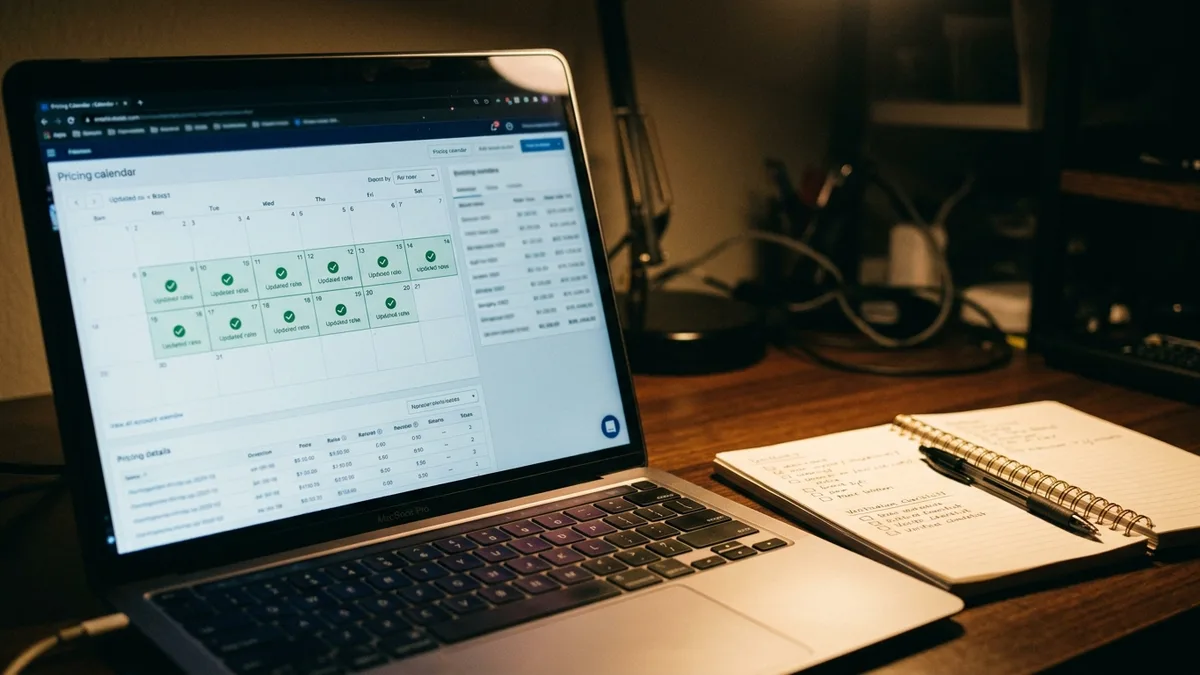
Boostly Connect is built for exactly this. It builds a done-for-you WordPress website, syncs it to your existing PMS in under 20 minutes with no developer, and supports 27 PMS integrations, including Hospitable, Lodgify and OwnerRez. If your pricing tool updates rates in your PMS, your direct site reads them from there, which means no manual updates and no second calendar to maintain. More detail is in our guide to real-time pricing for your vacation rental website.
The payoff is margin. A night sold direct avoids the 15 to 20 percent OTA commission, and the guest lands in your own CRM for review requests and repeat-stay offers. In one case we worked with, a rental manager reached 55% direct bookings across 30+ properties by applying these strategies consistently over time.
There is no upfront cost for up to 10 listings, and our clients reach 65% direct bookings within 12 months or we work for free until they do. Pricing automation decides what you charge; a direct site decides how much of it you keep.
Conclusion: Should You Use Dynamic Pricing for Your Vacation Rental in 2026?
For most operators, the answer to whether you should use dynamic pricing for your vacation rental is yes, with guardrails. Set a floor from your real costs and channel fees, test against a matched baseline, and review monthly. Single-listing hosts with steady demand can stay manual; everyone else gains from automation.
Looking ahead through 2026, pricing tools will keep getting better at reading demand, which makes owning your own booking channel more valuable. Smart rates matter most when you also keep the commission and the guest data.

If OTA commissions are eating into the margin your pricing work creates, book a demo with Boostly Connect and see your direct booking site connected to your own PMS data.
Frequently Asked Questions
Can you suggest a website builder for vacation rentals that supports dynamic pricing integration?
Look for a builder that reads live rates and availability from your PMS, because your pricing tool updates rates there. Boostly Connect builds a WordPress direct booking site synced to your existing PMS, so rates in your PMS appear on the site. Setup takes under 20 minutes with no developer.
How can I reduce manual work and automate my vacation rental operations?
Start by connecting your PMS, website and CRM so data flows automatically instead of being re-entered. Add automated pricing with a floor, then automate review requests and repeat-stay emails. Boostly Connect links the PMS, site and CRM so each runs without manual syncing.
How do I list my vacation rental on multiple portals without managing each one manually?
Use a PMS with channel management so one master calendar controls availability across every portal. Pair it with automated pricing so rates stay consistent. Your own direct booking site then reads that same calendar, which prevents double bookings and mismatched prices.
Can I build a professional vacation rental website that integrates with my PMS?
Yes. Boostly Connect syncs a done-for-you WordPress website to your PMS in under 20 minutes, with plug-in connection in under five minutes for supported systems. It supports 27 PMS integrations and gives you live availability and real-time pricing on your own domain.
What is the best website builder for vacation rental property managers?
The best fit combines native PMS integration, a built-in CRM and ongoing support, not just page design. Boostly Connect pairs a direct booking website with the Boostly CRM, AI agents and twice-weekly group coaching. Compare any option on integration depth, guest data ownership and multi-property support.
Is dynamic pricing worth it for a single vacation rental?
It depends on how much your demand swings and how much time you can spend on the calendar. Owners with stable demand can price manually. If your market has events, seasons or gap weeks, a hybrid approach with your own floor and ceiling usually pays off.
What is the best dynamic pricing software for Airbnb hosts?
No single tool fits every host, so evaluate on data inputs, update frequency, transparency, integrations and rule control. Check each vendor’s current pricing, since specialist tools typically cost roughly $10 to $30 per property monthly. Pilot one on a single listing and measure revenue per available night before expanding.