

An Airbnb listing not getting views usually comes down to one of three separate problems: the listing isn’t appearing in search results, it’s appearing but nobody clicks it, or it’s getting clicked but nobody books. Each has a different fix, and treating them the same way wastes weeks of guesswork.
Key Takeaways
- Zero or low views almost always trace back to search visibility, click-through rate, or conversion, and each requires a different diagnostic path and fix.
- Testing your listing in an incognito browser with your actual area, dates, and guest count shows you whether you’re missing from the first three to four pages of results.
- A click-through rate below 2% is a common marker that your listing is showing up in search but the cover photo, title, or price isn’t winning the click.
- Pricing more than 50% above comparable listings in your area can suppress impressions before a guest ever sees your photos.
- Airbnb’s own Insights dashboard, under Conversions, is the primary source for views, impressions, and click-through data, according to Airbnb’s Help Center.
- Boostly Connect gives hosts a direct booking channel outside Airbnb’s algorithm entirely, so a slow week in Airbnb search doesn’t have to mean a slow week in revenue.
If you’ve checked your listing five times today and the view count hasn’t moved, you’re not imagining it. We work with hosts across the direct booking space every day at Boostly Connect, and the panic around stalled Airbnb views is one of the most common messages we get. It’s rarely one single mistake. It’s usually a specific, fixable combination of visibility, presentation, and pricing issues stacked on top of each other.
This guide walks through the exact triage order we’d use ourselves: first confirm whether your listing is even showing up in search, then check whether it’s winning clicks once it does, then look at whether it’s converting those clicks into bookings. We’ll cover the technical causes competitors rarely mention, like calendar restrictions and guest-count mismatches, plus the pricing and photo fixes that actually move the needle in 2026.
By the end, you’ll have a clear priority order for what to fix first, a way to measure whether a change worked, and an honest look at why relying entirely on Airbnb’s search algorithm is a fragile way to run a rental business in the first place.
Is Your Airbnb Listing Actually Invisible, or Just Not Getting Clicks?
Low Airbnb views come from two distinct problems that require different fixes: your listing isn’t appearing in search results at all, or it’s appearing but guests are scrolling past it. Confusing the two is the single biggest reason hosts spend weeks fixing the wrong thing.
To test this, open an incognito browser window and search using your actual neighborhood, your real check-in and check-out dates, and the guest count you typically host. If your listing doesn’t appear anywhere in the first three to four pages of results, you have a visibility problem, not a presentation problem.
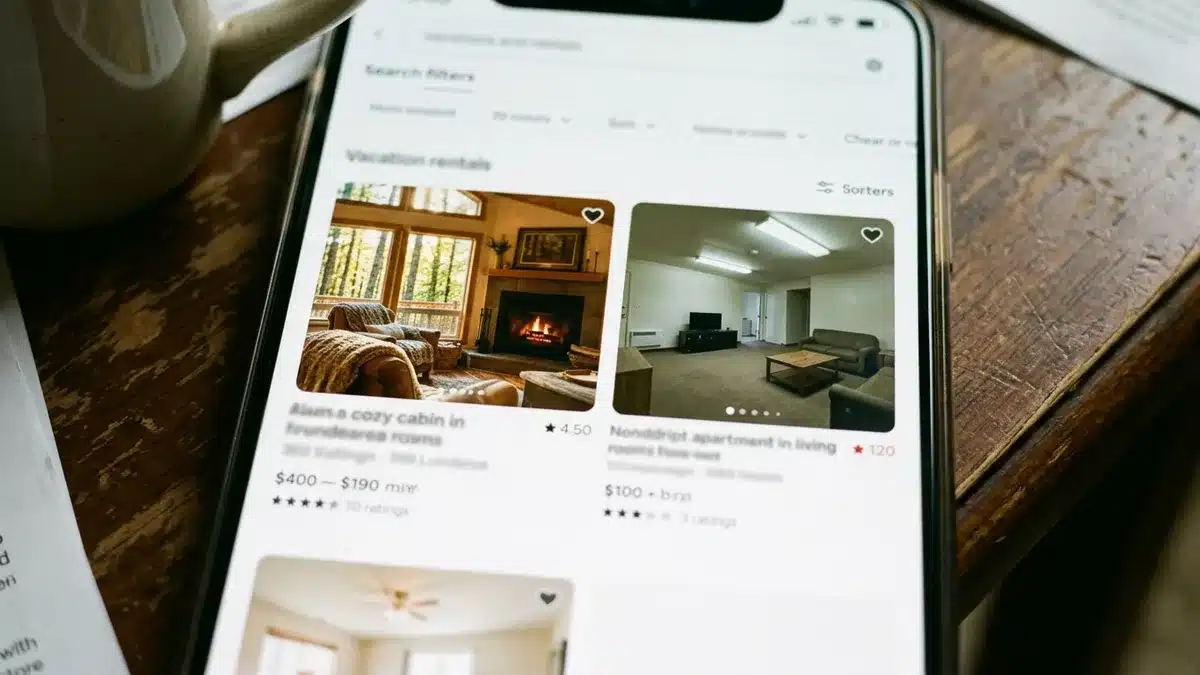
If it does appear but you’re still seeing minimal traffic, the issue shifts to your listing card itself: cover photo, price, title, and star rating. Notably, these are the only four things a guest sees before deciding whether to click. Everything else on your listing page is irrelevant until that click happens.
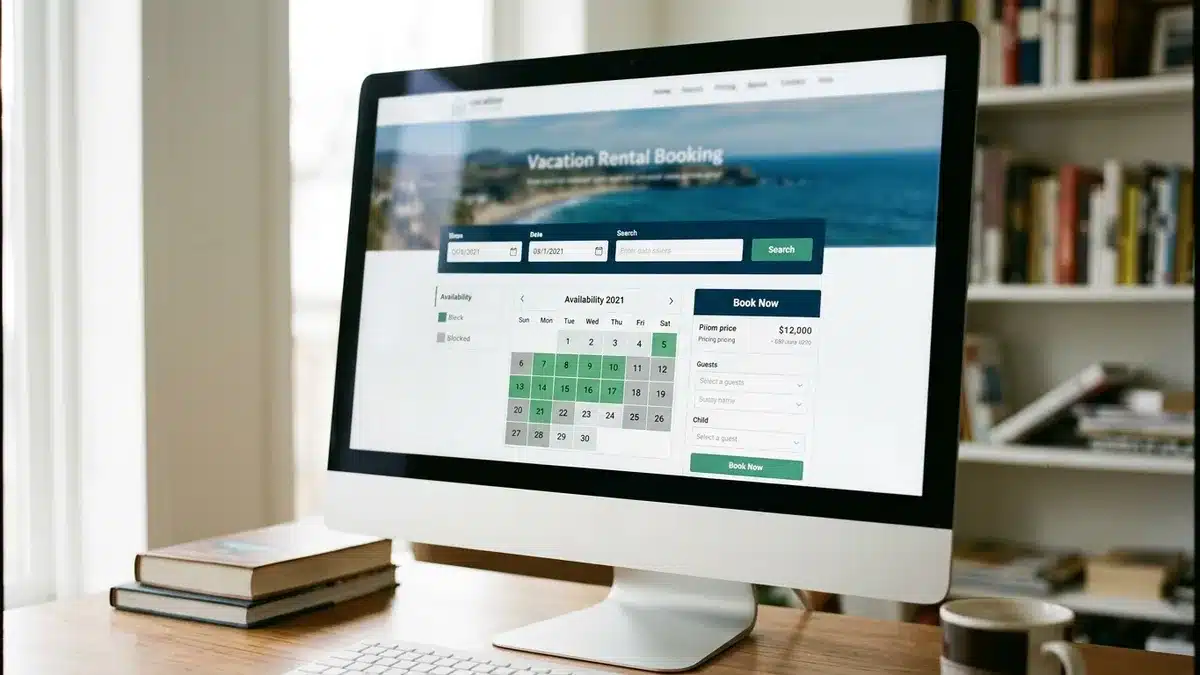
We built the direct booking site inside Boostly Connect specifically because this diagnosis matters less once you have a second channel. When your Airbnb search position dips (and it will, seasonally), a direct booking website with live PMS-synced availability keeps bookings coming in regardless of where you rank in someone else’s algorithm.
Why Isn’t My Airbnb Listing Showing Up in Searches at All?
A listing that fails to appear in search results at all is typically caused by a technical or eligibility issue rather than a content problem: calendar restrictions, an incomplete verification step, a guest-count or date mismatch, or a listing status setting that’s quietly limiting where you can show up.
This is the category most articles skip, and it’s where hosts waste the most time polishing photos that were never the problem. First, check your listing status. A listing marked “unlisted,” snoozed, or paused for any reason (even one you forgot about) will not appear in search, regardless of how good your content is.
Second, check your calendar. If your availability window is too short, for example, only open for the next two weeks, you’ll be excluded from searches for dates further out. Airbnb needs enough open calendar runway to consider you a match for a wide range of guest searches.
Third, confirm your listing accepts the guest count you’re testing with. If your max occupancy is set to four and a guest searches for six, you simply won’t appear, and that has nothing to do with your title or photos.
Fourth, verify your account status and any pending identity or payout verification steps. An incomplete verification can quietly suppress a listing from search without any obvious warning on your dashboard.
How Do You Increase Airbnb Listing Views Once You’re Actually Showing Up?
Increasing Airbnb listing views once your listing confirms it’s appearing in search comes down to improving your click-through rate: the percentage of people who see your listing card and choose to click it over a competitor’s. A click-through rate below 2% is a common marker of a stalled listing.
Your cover photo does the heaviest lifting here. It’s the first thing a guest sees before your title, your price, or your rating, and it needs to be sharp, well-lit, and instantly communicate what makes your space different from the ten other cards on the same results page.
Your title matters more than most hosts think. A title built around 28 to 32 characters of concrete value, led with your actual differentiator rather than the city name, performs better than a generic description. “Hot tub cabin, 10 min to downtown” beats “Cozy home in [City]” every time, because the second one tells the guest nothing they didn’t already know from the map pin.
After you make a change, track your view count for at least seven days before drawing any conclusions. Airbnb’s search behavior varies day to day, and a two-day sample will mislead you into thinking a fix worked, or failed, when you simply didn’t wait long enough.
This is exactly the kind of guesswork we designed the reporting side of Boostly Connect to remove. Instead of manually watching Airbnb Insights and wondering whether a photo swap actually helped, your direct booking dashboard tracks real booking revenue in one place, so you’re not relying on a single platform’s mood to know if your listing is working.
What Is the 80/20 Rule in Airbnb Search Ranking?
There is no officially confirmed “80/20 rule” published by Airbnb governing search ranking. Hosts sometimes use this phrase informally to describe the idea that a small number of factors, like response rate, pricing competitiveness, and booking history, drive most of a listing’s search performance. Treat any specific numeric ratio you see online as unverified shorthand rather than a documented Airbnb policy.
What is documented is that Airbnb’s Help Center confirms listing views can be used to check whether your listing is appearing in search results at all, and that your host dashboard’s Insights section, under Conversions, is the source for that data. Rather than chasing an unofficial rule, focus on the factors Airbnb explicitly surfaces: response rate, acceptance rate, review quality, and calendar accuracy.
In our experience advising hosts through Boostly Connect, the operators who obsess over rumored ranking “rules” usually neglect the more basic technical fixes, like calendar gaps or mismatched guest counts, covered earlier in this guide. Fix what’s verifiable before chasing what isn’t.
Is Your Airbnb Listing Priced Out of the Search Results?
Airbnb pricing that sits significantly above comparable listings in your area is one of the most common reasons a listing gets suppressed in search before a guest even sees the photos. A nightly rate 50% or more above local competition for the same property type can measurably reduce impressions.
The mistake most hosts make here is comparing only their displayed nightly rate against competitors, ignoring cleaning fees, service fees, minimum-stay requirements, and length-of-stay discounts. Airbnb’s search and a guest’s mental math both consider total trip price, not the number on the calendar.
Run this comparison properly: pull up five to seven comparable listings in your immediate area with similar bedroom count, amenities, and guest capacity. Calculate the full trip cost for a standard three-night stay, including every fee, for each one. If your total sits meaningfully above the group average without a clear reason (a hot tub, a better location, a higher review count), that’s your visibility problem.
This is also where hosts start feeling the OTA commission squeeze most acutely: raising your nightly rate to cover Airbnb’s cut can price you out of search entirely, creating a trap where the fee itself is what’s suppressing your bookings. It’s one of the clearest arguments for building a second revenue channel. A direct booking website through Boostly Connect lets you offer a lower total price to guests who book direct, since you’re not padding the rate to absorb a 15 to 20 percent OTA commission, while keeping your Airbnb price competitive enough to stay visible.
What Is the 75-55 Rule in Airbnb Listings?
There is no verified, officially documented “75-55 rule” from Airbnb, and hosts should be cautious about treating any numeric framework circulating online as an established platform standard unless Airbnb has confirmed it directly. This kind of specific ratio tends to spread informally without a clear original source.
Rather than chasing an unconfirmed rule, prioritize the fixes Airbnb’s own Help Center and dashboard tools actually document: completeness of your amenities and safety fields, an accurate calendar, a competitive total trip price, and a cover photo and title that earn the click. Those are the levers with a documented connection to visibility and conversion.
If you come across a specific named “rule” in a forum or blog post promising a guaranteed booking outcome, verify it against Airbnb’s own Help Center before changing your strategy. Most named formulas in this space are host folklore, not platform policy.
What’s the Fastest Way to Diagnose the Real Problem?
The fastest way to diagnose why your Airbnb listing isn’t getting views is to run a controlled, single-variable test: change one element, keep everything else the same, and measure the result over a fixed observation window before making another change.
Here’s a practical sequence to follow:
- Search your own listing in an incognito browser using real dates and guest count to confirm whether you’re appearing in results at all.
- If you’re not appearing, check listing status, calendar availability window, guest capacity settings, and account verification status before touching your photos or copy.
- If you are appearing, record your current click-through rate from Airbnb Insights under Conversions as your baseline.
- Change one variable only, most commonly the cover photo or price, and leave everything else untouched.
- Wait a full seven days before evaluating the change, since daily search behavior fluctuates and shorter windows produce misleading data.
- Compare your new click-through rate against your baseline, using the same date range length and similar seasonality if possible.
- If click-through improved but bookings didn’t, move to a pricing or total-trip-cost comparison against nearby listings.
- If none of the above shifts anything after two full test cycles, treat it as a technical or eligibility issue and revisit calendar and verification settings.
The mistake we see constantly is hosts changing three things at once, a photo, a price, and a title, in the same week. When views improve, they have no idea which change actually caused it, and they repeat the wrong fix on their next listing.
What Does a Complete Listing Actually Require?
A complete Airbnb listing includes fully filled-out amenities, accessibility features, safety disclosures, house rules, and an accurate, unrestricted calendar, and incomplete fields in any of these categories can quietly hurt both your search ranking and your conversion rate.
Guests filter by amenities like parking, air conditioning, and pet policy before they ever look at your photos. If those fields are blank or inaccurate, you’re excluded from filtered searches entirely, not just ranked lower.
Safety and accessibility disclosures matter for trust as much as for search. A listing missing basic safety information (smoke detector, carbon monoxide detector, first aid kit) can read as less credible even to a guest who never consciously notices the gap.
House rules deserve the same attention. Vague or missing house rules create pre-booking questions that slow down your response time, which itself factors into Airbnb’s visible host metrics. A tight, complete listing removes friction at every stage: search, click, and booking decision.
Airbnb Search Metrics Compared: What Each Number Actually Tells You
| Metric | What It Measures | Likely Cause When Low | Where to Check It |
|---|---|---|---|
| Impressions | How often your listing appears in search results | Calendar restrictions, guest-count mismatch, listing status, incomplete verification | Airbnb Insights, Conversions tab |
| Views | Unique visitors who clicked into your listing from search | Weak cover photo, uncompetitive price, generic title | Airbnb Insights, Conversions tab |
| Click-through rate | Views divided by impressions | Listing card underperforms against nearby competitors | Calculated from Insights data |
| Inquiry/booking rate | Guests who message or book after viewing | Incomplete amenities, high total trip price, slow response time | Airbnb Insights, Conversions tab |
According to Airbnb’s Help Center, listing views specifically confirm whether your listing is surfacing in search at all, which is why it’s the first metric to check, not the last. Notably, a host who only looks at total bookings without breaking the funnel down this way often fixes the wrong stage first.
What Common Mistakes Make This Worse?
The most common mistake hosts make when addressing low Airbnb views is changing multiple listing elements simultaneously, which makes it impossible to know which change actually worked. The second most common mistake is judging any single change within 48 hours, well before Airbnb’s search behavior has stabilized.
A third mistake, and one specific to newer hosts, is assuming a newly published listing should perform identically to an established one immediately. New listings often need an initial window to build review history and response-rate data before search performance stabilizes. If you’re still in that early stage, our guide on how long a new Airbnb listing takes to show up walks through realistic timelines.
A fourth mistake is treating Airbnb as your only viable booking channel. Hosts who build 100% of their strategy around one platform’s algorithm have zero recourse when that algorithm shifts, and it shifts often. This is precisely why we built Boostly Connect around PMS integrations like Hospitable, Guesty, Lodgify, and OwnerRez, so your availability and pricing sync automatically to a website you control, independent of any single platform’s search mood.
A fifth, quieter mistake: hosts who fix visibility and clicks but never follow up with past guests to drive repeat direct bookings. If you’ve already got someone who stayed once, re-engaging them costs far less effort than winning a new Airbnb search click. Our piece on how to re-engage past vacation rental guests covers this in more detail.
How Do You Prioritize Fixes for a New Listing vs. an Older One?
A brand-new listing with zero views should prioritize technical and eligibility checks first, since new listings have no review history to fall back on if a search filter is quietly excluding them. An older, previously active listing that has recently dropped to near-zero views should instead prioritize recent changes: did you edit your calendar, adjust pricing, or change your response pattern in the last two to three weeks?
For a new listing, run through this order:
- Confirm listing status is active and not snoozed or paused.
- Confirm calendar has at least several weeks of open availability.
- Confirm guest capacity settings match how you’re testing search.
- Complete every amenity, safety, and house rule field before publishing further edits.
- Set an opening price in line with comparable listings, then adjust based on early booking data.
For a previously active listing that’s dropped off, start by reviewing your host dashboard for any recent automatic changes, then check whether a competitor nearby recently improved their listing, since relative position in search results shifts even if your own listing hasn’t changed.
If your listing appears in search but has been skipped repeatedly, that’s a click-through problem, not a visibility one, and the fix is your cover photo, title, and price rather than your calendar settings.
Practical Guidance: Your Fix-First Priority Checklist
Work through fixes in this order rather than tackling everything at once:
- First, confirm search visibility using an incognito test with real dates and guest count.
- If invisible: check listing status, calendar window, guest capacity, and verification before anything else.
- If visible but ignored: replace your cover photo and rewrite your title around a concrete differentiator.
- If clicked but not booked: compare total trip price, not just nightly rate, against five to seven comparable local listings.
- Complete every amenity, safety, and house rule field, since incomplete listings get filtered out of relevant searches.
- Test one variable at a time and wait a full seven days before judging the result.
- Build a second booking channel so a slow week in Airbnb search doesn’t stall your entire calendar.
That last step is where most single-platform hosts stay stuck longest. Reducing dependence on one algorithm isn’t a nice-to-have; it’s the difference between a business you control and one that controls your income at the mercy of a ranking change you didn’t cause. If you want a deeper look at building that second channel properly, our direct booking short term rental playbook and our vacation rental marketing guide both go further into the setup than we have room for here.
Frequently Asked Questions
What percentage does Airbnb take from a booking?
Airbnb generally charges a host service fee alongside a separate guest service fee, and the exact structure varies by fee model and listing type. Most hosts in the industry cite a combined effective cost in the range commonly discussed as 15 to 20 percent of the booking total. Check your own host dashboard for the exact current fee applied to your listing, since Airbnb periodically adjusts fee structures.
How much of a cut does Airbnb take compared to booking direct?
The gap between Airbnb’s commission and a direct booking is one of the main reasons hosts explore their own booking website. A direct booking through your own site, synced to your existing property management system, avoids that OTA commission on every reservation, which is the core problem Boostly Connect was built to solve.
Why isn’t my Airbnb listing showing up in searches?
A listing typically fails to appear in search due to a technical or eligibility issue such as a paused listing status, an overly short calendar availability window, a guest-count mismatch with your search test, or an incomplete account verification step, rather than a content or photo problem.
What crm does Airbnb use?
Airbnb operates its own internal messaging and guest management system for bookings made on its platform, but it does not give hosts an exportable, ownable CRM for guest data. That’s a deliberate limitation: Airbnb retains the guest relationship rather than handing it to the host. Tools like the CRM built into Boostly Connect exist specifically to give hosts their own guest database, captured automatically every time someone books direct, instead of relying on a platform that keeps that data for its own remarketing.
How to increase Airbnb listing views?
Increasing views starts with confirming your listing is actually appearing in search, then improving your click-through rate with a stronger cover photo, a title built around a concrete differentiator in roughly 28 to 32 characters, and a total trip price competitive with nearby comparable listings.
Will switching some focus to direct bookings hurt my Airbnb visibility?
No. Most hosts run both channels simultaneously without any negative impact on Airbnb search performance. Your Airbnb listing and your own direct booking website operate independently, so redirecting past guests to book direct doesn’t change how your listing ranks on Airbnb.
How long does a new listing take to build up consistent views?
New listings typically need an initial window to accumulate review history and response-rate data before search performance stabilizes, and that timeline varies by market and competition. Our guide on how long a new Airbnb listing takes to show up covers realistic expectations in more detail.
Conclusion: Diagnose First, Then Fix
An Airbnb listing not getting views is a diagnosis problem before it’s a fix problem. Confirm whether you’re invisible in search, ignored despite showing up, or clicked but not booked, then apply the specific fix for that stage instead of overhauling your entire listing at once. The technical causes, calendar gaps, guest-count mismatches, incomplete verification, get overlooked far more often than they should, and they’re usually faster to fix than a full photo shoot.
The larger point worth sitting with: even a perfectly optimized Airbnb listing is still renting space inside someone else’s algorithm. As we head deeper into 2026, more hosts are treating a direct booking channel as standard infrastructure rather than an experiment, precisely because it removes the dependency this entire troubleshooting exercise revolves around. Boostly Connect syncs your existing PMS to a direct booking website in under 20 minutes, with no developer needed, so your calendar keeps filling even during the weeks your Airbnb search position dips.
If Airbnb views have flatlined and you’re ready to stop relying on one platform’s search mood to fill your calendar, book a demo with Boostly Connect and see your PMS-synced direct booking site built out in under 20 minutes.