

Here is how dynamic pricing works for vacation rentals across multiple platforms: a pricing engine reads demand signals and calculates a nightly rate, your PMS or channel manager receives it, and each connected channel (Airbnb, Vrbo, your own website) is updated with any channel-specific adjustment you set.
Key Takeaways
- Multi-platform dynamic pricing splits into three jobs: a pricing engine calculates nightly rates, a PMS or channel manager distributes them, and each channel confirms the update.
- Pricing engines weigh seasonality, day of week, local events, booking pace, lead time, comparable rates, and property traits, while you control the limits through base, minimum, and maximum prices.
- Airbnb Smart Pricing covers one platform only; a third-party tool connected through your PMS can price several channels from one rule set.
- Channel markups should protect your net revenue after platform commissions of 15 to 20 percent, and your direct site should keep the lowest guest price.
- Sync timing depends on the integration and its configuration, so verify live rates against your PMS instead of assuming every channel updates instantly.
- Boostly Connect syncs your existing PMS to a WordPress direct booking website in under 20 minutes, so the rates your pricing tool sets also appear on the one channel that charges no commission.
If you list the same property on Airbnb, Vrbo, and your own website, you already know the problem: one nightly rate, three places to keep it correct. Booking platforms commonly take 15 to 20 percent of every reservation, so a stale or mismatched rate costs you twice: lost revenue and extra commission.
At Boostly Connect, we work with hosts across 25 countries who run exactly this setup. The failures we see rarely come from the pricing algorithm itself. They come from how rates travel between systems: which one calculates, which one sends, and which one confirms.
This guide covers the mechanics, a worked channel-markup example, guardrail settings for events and slow periods, and a seasonal view for 2026, a year in which AirDNA’s 2026 Outlook Report expects demand for short-term rentals to grow by 4.1% year over year.
What Is Dynamic Pricing for Vacation Rentals?
Dynamic pricing for vacation rentals is the practice of adjusting your nightly rate automatically from live demand data instead of a fixed seasonal rate card. A pricing engine reprices every open night, usually daily, using signals like booking pace, local events, and comparable listings. You set the limits; the software sets the number.
A seasonal rate card says July costs one price and October costs another. Dynamic pricing notices that the second weekend of July has a festival nearby, that your calendar is filling faster than last month, and that a Tuesday in October is still wide open. It reprices each of those nights separately.
The results can be large. According to AvantStay, dynamic pricing helped hosts achieve a 46% increase in total bookings per listing (June 2026). We hold a firm view here: manual rates stop working once you manage more than one channel, because the calendar changes faster than you can edit it.
Boostly Connect does not replace your pricing tool. It takes the rates already sitting in your PMS and shows them live on your direct booking website, so the pricing work you do upstream pays off on a channel you own.
How Does Dynamic Pricing Work for Vacation Rentals Across Multiple Platforms, Step by Step?
Multi-platform dynamic pricing is a three-layer system: a pricing engine calculates the rate, a PMS or channel manager distributes it, and each channel confirms and displays it. Separating those layers explains most sync problems, because each handoff is a place where a rate can be delayed, altered, or dropped.
- The pricing engine collects data. It pulls market signals and your listing rules, then calculates a rate for every open night.
- The rates travel to your PMS or channel manager. Through an integration, the engine sends its recommended or approved rates. Many pricing tools push once a night, usually overnight.
- The PMS or channel manager translates the rates per channel. This is where any markup or discount for a specific platform gets applied.
- Each channel displays the rate. Airbnb, Vrbo, and other booking platforms show the new price to guests searching your dates.
- Reservations flow back. A booking, date change, or cancellation updates availability on every other connected channel so the calendars stay aligned.
- Your direct site reads the PMS. If your website pulls from the PMS, guests see the same live rate without anyone retyping it.
The pricing engine owns the calculation. The PMS or channel manager owns distribution. Keep that division clear and troubleshooting becomes a short list of questions instead of a mystery.
Boostly Connect sits at the end of this chain. We support 27 PMS integrations, including Hospitable and Hostfully, and connecting yours takes under five minutes. Live availability and real-time pricing then appear on your WordPress site without a developer.

What Factors Do Vacation Rental Pricing Algorithms Use?
Vacation rental pricing algorithms combine demand signals (seasonality, day of week, local events, booking pace, lead time), market signals such as rates on comparable listings, and property traits like size, amenities, and location. The engine scores each night against these inputs and returns a rate inside the limits you set.
- Seasonality and day of week: Weekends and school holidays lift demand in most markets; mid-week nights often soften.
- Local events: Concerts, conferences, and festivals compress supply and justify higher floors on specific nights.
- Booking pace and lead time: If your property typically books 30 or more days ahead and a date is still empty ten days out, the engine can lower the price to attract a last-minute guest.
- Comparable rates: The engine watches what similar listings charge for the same dates.
- Length of stay: A seven-night booking can trigger a weekly rate that lowers the per-night cost.
- Property characteristics: Size, amenities, renovation quality, and location all shift the baseline.
Of these signals, booking pace is the one we trust most, because it reflects your own listing’s demand rather than a market average. AirDNA has published a useful explanation of pricing with real-time travel demand, and a rental market search tool like RentCast’s market search helps you sanity-check your base rate against local data.
Boostly Connect does not compute these signals. Our job is to make sure the output reaches the guest browsing your site with no lag and no manual copying.
How Does Airbnb Smart Pricing Compare With Third-Party Pricing Tools?
Airbnb Smart Pricing is a platform-native tool that adjusts a listing’s nightly price on Airbnb only, using listing and area factors within the minimum and maximum prices you set. Third-party tools connect through a PMS or channel manager and can price several channels from one rule set.
| Factor | Airbnb Smart Pricing | Third-party tool via PMS or channel manager |
|---|---|---|
| Channel coverage | Airbnb only | Multiple channels, including Vrbo and a direct site |
| Level of control | Minimum and maximum prices | Base, minimum, and maximum prices, plus stay rules, check-in rules, and date overrides |
| Channel-specific adjustments | Not applicable | Usually supported |
| Setup effort | Low | Moderate, depends on the integration |
| Feeds your direct website | No | Yes, through the PMS |
Smart Pricing works fine for a single listing that lives only on Airbnb. It stops being enough when you add Vrbo or a direct site, because it cannot see or set prices elsewhere. Two engines pricing the same property will also fight each other, so pick one source of truth.
In our experience working with operators, the cleanest setup is one pricing source feeding the PMS, with Boostly Connect reading rates from that PMS. Nothing else in the stack needs its own rate table.
How Do You Set Different Rates on Each Platform Without Confusing Guests?
Channel-specific pricing means adding a markup or discount to your base nightly rate on individual platforms, usually to offset commission. The goal is consistent net revenue per night, not an identical sticker price everywhere. Done carefully, guests see small, explainable differences instead of confusing gaps.
Here is an illustration based on the 15 to 20 percent commission range, not a benchmark. Say you want to net $200 a night. If a platform keeps 15 percent, you list at about $235 (200 divided by 0.85). At 20 percent, you list at $250 (200 divided by 0.80). Your direct site carries no commission, so $200 nets $200.
You do not have to pass the full commission on to guests. Many hosts absorb part of it on the channels where they depend on volume. Commission structures differ by platform, so check each platform’s current fee page, and review its terms on price parity before pricing your direct site far below the other channels.
Inflating platform prices hard is rarely the smarter move. A better route gives direct guests a reason to book with you: discount codes, gift vouchers, and other direct-only offers, all of which Boostly Connect builds into your site. Our guide on how much Airbnb commission costs you per year shows what those margins add up to.
How Fast Do Rate Updates Reach Each Platform, and What Happens When Sync Fails?
Rate sync latency is the delay between a pricing engine changing a rate and the new rate appearing on a channel. It varies by integration: many pricing tools push rates once nightly, while channel managers can update reservations and availability close to real time. Timing depends on your configuration, not a universal standard.
The connection type matters too. An iCal calendar link typically carries availability only and refreshes on a schedule. API-based connections sync rates, availability, and reservations, which is why connection providers generally recommend them for portfolios of 20 or more properties.
You should not trust a sync you have not checked. Run this verification routine whenever you change guardrails or add a channel:
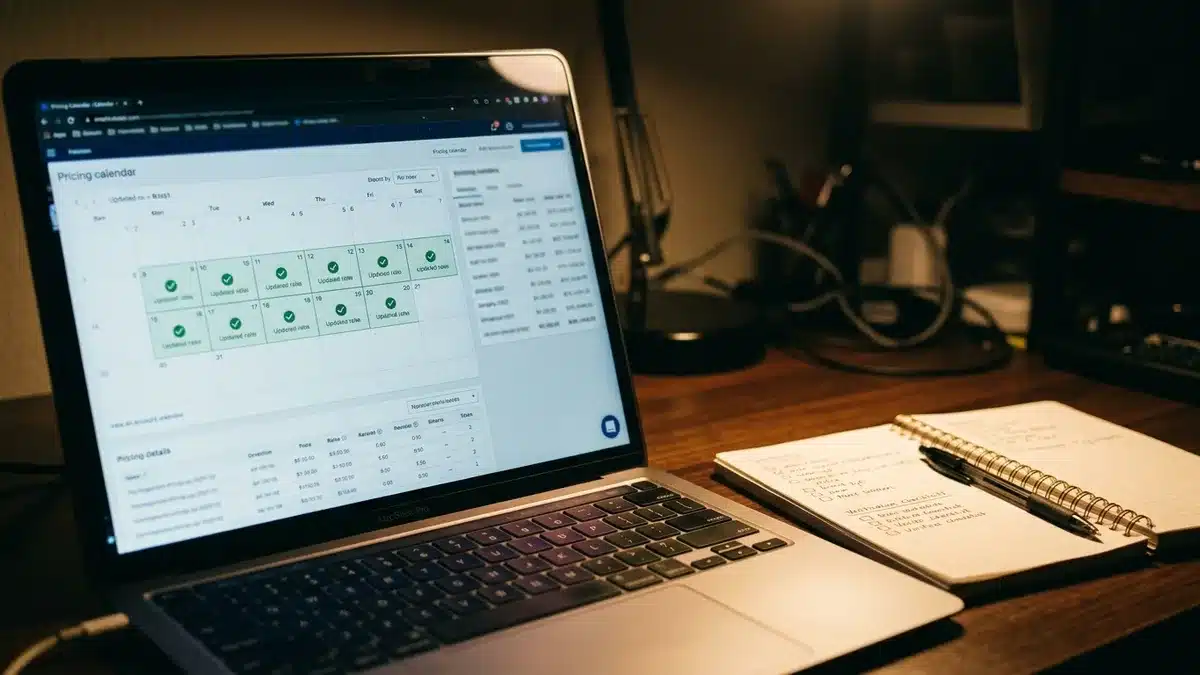
- Pick three test dates and compare the rate in your PMS with the rate on each channel the next morning.
- Look for failed-update notices in your pricing tool or channel manager dashboard.
- Trigger a manual sync after changing minimum or maximum prices, then recheck.
- Confirm your direct site shows the same rate as the PMS.
- After a booking, confirm those dates block on the other channels within the expected window.
Because Boostly Connect reads from your PMS instead of keeping its own rate table, there is no second place for prices to drift. For the mechanics on the website side, see how real-time pricing works on a vacation rental website.
What Guardrails Keep Dynamic Pricing From Backfiring?
Pricing guardrails are the limits you hand a pricing engine: base, minimum, and maximum prices, minimum stays, check-in and check-out rules, last-minute discounts, orphan-day rules, and date-specific overrides. Without them, an algorithm can chase occupancy below your costs or price a peak night out of reach.
Set your floor from your costs and your target margin, not from fear of an empty night. Set your ceiling from the highest rate your market has plausibly supported. Then test the settings against the situations you will meet every year.
| Scenario | What the engine does | Guardrail that applies | How to evaluate the result |
|---|---|---|---|
| High-demand event weekend | Pushes rates toward your maximum | Maximum price, longer dynamic minimum stay | If the nights sold out far earlier than usual, your maximum was probably too low |
| Slow booking period | Applies last-minute discounts as dates approach | Minimum price protects your floor | Check whether discounted nights sold or whether the floor itself is the obstacle |
| Orphan night between two stays | Relaxes the minimum stay or discounts the gap | Orphan-day rule | Review whether gaps now fill, and whether the discount was larger than needed |
Review results weekly, not nightly. One empty Tuesday tells you nothing; a month of empty Tuesdays tells you to revisit the floor or the stay rule. Our twice-weekly group coaching calls are where hosts pressure-test settings like these before changing them.
What Mistakes Do Hosts Make With Multi-Platform Dynamic Pricing?
The most common mistake in multi-platform dynamic pricing is letting two systems price the same listing. Other frequent errors include setting a floor below true costs, ignoring channel commissions, skipping sync checks, and forgetting that the direct website needs the same live rates as the other channels.
- Two engines, one listing. A platform’s native tool and a third-party tool will overwrite each other. Turn one off.
- A floor set by anxiety. A minimum below your cleaning costs and platform commission loses money on every booking at that rate.
- Identical sticker prices everywhere. You end up netting less on the channels with the highest commission.
- No audit trail. Without periodic checks, a broken integration can leave old rates live for days.
- A static direct site. If your website runs on a manual rate table, direct guests see prices that the rest of your stack abandoned weeks ago.
That last one is the problem we built Boostly Connect to remove. If you manage several properties, the same logic applies at scale; our piece on managing multiple vacation rentals without chaos covers the operational side.
How Does Dynamic Pricing Change From Peak to Off-Peak Season in 2026?
Seasonal dynamic pricing shifts your nightly rates and stay rules as demand moves between peak, shoulder, and off-peak periods. Peak seasons, usually summer and major holidays, though your market may differ, tighten rules and raise floors. Off-peak periods loosen them to keep the calendar moving.
The 2026 picture is steady rather than explosive. AirDNA data forecasts U.S. short-term-rental occupancy averaging 57.4% in 2026, against a 57.0% pre-pandemic average, with RevPAR rising 2.9%. Growth is moderating compared with 2026, so a rate card set once in January has little room to coast.
- Peak: Raise floors, lengthen minimum stays, and avoid last-minute discounts that train guests to wait.
- Shoulder: Widen the gap between minimum and maximum, and lean on weekly rates to secure longer stays.
- Off-peak: Lower minimum stays and accept discounts, since mid-week and off-peak bookings can drop 15 to 20% below peak rates according to ATLAS by AvantStay (June 2026).
Off-peak is also when direct marketing earns its keep. Every direct guest lands in the Boostly CRM automatically, so you can send past guests a direct-only offer for a slow week instead of paying commission to win them back. Our guide to re-engaging past vacation rental guests shows the sequence.

How Does a Direct Booking Website Fit Into Multi-Platform Dynamic Pricing?
A direct booking website is the one channel in your pricing stack with no OTA commission, so it should display the live PMS rate and add your direct-only offers on top. When it reads rates automatically, it becomes your best-margin channel; when it relies on a manual table, it becomes the stalest.
Boostly Connect builds that site on WordPress and syncs it to your existing PMS in under 20 minutes, with no developer, no coding, and no upfront cost for up to 10 listings. Guests see live availability and real-time pricing, and every direct booking is captured into your own CRM rather than retained by a booking platform.
Which website builder supports dynamic pricing integration?
Look for a builder that reads rates from your PMS instead of storing a separate price table. That is how we built Boostly Connect. A site with its own rate table forces you to update prices twice and guarantees they drift apart during busy weeks.
Does adding a direct channel hurt your OTA ranking?
You do not have to choose between Airbnb and direct bookings. Most hosts run both and simply redirect repeat guests to their own site. Our guide on balancing OTA and direct bookings in 2026 walks through that split.
The payoff is real. In one portfolio of 30+ properties, a host in our community reached 55 percent direct bookings by applying our strategies consistently. Our clients target 65 percent direct bookings within 12 months, or we work for free until they get there.
How Do You Choose Pricing Software for Airbnb and Vrbo Listings?
Pricing software for Airbnb and Vrbo listings is a revenue-management tool that connects to your PMS or channel manager and sets nightly rates per channel. The right fit integrates with your PMS, supports channel-specific adjustments, and lets you set and audit guardrails. Name recognition matters less than those capabilities.
- PMS compatibility: Confirm it connects to the PMS you already use, preferably through an API rather than a calendar link.
- Guardrail depth: Base, minimum, and maximum prices, dynamic minimum stays, orphan-day rules, and date overrides should all be adjustable.
- Channel adjustments: You should be able to apply a markup or discount per platform.
- Sync transparency: The tool should show you when it last pushed rates and flag failures.
- Direct site coverage: Rates should reach your direct website through the PMS, not stop at the booking platforms.
Check each vendor’s current pricing page and run a trial against your real calendar. Boostly Connect fits the last bullet: whichever tool you pick, our integration carries its output to your own site.
What Does Multi-Platform Dynamic Pricing Mean for Your Business in 2026?
Dynamic pricing works across multiple platforms when one engine calculates, one PMS or channel manager distributes, and every channel, including your own website, receives the same verified rate. The channels will differ by commission, but the logic behind each price should not. That is how dynamic pricing works for vacation rentals across multiple platforms without constant manual edits.
Your next steps are short: choose one pricing source, set guardrails from your costs, apply channel markups based on net revenue, and verify sync on a schedule. Then make sure your direct site reads the same live PMS rates, because that channel keeps 100 percent of the payment. As supply keeps growing in 2026, hosts with disciplined pricing and an owned guest list have the advantage.
If you are ready to see a direct booking website connected to your own PMS, book a demo with Boostly Connect and watch your live rates appear on your own site.

Frequently Asked Questions
Can you suggest a website builder for vacation rentals that supports dynamic pricing integration?
Choose a builder that pulls live rates from your PMS instead of keeping its own price table. Boostly Connect does this: it syncs your existing PMS to a WordPress site in under 20 minutes, with no developer. Real-time pricing and live availability then appear on your site automatically.
What is the best app for comparing prices of vacation rentals across multiple websites?
To compare your own rates across channels, use the view inside your PMS or channel manager, then spot-check each listing manually. To benchmark against competitors, use a rental market data tool. The check that matters most is whether the rate you set matches what each platform displays.
How can I reduce manual work and automate my vacation rental operations?
Connect your PMS, pricing tool, website, and CRM so data moves between them automatically. Rates flow from the pricing engine to the PMS and out to every channel. Boostly Connect handles the website and CRM end, so guest records and live pricing need no manual updates.
How do I list my vacation rental on multiple portals without managing each one manually?
Use a PMS or channel manager as your single control point. You enter rates, availability, and rules once, and the system distributes them to Airbnb, Vrbo, and other connected channels. When a reservation lands on one channel, availability updates on the others.
What is the best pricing software for Airbnb and Vrbo?
The best choice is the tool that connects to your PMS, lets you set guardrails and per-channel adjustments, and shows sync status clearly. Check each vendor’s current pricing page and trial it on your own calendar before committing. Avoid running it alongside Airbnb Smart Pricing on the same listing.
How does Airbnb Smart Pricing determine nightly rates?
Airbnb Smart Pricing uses listing and area factors to adjust your nightly price within the minimum and maximum prices you set. It applies only to your Airbnb listing and does not set rates on Vrbo or your direct site. For multi-platform pricing you need a tool connected through your PMS.
Will running dynamic pricing and direct bookings together hurt my Airbnb ranking?
Most hosts run both at the same time, so you do not have to abandon Airbnb to grow a direct channel. Keep your calendars accurate, keep dynamic pricing active, and point repeat guests to your own site. Boostly Connect captures those direct guests in your own CRM.