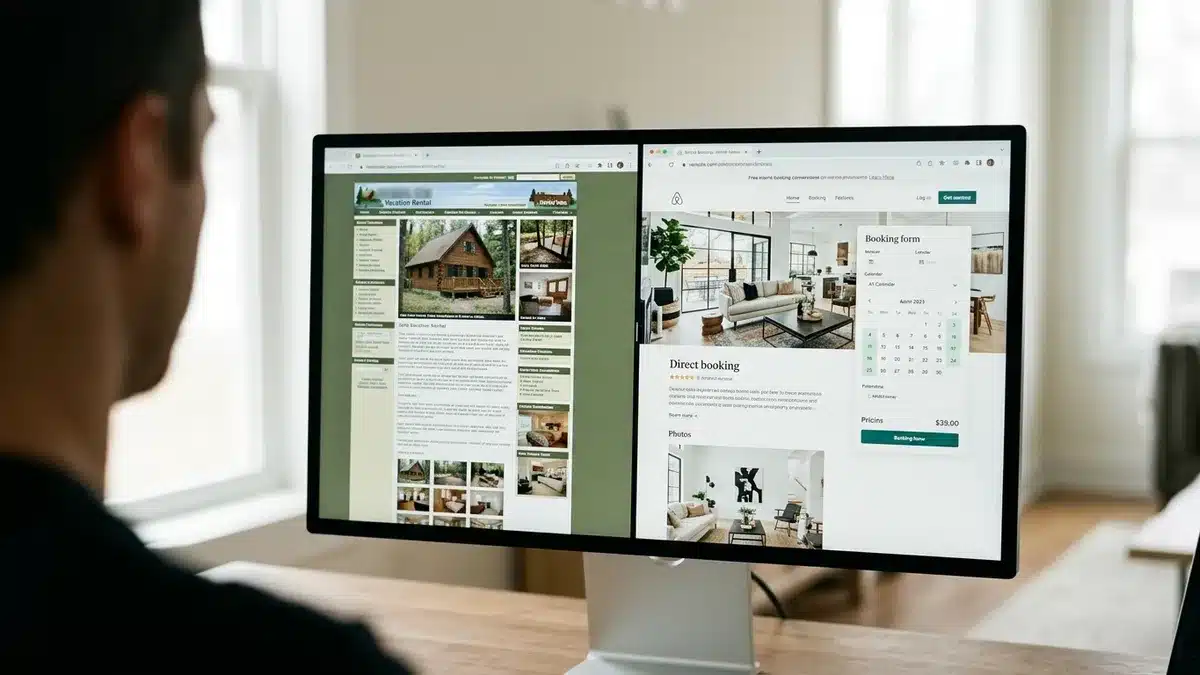
A vacation rental channel manager is software that syncs your calendar, rates, and listing details across every booking site you use, so one reservation instantly blocks those dates everywhere else. If you list on two or more platforms, you almost certainly need one. If you list on a single channel, you probably do not.
Key Takeaways
- A channel manager keeps availability, rates, minimum stays, and listing content consistent across the major booking sites and similar platforms, which is how it prevents double bookings.
- A host on a single channel generally does not need one; the need begins when you distribute across several platforms.
- A channel manager is not a property management system (PMS). The PMS runs operations, while the channel manager handles distribution.
- Direct API connections update in near real time, while iCal calendar feeds are slower and carry only availability, not rates or rules.
- Every OTA booking still carries a commission of 15 to 20 percent, so distribution alone does not fix your margin problem.
- Boostly Connect syncs your existing PMS to your own WordPress booking website, with 27 PMS integrations, so your direct channel gets live availability and pricing like any other channel.
We hear this question from hosts constantly, usually right after a scare: a guest booked on one platform for dates that another had already sold. That single event costs you a cancellation, a penalty, a bad review, and a lot of stress. A channel manager exists to make that event structurally impossible.
Here is the catch we see across the operators we work with. Adding channels increases reach, but every OTA reservation still costs you roughly 15 to 20 percent. At Boostly Connect, we built our platform around that tension. Your channel strategy in 2026 should include your own website as a first-class channel, not an afterthought.
This guide explains what a vacation rental channel manager does, how it differs from a PMS, how API and iCal syncing compare, and how to decide whether you need one. You will also get a checklist for setup and for what to do when a connection fails.
What Is Channel Management for Vacation Rentals?
Channel management is the practice of distributing your property’s availability, rates, rules, and content to multiple booking platforms from one central place. A channel manager is the software that does it. When a guest books on any connected site, the system updates every other site automatically.
The core job has three parts. First, calendar synchronization: a booking or owner block on one site closes those dates everywhere. Second, rate distribution: your nightly prices, minimum stays, and length-of-stay discounts go out from one dashboard. Third, content coordination: photos, descriptions, and fees stay consistent instead of drifting out of date on each platform.
Without it, you are the channel manager. That means logging into each booking platform separately, editing each calendar by hand, and hoping you never forget one. It works for a weekend. It breaks the first time you travel or hit a busy booking day.
We built Boostly Connect to treat your own website as one of those channels. Your PMS stays the source of truth, and your WordPress booking site receives live availability and real-time pricing from it, so the direct channel never lags behind the OTAs.
What Does a Vacation Rental Manager Do, and Where Does a Channel Manager Fit?
A vacation rental manager runs the operation of a rental: pricing, guest communication, cleaning coordination, maintenance, and owner reporting. A channel manager is one tool in that toolkit, and it covers only the distribution piece. Confusing the two is the most common mistake we see when hosts shop for software.
Channel manager versus PMS
A PMS is the operational hub. It holds reservations, guest records, tasks, and often payments and messaging. A channel manager pushes availability and rates out to booking sites and pulls reservations back in. Many PMS platforms include a channel manager; some standalone channel managers do not include any operations features.
| Function | Channel manager | PMS |
|---|---|---|
| Calendar sync across booking sites | Core function | Often included |
| Rate and rule distribution | Core function | Often included |
| Guest messaging and automation | Sometimes bundled | Typically included |
| Cleaning schedules and tasks | Not usually | Typically included |
| Owner reporting and accounting | Not usually | Often included |
| Direct booking website | Not usually | Varies; often basic |
Our view: if you already run Hospitable, Lodgify, OwnerRez, or a similar PMS, you likely have channel management built in. Check that before buying anything separate. What those systems rarely give you is a high-converting direct booking site, which is the gap Boostly Connect fills by connecting to your PMS in under five minutes.
How Does a Vacation Rental Channel Manager Prevent Double Bookings?
A channel manager prevents double bookings by updating every connected platform the moment a reservation, cancellation, or block happens in any one of them. The dates close everywhere within seconds on a direct connection, so two guests cannot book the same night.
The mechanism matters, because not every connection is equal. With a direct API integration, the channel manager and the booking site exchange data continuously. With iCal, each platform periodically reads a calendar file from the other, which creates a window where both calendars show the dates as open.
API versus iCal: what actually differs
| Factor | Direct API connection | iCal calendar feed |
|---|---|---|
| Update speed | Near real time | Periodic refresh; lag varies by platform |
| Data carried | Availability, rates, rules, content, reservations | Availability blocks only |
| Double-booking risk | Very low | Higher during the refresh gap |
| Setup effort | Authorize connection in dashboard | Paste calendar links between platforms |
| Best for | Multiple channels, busy calendars | Two channels, low booking volume |
iCal is not worthless. For a single property on two platforms with slow booking pace, it can be adequate. But it will not carry your pricing, and the lag is exactly when double bookings happen: during a busy weekend when two guests search at the same moment.
You can verify any connection before trusting it. Create a test block on one platform, then time how long it takes to appear on the others. Do this at setup and again after any platform changes its settings.
Do I Need a Channel Manager for My Vacation Rental?
You need a vacation rental channel manager when you list on two or more booking platforms, or when you add a direct booking website alongside an OTA. If you list on one channel only, you generally do not. The deciding factor is calendar conflict risk, not property count alone.
Here is the practical decision path we use when hosts ask us.
- One channel, any number of properties: you do not need a channel manager. A PMS may still help with operations.
- Two channels, one property, low volume: iCal syncing can work, but test it and watch for lag.
- Two or more channels with frequent bookings: use a direct API connection through a channel manager or a PMS that includes one.
- Multiple properties across several channels: you need one, plus a PMS to handle the operations behind it.
- Any listing plus your own website: your site must sync live with your calendar, or you are back to manual updates.
Booking volume matters as much as channel count. Two channels with one booking a month is manageable by hand. Two channels with several bookings a week is where manual updates fail, usually at the worst time.
For tech-averse hosts, this is where our setup matters. Boostly Connect syncs your existing PMS to a WordPress site in under 20 minutes, with no developer and no coding, so adding a direct channel does not add a manual calendar to babysit.
What Features Should a Vacation Rental Channel Manager Include?
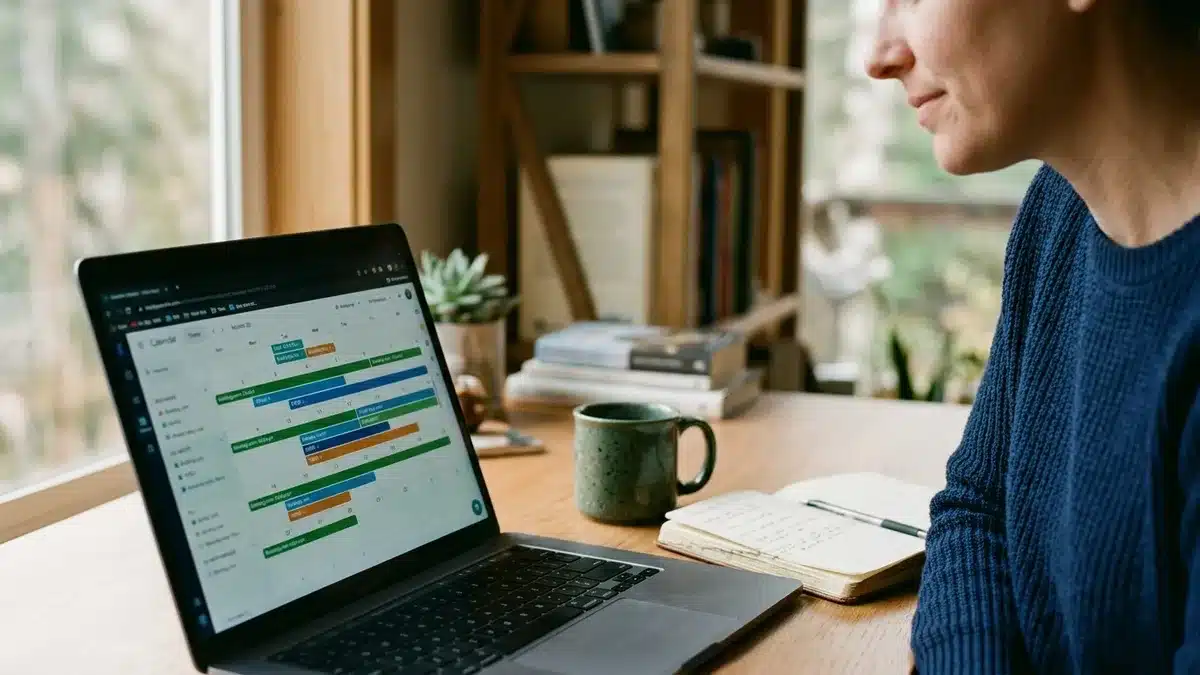
A good vacation rental channel manager includes two-way API connections to the major OTAs, real-time calendar sync, rate and rule distribution, and reservation import into your PMS. Everything beyond that, such as messaging or reporting, is a bonus. Prioritize the sync quality over the feature count.
Core features to require
- Two-way API connections to the major booking platforms you use, not iCal-only links.
- Rate and rule distribution: nightly prices, minimum stays, and length-of-stay discounts pushed from one place.
- Content management: photos, descriptions, and fees updated once and distributed.
- Reservation flow back into the PMS so guest records and tasks are created automatically.
- Clear error alerts when a connection drops, so you hear about it before a guest does.
Features that belong elsewhere
Dynamic pricing, cleaning schedules, owner statements, and payments are typically PMS or separate-tool features. Do not pay a channel-manager premium for something your PMS already does. And do not assume a pricing tool replaces channel management; pricing software decides the rate, while the channel manager delivers it.
In our experience, the feature most hosts forget to ask about is the direct channel. Ask whether the tool gives you a booking website with live pricing, and whether guest data lands in a CRM you own. Boostly Connect captures every direct guest automatically into your own CRM, so you can own guest data instead of renting access to it from an OTA.
What Is the Best Channel Manager for Multiple Booking Platforms?
The best channel manager for multiple booking platforms is the one that holds a direct API connection to each of them, fits the PMS you already use, and handles your property count without extra fees. There is no single winner for every host, so match the tool to your situation.
Because this is a fit question, here is how we would sort it:
| Your situation | What to prioritize |
|---|---|
| Small operator, one to a few properties | A PMS with channel management included; avoid paying for two tools |
| Self-managing host on two channels | Direct API connection, simple setup, alerts for sync failures |
| Boutique manager, growing portfolio | Multi-property support, owner reporting, reliable reservation flow |
| Anyone reducing OTA dependence | A direct booking site that syncs live with the same PMS |
For small operators, the cheapest correct answer is often the PMS you already pay for. Check what it includes before adding a standalone tool. Costs vary by plan and by provider, so confirm current pricing on each vendor’s own pricing page rather than relying on a roundup.
Where we differ is the direct side. Whichever PMS you choose for OTA distribution, Boostly Connect supports 27 of them, so your own website gets the same live availability without a second manual calendar.
What Does Channel Management Actually Cost, and When Does It Pay Off?
Channel management costs typically come as a subscription, a per-listing fee, or a share of each booking, and the price varies widely by provider and plan. It pays off when the time you save and the booking errors you avoid outweigh the fee. Confirm exact numbers with each vendor.
Compare cost against three things. First, your hours: how long do you spend editing calendars and rates by hand each week? Second, your error cost: one double booking can mean a relocation, a refund, and a review hit. Third, your channel commissions: the fee on top of OTA commissions only makes sense if the extra channel brings bookings you would not otherwise get.
Do not forget setup time. Importing listings, mapping rooms and rules to each channel, and testing sync takes real effort at the start, especially with several properties. Budget for it and for a short parallel-run period before you rely on the system.
The hidden cost most hosts miss is the commission itself. Adding channels grows reach, but each OTA booking still costs 15 to 20 percent. That is why we push operators to treat direct bookings as the margin lever. If you want to see the math, our guide on how much OTA commission costs you per year walks through it.
How Do Hosts Get Value Beyond Distribution?
Distribution gets your listing in front of more guests, but it does not give you the guest relationship. Hosts get lasting value when they combine channel management with a direct booking website and a CRM they own. Then repeat guests return to you instead of back to an OTA.
This is the repeat booking trap we built Boostly Connect to break. A guest finds you on an OTA, loves the stay, and next year searches the OTA again, because you never owned the contact. Every rebooking costs you commission on a guest you already earned.
Some of the results we have seen show what happens when hosts invest in the direct side. One B&B owner reached 90 percent direct bookings with 60 percent repeat guests after building their own booking channel. A portfolio operator reached 55 percent direct bookings across 30+ properties. Those are outcomes of owning the channel, not of adding more OTAs.
You do not have to abandon your OTA listings to do this. Most hosts run both and simply redirect past guests to their own site. Our post on how to re-engage past vacation rental guests shows the tactics, and our piece on balancing OTA and direct bookings covers the strategy.
How Do You Set Up a Channel Manager Without Breaking Your Calendar?
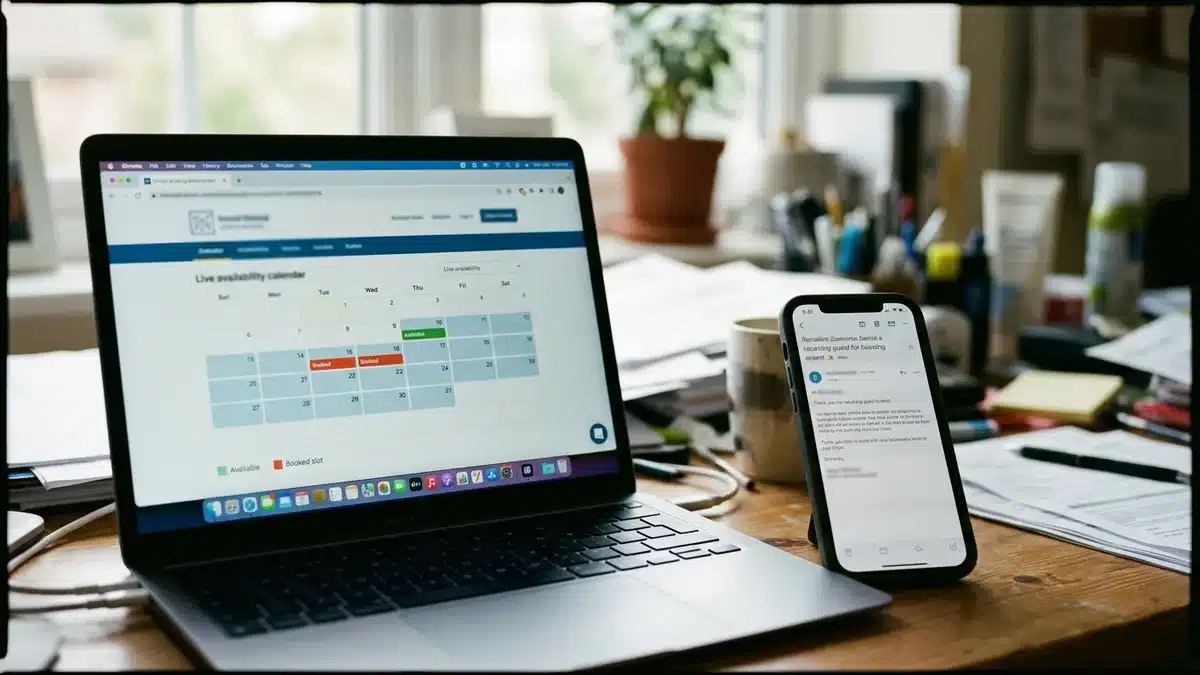
You set up a channel manager safely by connecting one channel at a time, testing each sync with a dummy block, and running the old and new systems in parallel briefly. Start in a slow booking period, never the week before a peak weekend.
- Audit your current channels. List every platform, calendar, and iCal link currently live, so nothing stays connected by accident.
- Choose the master calendar. Your PMS or channel manager becomes the single source of truth; every platform follows it.
- Connect one channel via API. Authorize the connection, then import listings and map rates and rules.
- Test the sync. Create a block on the master calendar and time how fast it appears on the channel. Reverse the test with a block made on the channel.
- Remove old iCal links for that channel to avoid loops and conflicting sources.
- Repeat for each channel, then add your direct booking site as the final connected channel.
- Set up alerts for failed syncs and review them weekly.
Contingency checklist for when things break
- If a connection drops, block the dates manually on every channel immediately, then reconnect.
- If a duplicate reservation appears, keep the earlier booking, contact the later guest promptly, and offer a comparable alternative.
- Before peak periods, recheck every connection and confirm minimum-stay rules per channel.
- When you change inventory, such as adding a unit or closing one for maintenance, update the master calendar first and verify the result on each channel.
- Remember that channel-specific rules can differ, so confirm each platform accepts your pricing and stay rules.
The advantage of our approach is the final step. Boostly Connect links your PMS, website, and CRM so all three run without ongoing intervention, which removes the hand-editing that causes most sync errors.
How Does Boostly Connect Handle Channel Management?
Boostly Connect handles the direct channel of your distribution by syncing your existing PMS to a WordPress booking website, with live availability and real-time pricing, so your own site behaves like any other connected channel. It supports 27 PMS integrations and connects in under five minutes.
Here is what that means in practice. You keep your PMS and its OTA connections. We build and host your direct booking website, connect it to the PMS, and every guest who books direct is captured automatically into your own CRM. There is no developer, no code, and no upfront cost for up to 10 listings.
The platform also gives you the pieces that make a direct channel convert: direct-only offers, discount codes, gift vouchers, SEO-ready property pages, and AI agents that answer guest questions. Our clients reach 65 percent direct bookings within 12 months, or we work for free until they do. Mark Simpson built this after recovering over $30,000 a year in platform fees himself.
For multi-property operators, one connected system keeps pricing, availability, and guest data unified across every listing. See our guides on managing multiple vacation rentals and choosing a direct booking website for more detail.
Which Tools Should Small Operators Start With in 2026?
Small vacation rental operators should start with a PMS that includes channel management, then add a direct booking website synced to that PMS. That order gives you double-booking protection first and margin improvement second, without paying for overlapping tools in 2026.
The market pushes toward consolidation. Operators prefer fewer vendors with broader capabilities, and STR operators commonly juggle three to five software tools, which creates integration gaps. Each extra tool is another place for a sync to fail.
For a new host, we recommend this sequence:
- List on one or two channels and learn your booking pace.
- Pick a PMS with included channel management and direct API connections.
- Add a direct booking website synced to that PMS.
- Build your guest list in a CRM you own from day one.
Staffing and revenue pressure is real: according to Key Data (June 4, 2026), 73% of property managers say staffing and revenue pressures are the biggest barriers to achieving their 2026 business goals. Automation that removes manual calendar work addresses the staffing side, while direct bookings address revenue.
Frequently Asked Questions
What does a vacation rental channel manager do?
A vacation rental channel manager syncs your calendar, rates, minimum stays, and listing content across every booking platform you use. When one platform gets a reservation, the others close those dates automatically. Its main purpose is preventing double bookings while saving you from editing each site by hand.
Do I need a channel manager if I only list on one platform?
Generally no. With a single channel there is no second calendar to conflict with. The need begins when you add another platform or a direct booking website. A PMS may still help with operations, but not for distribution.
What is the difference between a channel manager and a PMS?
A channel manager handles distribution: availability, rates, and content going out to booking sites, and reservations coming back. A PMS runs operations such as guest records, tasks, messaging, and reporting. Many PMS platforms include a channel manager, so check yours before buying a standalone tool.
Is iCal syncing good enough to prevent double bookings?
iCal can work for two channels with low booking volume, but it refreshes periodically and carries only availability blocks. During that refresh gap, both calendars can show the same dates as open. A direct API connection updates much faster and also carries rates and rules.
What are the best vacation rental sites that sync with my existing calendar and channel manager?
Major booking platforms connect through direct API integrations with most channel managers and PMS tools. Your own direct booking website can sync too. Boostly Connect connects 27 PMS systems to a WordPress site so your direct channel shows live availability.
What is the best website builder for vacation rental property managers?
Look for a builder that syncs live with your PMS, includes SEO-ready property pages, and captures guest data into a CRM. A generic builder leaves you maintaining a manual calendar. Boostly Connect builds a done-for-you WordPress booking site connected to your existing PMS.
What tools are essential for someone new to the vacation rental business?
Start with a PMS that includes channel management and a direct booking website so you own the guest relationship. Add a CRM early. This keeps your tool count low and your sync points few.
When should a vacation rental host start using a channel manager?
Start the moment you list on a second platform or launch a direct booking site, especially if bookings arrive weekly. Waiting until after your first double booking is the common mistake. Set it up during a slow period and test every connection.
So, Do You Need a Vacation Rental Channel Manager?
If you list on more than one platform, yes. A vacation rental channel manager syncs calendars and rates so a booking anywhere closes those dates everywhere. On a single channel you can skip it. Verify any connection with a test block before you trust it.
The bigger question for 2026 is what your channels are costing you. Every OTA reservation carries 15 to 20 percent commission, and a channel manager does not change that. Your own website, synced live to your PMS, is the channel that keeps 100 percent of the payment and the guest data.
If you want that direct channel running without a developer, book a demo with Boostly Connect. We will connect to your PMS in under five minutes and show your listings with live availability and pricing on your own site, using your own property data.