

What AI tools actually work for automating guest messaging in vacation rentals? Three groups do: AI reply drafting inside your property management system, standalone messaging layers that plug into it, and chat agents on your own booking website. All three handle routine questions well and fail on complaints and emergencies unless you set limits first.
Key Takeaways
- AI guest messaging software drafts or sends replies using reservation details, house rules, and guidebook content, which is what separates it from generic canned templates.
- Scheduled templates remain the most reliable layer for check-in instructions and review requests, while AI replies cover the unpredictable questions.
- Approval settings, escalation rules, and regular audits of sent replies matter more than which AI model powers the tool.
- Pricing varies between per-listing, per-unit, and flat-plan models, so confirm channel limits and included AI features on each vendor’s current pricing page in 2026.
- Test any tool against your own past guest messages before trusting a vendor’s accuracy claim, including ours.
- Boostly Connect puts live chat and AI agents inside a CRM tied to your PMS sync, so pre-booking questions and upsells on your own direct booking site are answered from live availability and pricing.
If you manage a handful of listings, guest messages arrive at the worst hours: a door code question at 11 pm, a parking question during dinner, a late checkout request in the middle of a turnover. Answering them yourself keeps response times fast and eats your evenings. Hiring someone to do it eats your margin.
In 2026 the tool market is crowded, and most comparisons you will read are built from vendor feature pages rather than tests on the same set of guest messages. At Boostly Connect we work with more than 2,000 hosts and property managers across 25 countries, and the pattern is consistent. The tools that work have clear boundaries.
This guide covers what each category does, where it breaks, how to set safe limits, and how to judge results. We wrote it for operators who want less manual work without handing the guest relationship to a bot that guesses.
What Does AI Guest Messaging Software Do for Vacation Rentals?
AI guest messaging software reads an incoming guest message, matches it against reservation details, house rules, and saved property knowledge, then drafts a reply for your approval or sends one automatically. It replaces repetitive typing on questions like check-in time and parking, while leaving judgment calls with you.
How Do Scheduled Messages Differ From AI Replies?
Scheduled messages fire on a trigger such as booking confirmation or the day before arrival. They are predictable and cannot invent anything. AI replies respond to whatever the guest asks, which is why they add value and risk in the same move. We treat the two as layers: templates carry the fixed information, and AI covers the questions nobody anticipated.
What Makes an AI Reply Accurate?
Grounding. A tool that reads your reservation dates, house rules, and an uploaded guidebook answers from facts. A tool with no access to those sources improvises. Before you commit, ask any vendor which sources it reads before replying, and whether you can inspect them.
The same logic shaped how we built the AI agents in Boostly Connect. Answers about availability and pricing on your direct booking site come from your PMS sync, not from a stale copy someone typed into a chatbot six months ago.
What AI Tools Actually Work for Automating Guest Messaging in Vacation Rentals?
Five tool categories work in practice: scheduled templates in your PMS, AI reply drafting in your PMS inbox, standalone AI messaging layers, general-purpose AI assistants for ad hoc writing, and website chat agents tied to a CRM. The right mix depends on your listing count, your channel mix, and how much autonomy you are willing to grant.
| Tool category | Best for | Where it works | Main risk |
|---|---|---|---|
| Scheduled templates in your PMS | Booking confirmations, check-in details, review requests | Channels your PMS supports | Cannot answer unexpected questions |
| AI reply drafting and auto-reply in your PMS inbox | Routine questions grounded in reservation data | Varies by vendor and plan | Confident wrong answers when the guidebook is thin |
| Standalone AI messaging layer | Operators who need deeper AI than their PMS offers | Depends on the integration; confirm coverage | Extra vendor, extra sync point, separate pricing |
| General-purpose AI assistant | Drafting templates, rewriting house rules, brainstorming | Copy and paste only | Cannot see bookings, so replies stay generic |
| Website chat and CRM AI agents (Boostly Connect) | Pre-booking questions and upsells on your own direct booking site | Your direct booking website and Boostly CRM | Does not replace an inbox tool for threads inside an OTA |
Our view, after years of watching hosts build their stacks: start with the tools your PMS already includes. Fewer vendors means fewer sync points to break, and operators who stitch together several disconnected tools spend real time chasing errors. Add a standalone layer only when you can name the specific job your PMS inbox cannot do.
The last row of the table works differently because it operates before a booking exists. Our CRM includes live chat and AI agents that answer prospective guests on your own site, and every guest who books direct is captured into your CRM automatically. We see that as a complement to inbox tools, not a replacement for them.

How Does AI Answer Airbnb Guest Questions Automatically?
AI answers Airbnb guest questions automatically by connecting through your property management system, which syncs the Airbnb inbox, then generating a reply from the booking record and your saved property knowledge. The reply either posts on its own or waits in an approval queue, depending on the rules you set.
The sequence matters. A message arrives, the tool identifies the topic, pulls the facts that match that guest’s stay, drafts a reply, and checks the tone of the guest’s message. If the message reads as a complaint or touches money, safety, or damage, a well-built tool stops and flags a human.
Which Channels Can One Inbox Cover?
Channel coverage varies sharply by vendor and by plan. Confirm that the tool reaches Airbnb, Vrbo, direct email, and SMS threads in one place, and ask whether auto-send works on every channel or only some. A tool that automates one channel and leaves the rest manual solves half your problem.
Direct guests follow a different path. When someone books on your own site through Boostly Connect, they land in your CRM automatically, so the conversation and the contact details stay with you. Our guide on owning guest data from Airbnb explains why that matters long after checkout.
What Is the Best Guest Messaging Automation for Multiple Listings?
The best guest messaging automation for multiple listings stores property-specific knowledge for each unit, applies shared rules across the whole portfolio, and routes exceptions to a named person. Per-unit knowledge prevents the classic error of sending one property’s door code to another property’s guest.
Portfolios break manual messaging fast. Five units mean five house manuals, five sets of quirks, and a shared inbox where nobody knows who owns which thread. Look for tools that tag every message by property and let you assign threads to team members. If you manage from another state, check time-zone handling too.
Pricing also scales differently than you expect. Some tools charge per listing, others per unit, and a few bundle AI into a PMS plan, so a tool that looks cheap at two listings can look very different at twenty. Our piece on managing multiple vacation rentals without chaos walks through the operational side of that growth.
We built Boostly Connect so every property syncs to the same PMS, CRM, and website infrastructure. Pricing, availability, and guest data stay unified across listings, and you are not maintaining a separate chatbot setup for each unit.
Which AI Is Best for Chatting With Guests?
No single AI model is best for chatting with guests. The better question is whether the tool behind it can see your reservation data, guidebook, and house rules. A top-tier general model with no property context loses to a modest model grounded in your actual listing details.
Where Do General-Purpose Assistants Fit?
They excel at one-off writing: drafting a welcome message template or rewriting house rules in a friendlier tone. They fall short on live conversations because they cannot read bookings and hold no permissions in your systems. You become the copy-and-paste layer, which defeats the point.
What About Message Timing?
People searching for the best AI for scheduling usually mean timing, not model quality. Rule-based triggers beat any model here. A message that sends two days before arrival works the same whether it was written by you or an AI, so use schedules for fixed content and save AI for the open questions.
Our AI agents live inside the Boostly CRM, next to live chat on your direct booking site. That placement gives them live PMS data to answer from, which a standalone chat window never has.

What Is AI in Vacation Rental Booking, and How Does It Convert Direct Guests?
AI in vacation rental booking means software that answers a prospective guest’s questions on your own website, checks live availability and pricing, and guides them toward checkout without you typing a reply. It matters because a visitor who cannot get a quick answer tends to return to an OTA listing where the answer is one tap away.
That return trip is expensive. OTAs charge 15 to 20 percent commission on every reservation, and the guest relationship stays with the platform. We built Boostly Connect to stop that repeat booking trap, and chat on your own site is one of the places it gets closed.
The setup is short. You plug in your existing PMS, which takes under five minutes across our 27 PMS integrations, and the direct booking website syncs in under 20 minutes with no developer. Live chat and AI agents then work from the same live data. For the conversion side, our guide on converting website visitors into bookings covers what else the site needs.
Messaging after the first stay matters just as much. One B&B couple we work with reached 90 percent direct bookings and 60 percent repeat guests by taking their marketing in-house. Automated follow-up is a large part of how returning guests end up booking direct, and we cover that in how to re-engage past guests.
Which Guest Messages Should You Never Fully Automate?
You should never fully automate messages involving safety, refunds, damage disputes, complaints, policy exceptions, or any guest who sounds upset. These carry financial and reputational risk, and a confident wrong answer makes them worse. Route them to a human immediately and let AI draft, at most, a holding reply.
How Should You Sort Messages by Risk?
Think in three tiers. The first tier is safe to send automatically once you have tested it.
- Check-in and checkout times, parking, wifi, and appliance instructions
- Local recommendations drawn from your own guidebook
- Confirmation of details already in the booking record
The second tier should be drafted by AI and approved by you before sending.
- Early check-in and late checkout requests
- Date changes and extra guests
- Pet and noise questions where your policy has exceptions
The third tier stays human-only: refund requests, injury or damage reports, anything involving a lockout at night, a leak, or a gas smell, and any message with an angry tone. Emergencies need a person and a phone number, not a polite paragraph.
That reasoning explains where we aim Boostly Connect’s AI agents: pre-booking questions and upsells answered from live PMS data. Disputes with a paying guest stay with you.
How Do You Set Up AI Guest Messaging With Safe Limits?
Setting up AI guest messaging safely means starting in draft-only mode, loading accurate property knowledge, defining escalation triggers, and expanding automation only where drafts have proven reliable. Most failures trace back to switching on auto-send before anyone has checked what the tool says on real messages.
- Pull a batch of your recent real guest messages and sort them by topic. This becomes your test set.
- Load property knowledge for each listing: house manual, guidebook, rules, and the answers you give most often.
- Run the tool in draft-only mode so every reply needs your approval.
- Define escalation triggers for refunds, injuries, damage, complaints, and negative sentiment, with a named person to receive each alert.
- Enable auto-send one topic at a time, only where drafts matched your own answer consistently.
- Audit sent replies on a regular schedule, weekly at first, and update the knowledge base whenever the AI misses.
- Set quiet-hours behavior and a backup contact so overnight emergencies never wait for morning.
Most independent comparisons skip this part entirely. They compare features but say little about boundaries or auditing, which is where hosts get burned. The same draft-first discipline applies when you switch on the AI agents in our CRM: connect the PMS first, then widen their scope as the answers prove out.

What Should You Check on Pricing, Privacy, and Data Before Choosing a Tool?
Before choosing an AI guest messaging tool, confirm four things in writing: how it charges, which channels it covers, where guest data is stored and whether it trains models on your messages, and what permissions it holds inside your PMS. Sticker prices alone mislead because vendors mix pricing models.
Why Is Pricing So Hard to Compare?
Some vendors price per listing, some per unit, some by monthly plan, and some bundle AI into a PMS subscription. Figures also shift between a vendor’s own pages. As of 2026, ask each provider about minimum portfolio size, add-on fees, channel limits, and which AI features sit in which tier. Then check the current pricing page the day you decide.
What Privacy Questions Matter?
Guest messages hold names, travel dates, and sometimes door codes. Depending on where your guests live, privacy regimes such as GDPR and CCPA may apply to how that data is handled, and any platform touching card data falls under PCI DSS. Ask for the vendor’s data processing terms and a plain answer on model training.
Connecting external AI agents to your systems through protocols such as MCP deserves extra care. Review exactly what the agent can read and what it can change, and prefer read-only access until you trust it. Vendor claims about autopilot percentages are marketing figures, not benchmarks.
One structural advantage we hold to: every guest who books direct through Boostly Connect lands in your own CRM, so the contact data stays in your business rather than with a platform you do not control. Our rundown of the best CRM for short-term rental hosts who own their guest list explains what to look for.
How Do You Measure Whether AI Messaging Is Working?
Measure AI guest messaging by four signals: first-response time, the share of drafts you send without edits, escalations that reached the right person, and what guests say about communication in reviews. Hours saved is the headline benefit most vendors quote, but without your own baseline it cannot be verified.
Record your numbers before you switch anything on. Note how long replies take today and how many messages you edit heavily. After a few weeks, compare. If the edit rate stays high on a topic, that topic belongs back in the approval tier.
Guest sentiment deserves the closest watch. An Alchemer 2026 study reported by Business Wire found that vacation rentals earn a Net Promoter Score of 50.9, compared with 41.8 for hotels. Slow or tone-deaf automated replies put that loyalty advantage at risk, and loyal guests are the ones you want booking direct next time.
For the revenue side, the Boostly Connect reporting dashboard tracks direct booking revenue and ROI in one place. You can see whether chat and follow-up are producing bookings without reconciling a PMS, a spreadsheet, and a bank statement by hand.
Which AI Tools Should You Start With for Guest Messaging in 2026?
So what AI tools actually work for automating guest messaging in vacation rentals? Start with scheduled templates in your PMS, add AI drafts in approval mode, and expand auto-send only on the topics that have earned it. Put a chat agent on your own website to catch the questions that decide whether a visitor books direct.
Keep humans on refunds, damage, safety, and upset guests, and audit what the AI sends. That discipline separates hosts who save hours from hosts who spend them apologizing. Expect AI messaging to keep moving closer to PMS and CRM workflows through 2026, which makes clean data and clear rules more valuable each year.
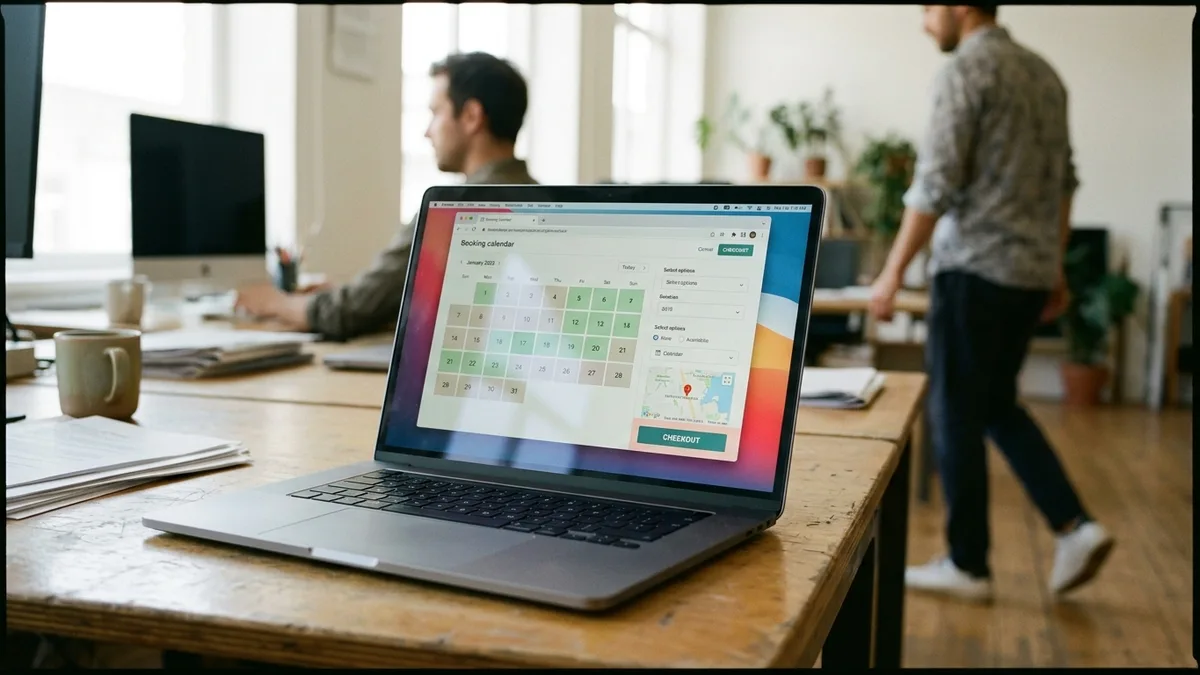
If guest messaging is eating your evenings, book a demo with Boostly Connect and see how our AI agents and live chat handle routine pre-booking questions and upsells on your own direct booking site. Your PMS, website, and CRM stay connected, with no developer and no upfront cost for up to 10 listings. We guarantee 65 percent direct bookings within 12 months, or we work for free until you get there. Bring your own property data and we will show you the setup live.
Frequently Asked Questions
How can I reduce manual work and automate my vacation rental operations?
Start by automating the fixed parts: scheduled messages for confirmations, check-in details, and review requests, plus calendar and pricing sync between your PMS and every channel. Then add AI reply drafting in approval mode for the repeat questions. Connecting your PMS, website, and CRM so they sync automatically removes most of the repeated data entry that eats your week.
What tools do new vacation rental hosts need to streamline operations?
A PMS with channel sync comes first, because it prevents double bookings and centralizes your inbox. Add scheduled guest messaging, a dynamic pricing tool, and a direct booking website so you own part of your demand. Keep the stack small at the start, since each extra vendor adds another sync point to maintain.
What tools can hosts use to create their own booking website?
Boostly Connect builds a done-for-you direct booking website on WordPress that syncs live availability and real-time pricing from your existing PMS. Setup takes under 20 minutes, requires no developer or coding, and carries no upfront cost for up to 10 listings. It supports 27 PMS integrations.
What is the best AI chatbot for a vacation rental?
The best chatbot is the one that can read your live availability, pricing, and property knowledge, because accuracy depends on data, not on the model name. For pre-booking questions on your own website, a chat agent tied to your PMS sync and CRM beats a standalone widget. For inbox threads inside an OTA, use the AI that sits in your PMS inbox.
What tools help manage seasonal pricing adjustments for vacation rentals?
Dynamic pricing tools adjust nightly rates by season, demand, and local events, and most connect to your PMS so rates flow to every channel. Check that your direct booking site shows the same live rates, otherwise guests see one price on your website and another elsewhere. Look at each tool’s current pricing page, since plans change.
How much does AI guest messaging cost?
It varies by vendor, because some charge per listing, some per unit, some by plan, and some bundle AI inside a PMS subscription. Ask about minimum portfolio size, add-on fees, channel limits, and which AI features each tier includes. Confirm the figures on the vendor’s current pricing page before you commit.
Is it safe to connect an AI tool to my PMS and guest data?
It can be, if you control permissions and understand where data goes. Ask whether the vendor trains models on your messages, what data processing terms it offers, and whether the agent has read-only or write access. Start with read-only access and draft-only replies, then widen permissions as you verify the behavior.