

How do I connect my PMS to my WordPress website without a developer? Install a no-code integration plugin, authorize it with your PMS account, and place the synced search and booking blocks on your existing pages. The setup is a short guided sequence; the part that deserves your attention is whether the connection syncs in both directions.
Key Takeaways
- A no-code PMS connection follows a repeatable sequence: confirm your PMS is supported, back up your site, install the plugin, authorize your credentials, review synced listings, place booking blocks, and test a reservation.
- Four methods link a PMS to WordPress: a native plugin, an embeddable widget, iCal calendar sync, and an API integration. iCal typically carries blocked dates only, with no rates or guest details.
- Two-way sync means availability and rates flow from the PMS to your site while reservations, cancellations, and changes flow back. Verify both directions before you commit.
- A WordPress booking plugin that stores reservations locally is not a PMS integration, even when it offers payments and seasonal rates.
- Before launch, back up your site, check time zone, currency, taxes, and fees, then run a test booking and a test cancellation on a phone.
- Boostly Connect syncs your existing PMS to your WordPress site in under 20 minutes, supports 27 PMS integrations, and captures every direct guest into your own CRM, with no upfront cost for up to 10 listings.
If you pay OTA commission of 15 to 20 percent on every reservation, your own website is the obvious way to keep that margin. The obstacle is the connection. Your calendar, rates, and reservations live in your PMS, and a WordPress site that cannot read them is a brochure that sends guests back to Airbnb.
Hiring a developer for the connection adds cost and a dependency you did not plan for. Every pricing change or theme update becomes a support ticket on someone else’s schedule. A PMS switch does too. At Boostly Connect, we have worked with more than 2,000 hosts across 25 countries, and the hosts who stall usually stall on the sync.
This guide covers the four connection methods, the exact setup sequence, how to verify two-way sync, what to test before launch, and the ongoing costs people forget to ask about. In 2026, a self-managing host can complete the connection without touching code, provided the integration was built for that.
What Does It Mean to Connect a PMS to a WordPress Website?
Connecting a PMS to a WordPress website means your property management system feeds listing details and live availability to your site. Rates come along too, so guests can search and book there while the reservation lands in the same calendar that runs your business. A PMS booking widget for WordPress is the most visible piece of that connection.
What Is a PMS Booking Widget for WordPress?
A PMS booking widget is a snippet of code or a shortcode that displays a search box or booking form on a page, served by your PMS provider or an integration vendor. You paste it into a page block and your theme stays untouched. It shows availability, but how much else it does depends entirely on the vendor.
How Is a True PMS Integration Different From a Booking Plugin?
Many WordPress booking plugins manage reservations inside the WordPress database. They handle online payments, seasonal rates, extras, and coupons, which sounds complete. None of that proves a link to your external PMS. Some products treat PMS connection as an optional service available on request rather than a standard, self-serve feature.
A true integration reads from your PMS and writes back to it. Without that, you re-enter every reservation by hand in two places, and one missed update becomes a double booking on your own website.
We built Boostly Connect around that distinction. Your PMS stays the single source of truth, and WordPress displays what it holds.

What Is Two-Way PMS Sync, and How Do You Verify It?
Two-way PMS sync means data moves in both directions between your PMS and your website. Listings, availability, and rates flow from the PMS to the site, while new reservations, cancellations, and date modifications flow back. A connection that only completes the first half leaves room for double bookings and manual re-entry.
In 2026, most vendor pages still lead with ease-of-use claims and say little about sync direction. That gap is where hosts get burned. A plugin can look polished, display your calendar correctly, and still fail to write a cancellation back to your PMS.
Which Questions Should You Ask Before You Install?
- Does a booking made on the website appear in my PMS automatically?
- Are cancellations and date changes written back, or only new reservations?
- Do the rates on the site match my PMS rates, including seasonal changes?
- How quickly does a change in one place appear in the other?
- What happens to my booking pages if the connection stops working?
Then verify it yourself. Make a test booking on the site, find it in your PMS calendar, cancel it from the PMS side, and check the site calendar reopens the dates. Our plugin syncs data both ways in real time, so the site you publish mirrors what your PMS holds rather than a copy that drifts.
Which Connection Method Fits Best: Plugin, Widget, iCal, or API?
Four methods connect a PMS to WordPress: a native plugin and an embeddable booking widget, plus iCal calendar sync and an API integration. Plugins and widgets suit nontechnical owners, iCal covers blocked dates only, and API work usually needs a developer unless a vendor packages it for you.
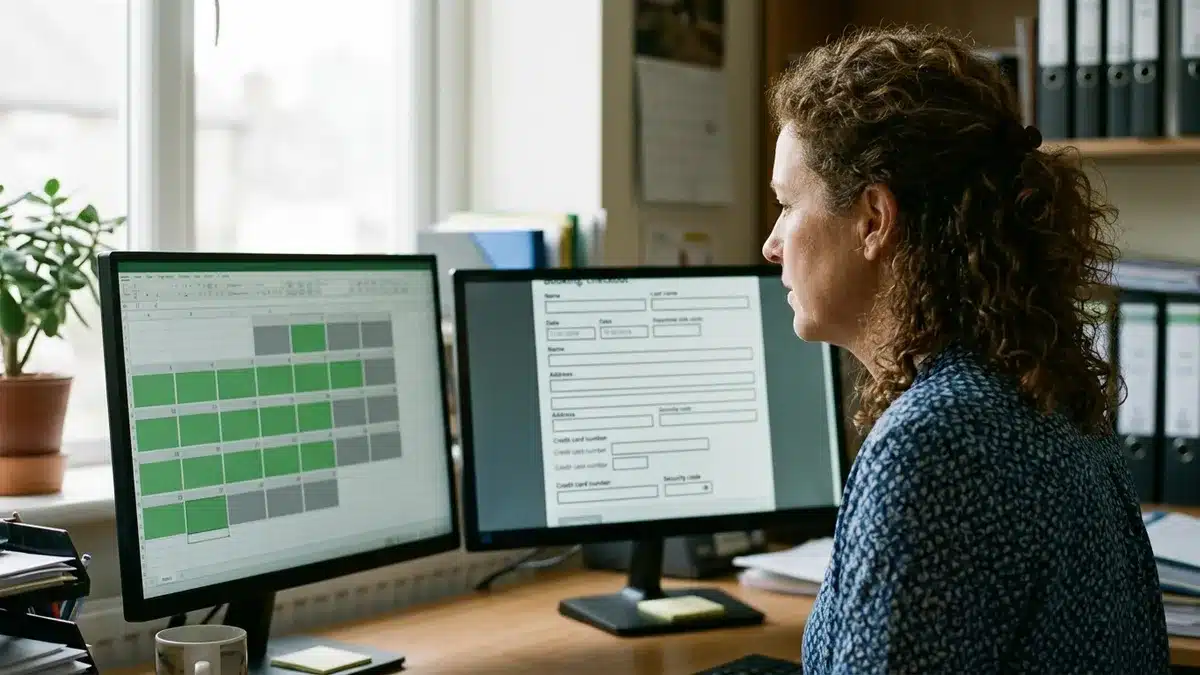
| Method | Best for | What it typically syncs | Main limitation | Developer needed? |
|---|---|---|---|---|
| Native PMS-connected plugin | Hosts who want the site to mirror the PMS | Listings, availability, rates, and reservations when two-way sync is included | Depth varies by vendor, so confirm sync direction | No |
| Embeddable booking widget | One property, or adding a booking form to an existing page | Availability and a booking form served by the provider | Limited control over layout and page content | No, copy and paste |
| iCal calendar sync | Blocking dates between a PMS and another calendar | Blocked dates only | Typically no rates, guest details, or payments, and updates arrive on a refresh schedule | No |
| API integration | Custom builds with specific requirements | Whatever the API exposes | Needs credentials and coding unless a vendor packages it | Usually yes |
Where Does Each Method Break Down?
iCal alone is a stopgap. It tells another calendar a night is taken, but it cannot carry a nightly rate or a guest name, and payments are out of its reach. Widgets work well for a single property with modest volume. Once you have several listings, you start fighting the widget’s template instead of building your brand.
Boostly Connect packages the API layer as a plugin, so you get API-grade sync without writing a single call. It works with any theme and your existing WordPress setup, with no site migration or rebuild.
How Do I Connect My PMS to My WordPress Website Without a Developer?
You connect your PMS to WordPress by working through eight steps: confirm support, back up your site, install the plugin, authorize your PMS, review synced listings, place booking blocks, configure checkout, and test. With Boostly Connect, plugging in your PMS takes under five minutes and the full setup under 20.
- Confirm your PMS is supported. Check the vendor’s current integration list before you install anything. We support 27 PMS integrations, and lists at other vendors change, so verify the date on theirs.
- Back up your WordPress site. Use your hosting provider’s backup tool, and run the install on a staging copy if your host offers one. A backup turns any mistake into a five-minute restore.
- Install and activate the plugin. In the WordPress dashboard, open Plugins, choose Add New, upload or search for the plugin, then activate it.
- Authorize your PMS. Enter your API credentials or approve the authorization flow. Use an account with permission to read listings, rates, and reservations, and avoid sharing your primary owner login.
- Review the synced listings. Compare titles, photos, guest capacity, and rates against your PMS. Fix errors at the source in your PMS so the correction carries through.
- Place the search and booking blocks. Add a search block to your homepage and a booking form to each property page, using the WordPress block editor or your page builder. No code is involved.
- Configure payments, taxes, fees, and booking rules. Connect your payment processor, set the taxes and cleaning fees guests will see, and confirm your cancellation terms display correctly.
- Test on desktop and mobile. Complete a booking, confirm it appears in your PMS, then cancel it and confirm the dates reopen.
Most hosts finish steps 1 to 4 quickly. Steps 5 and 7 take the longest because they depend on how clean your PMS data is. If a photo or fee is wrong on the site, it is wrong in the PMS, and fixing it there is a one-time job.
Which Vacation Rental PMS Platforms Integrate With WordPress?
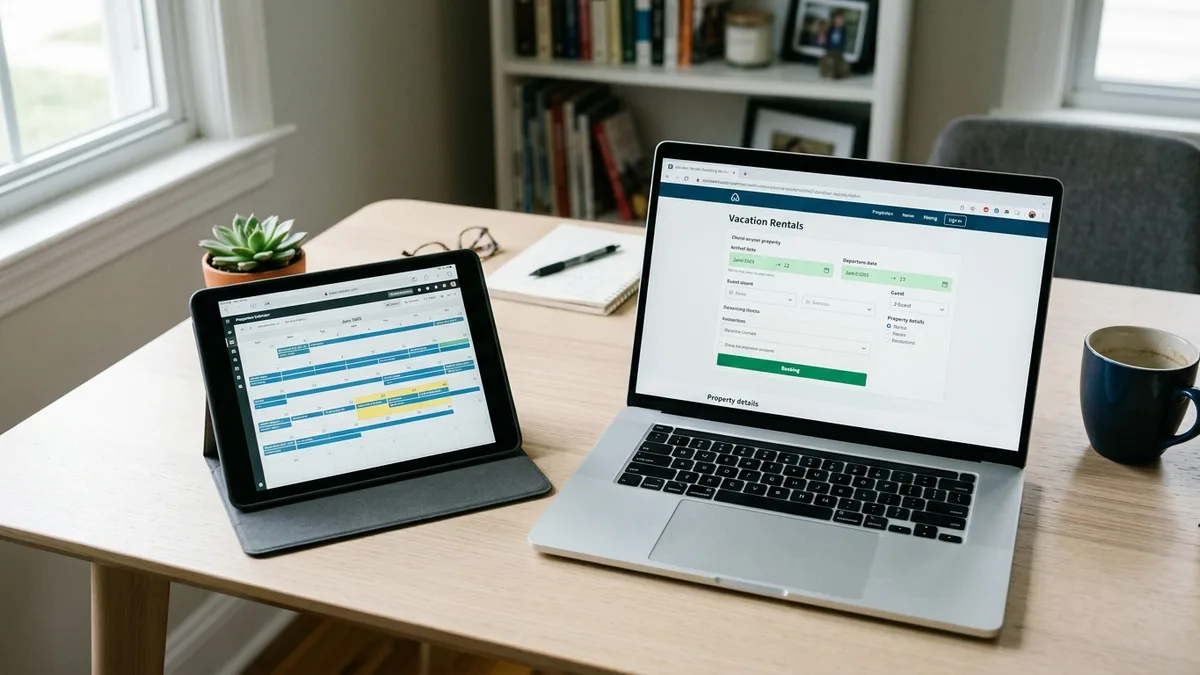
Most established vacation rental PMS platforms offer some route to WordPress, but the route differs. Some provide their own plugin or widget, some expose an API, and some support iCal only. Coverage matters less than depth, so ask which data each connection actually moves between systems.
Do not rely on the PMS vendor’s marketing page alone. Look for the plugin’s setup documentation, because it shows whether listings and rates sync along with reservations, or only availability does. A PMS that supports WordPress through iCal and one that supports it through a full integration are very different purchases.
What If Your PMS Is Not on the List?
You have three options. Use iCal as a temporary availability bridge, ask your PMS provider whether an API or plugin is on its roadmap, or consider a PMS that connects properly. Switching PMS is a big step, so exhaust the first two before you decide.
If you run a portfolio on a supported PMS, that is the case we designed for. One connected system keeps pricing and availability unified with guest data across every listing instead of one tool per unit.
What Is the Best WordPress Booking Widget for Vacation Rentals?
The best WordPress booking widget for vacation rentals is the one that reads live availability and rates from your own PMS and writes reservations back to it. Visual polish ranks second. A widget that displays a form while you re-key reservations by hand costs more time than it saves.
When Is a Simple Widget Enough?
A widget is a fair choice if you own one property, have low booking volume, and already have a website you like. Paste it in and test it. Then move on. We would not push a full platform on that host, and a lighter setup can be the right call.
When Should You Move Beyond a Widget?
Move on when you manage multiple listings, want property pages that rank on Google, or need direct-only offers and guest capture. A widget gives you a form. It does not give you a conversion-focused site. Our guide to what to look for in a direct booking website covers that evaluation in more depth.
That gap is why our done-for-you sites pair a mobile-first WordPress design with live PMS data and built-in discount codes. Gift vouchers are included, so the booking form sits inside a site designed to turn lookers into bookers.
Are There Free WordPress Plugins, and What Does a PMS Connection Really Cost?
Free WordPress booking plugins exist, but most free tiers manage reservations inside WordPress rather than syncing with an outside PMS. That is fine for a property that takes bookings only on your site. It becomes risky when you also take reservations elsewhere, because two calendars drift apart.
The real cost of a PMS connection is spread across several line items. Ask about each one before you commit:
- PMS subscription: the connection depends on your PMS plan staying active, and some vendors gate API access by plan tier.
- Plugin pricing: free and paid tiers vary widely, so check each vendor’s current pricing page rather than trusting an old comparison.
- Payment processing: your processor charges per card transaction, so compare that against the 15 to 20 percent OTA commission you are replacing.
- Support responsibility: find out who fixes the sync when it stops, you or the vendor.
- Vendor dependency: ask what happens to your booking pages if the vendor discontinues the connection.
Our founder, Mark Simpson, recovered over $30,000 a year in platform fees himself, so we price with that math in mind. Boostly Connect carries no upfront cost for up to 10 listings, which lets you test the connection against your own data before you commit.
Is WordPress Still a Good Choice for a Vacation Rental Website in 2026?
WordPress is not outdated for vacation rental sites in 2026. It remains a flexible publishing platform where you own the domain and the content. You own the guest relationship too. Its plugin ecosystem is what makes a PMS connection possible without custom development.
Ownership matters more than it sounds. On Airbnb, your reviews, search position, and guest contact details sit inside someone else’s system. On WordPress, you control page structure, metadata, and your own structured data vocabulary for lodging pages. A large share of vacation rental traffic arrives on phones, so choose a theme and booking blocks that stay usable on a small screen.
Search visibility is where an owned site pays off over time. We walk through the tactics in our guide on ranking your vacation rental website on Google in 2026. Our sites ship with SEO-optimized property pages and a built-in blog structure, so you can start without a separate SEO contractor.
What Should You Check Before Launching a Connected Site?
Before launch, verify six areas: a fresh backup, correct time zone and currency, taxes and fees, credential permissions, a full test booking with a cancellation, and the mobile checkout. Skipping the cancellation test is a frequent oversight, because it exercises the return half of the sync.
- Backup and staging: confirm you can restore the site, and test changes on a copy first.
- Credential permissions: use a dedicated PMS login with only the access the plugin needs.
- Time zone and currency: a mismatch can shift check-in dates by a day or display the wrong price.
- Taxes and fees: compare the total shown at checkout with the total your PMS records.
- Test booking and cancellation: make both, then confirm each appears correctly in the PMS.
- Mobile checkout: complete a payment on a phone, because many guests will.
After launch, the Boostly Connect reporting dashboard tracks direct booking revenue in one place. You can see real bookings arrive instead of reconciling a PMS export with a spreadsheet.
What Happens After the Connection Is Live?
Once the connection is live, your site shows live availability and real-time pricing from your PMS, and each guest who books direct lands in your own CRM instead of an OTA’s inbox. That is where commission savings and repeat bookings start to build.
How Does Live Pricing Reach the Website?
If your PMS updates nightly rates, a synced site displays those rates without anyone editing a page. Stale prices on a direct site are the fastest way to lose a guest back to Airbnb. Our breakdown of real-time pricing on a vacation rental website explains how that flow works.
What Happens to Guest Data and Repeat Stays?
Every direct booking is captured automatically, with built-in email and SMS automation for review requests and repeat-stay offers. That ends the repeat booking trap, where returning guests rebook through an OTA because you never owned the relationship. See our picks for the best CRM for short-term rental hosts, and our guide to re-engaging past vacation rental guests for the follow-up sequences.
Do You Have to Give Up Airbnb?
No. Nothing about connecting your PMS to a website removes your OTA listings, and most hosts run both while steering repeat guests to their own site. In one case, a rental manager launched a professional direct booking site, applied our strategies consistently, and reached 55 percent direct bookings across a portfolio of 30 or more properties. Another serviced accommodation host reached 40 percent direct bookings and landed a single £6,000 reservation. Our clients reach 65 percent direct bookings within 12 months, or we work for free until they do.

So, Can You Connect Your PMS to WordPress Without a Developer?
Yes. To connect your PMS to your WordPress website without a developer, choose a method that syncs in both directions and install the plugin. Then authorize your PMS and test a booking and a cancellation. The method you pick matters more than the setup, because a one-way connection creates the manual work you were trying to avoid. In 2026, the guided, no-code path is mature enough that the main risk is choosing a connection that only looks integrated.

If OTA commissions are eating into your margin every month, book a demo with Boostly Connect to see your own listings synced to a live direct booking site. We will connect your existing PMS and show real availability and pricing on your WordPress pages, then walk you through how every direct guest flows into your CRM. Bring your PMS name and the number of listings you manage, and ask us anything about sync direction.
Frequently Asked Questions
Do I need a developer or coding experience to connect my PMS to WordPress?
No, provided you use a plugin built for no-code setup. You install it from the WordPress dashboard, authorize your PMS with credentials or an approval flow, and place blocks on your pages. A developer becomes necessary mainly for custom API builds or heavily customized themes.
Can I build a professional vacation rental website that integrates with my PMS?
Yes. A WordPress site connected to your PMS can show live availability and real-time pricing. It can also carry your own property pages. We build done-for-you direct booking sites on WordPress that sync with your existing PMS, so the design work and the integration come together.
Can you suggest a website builder for vacation rentals that supports dynamic pricing integration?
Look for a builder that pulls nightly rates directly from your PMS rather than asking you to type prices into pages. If your pricing tool updates your PMS, a two-way synced site displays the new rates automatically. Ask any vendor how often rates refresh and whether seasonal changes carry through.
What is the best website builder for short-term rental property managers?
The best choice syncs two ways with your PMS and supports multiple properties from one system, with guest capture into a CRM. A basic page builder fits a single property with low volume. For portfolios, we built Boostly Connect to combine the website and PMS sync in one connected layer. The CRM sits in that layer too.
How do I list my vacation rental on multiple portals without managing each one manually?
Use channel management, which pushes your availability and rates from one place to each portal so you do not update calendars individually. Your PMS usually handles this, and your own website becomes one more synced channel. Boostly Connect offers channel management alongside the website and CRM.
How do I get more direct bookings without spending a fortune on marketing?
Start with a site that shows live availability and offers a reason to book direct, such as a direct-only discount code. Then email past guests through a CRM so repeat stays stop going back to OTAs. Owned channels cost far less per booking than paid ads.
Which PMS platforms integrate with WordPress, and what if mine is not listed?
Many vacation rental PMS platforms connect to WordPress through a plugin or widget, while others use an API or iCal, with differing depth. We support 27 PMS integrations, and you should compare your PMS against any vendor’s current list. If yours is missing, iCal can bridge availability temporarily while you ask the vendor about a fuller connection.
Will connecting my PMS to a website hurt my Airbnb search ranking?
Connecting your PMS to a website does not change your OTA listings. Most hosts keep their Airbnb listings active and use their own site to capture repeat guests and direct traffic. You can grow direct bookings gradually while your OTA presence stays in place.