

You cannot manually list a single property on Google Vacation Rentals the way you would on Airbnb. Instead, you connect through an approved connectivity partner, such as a channel manager or property management system, that feeds your pricing and availability data to Google.
Key Takeaways
- Google Vacation Rentals is only available to registered property management businesses and hosts with an existing direct booking website or a listing already synced through an approved technology partner, not individual homeowners listing a single spare room.
- There is no manual “add listing” button. Google requires either a preferred XML data feed or structured-data markup on a crawlable website paired with a sitemap.
- Feed ingestion after submission typically takes two to four weeks, while full direct-integration onboarding for larger property managers usually runs eight to 12 weeks, per Google’s property-manager documentation.
- Google will not surface listings with fewer than five photos, and most partner platforms recommend at least eight images at 1,024 x 683 pixels or higher.
- Prices shown on Google Vacation Rentals need to stay closely aligned with your website’s live rate, generally within a couple of percentage points, or Google may suppress the listing.
- Boostly Connect syncs your existing PMS to a direct booking website with live availability and real-time pricing in under 20 minutes, giving you the structured data foundation Google’s connectivity requirements are built around.
Google Vacation Rentals sits inside Google Search and Google Maps as a dedicated results panel, similar to Google Hotels, showing nightly rates and availability pulled directly from a property manager’s booking system. In 2026, it functions as an additional discovery surface for your direct booking website, Airbnb, and Vrbo listings.
Most hosts searching for this topic hit the same wall: they try to find a submission form, and there isn’t one. Google built Vacation Rentals for the connectivity layer that already exists in the short-term rental industry. Your PMS or channel manager does the technical work while you focus on getting your property data ready.
This guide walks through the eligibility requirements, the two technical pathways Google supports, a realistic timeline, and the mistakes that get listings rejected or suppressed. We also cover what to do if you’re an individual owner who doesn’t qualify for direct listing, since that’s a question most competing guides skip entirely.
How Do I List My Property on Google Vacation Rentals?
You list a property on Google Vacation Rentals by connecting through a Google-approved connectivity partner, typically a channel manager, property management system, or online travel agency already integrated with Google’s feed system, rather than submitting a listing form directly. The process runs through your existing booking technology, not a Google-hosted signup page.
In practice, the workflow follows five stages. First, you confirm your business type qualifies, since Google’s eligibility rules exclude individual homeowners and peer-to-peer single-room rentals. Second, you select or confirm a connectivity partner that already has an established Google integration. Third, you prepare your property data: name, address, geocode coordinates, image URLs, website URL, and amenities list. Fourth, your partner maps that data plus pricing and availability into a feed. Fifth, you submit for review and monitor performance once live.
Larger property management operations with a designated technical contact may pursue direct integration with Google instead of routing through a third-party partner. For most independent owners and boutique managers, the partner route is faster and requires no in-house developer.
Is Google Vacation Rentals Worth It for a Short-Term Rental Host?
Google Vacation Rentals is worth pursuing for hosts who already run a direct booking website, since it adds a free discovery channel on top of infrastructure you’ve already built, without requiring a new commission agreement. It’s a harder sell for hosts with no website at all, because the listing still needs somewhere to send the click.
Here’s the trade-off most articles gloss over: Google Vacation Rentals doesn’t process bookings itself. It surfaces your rate and availability, then sends the guest to your website or your OTA listing to complete the reservation. If that landing page is a bare Airbnb listing, you gain visibility but no direct booking upside. If that landing page is your own site, every click has a chance to convert without an OTA commission attached.
That’s why we built Boostly Connect around the website layer first. A Google Vacation Rentals feed is only as valuable as the page it lands on, and a direct booking site with live PMS-synced pricing gives that click somewhere worthwhile to go instead of bouncing to a third-party platform. Without a conversion-ready landing page, you’re paying for visibility that dead-ends.
What Are the Eligibility Requirements for Google Vacation Rentals in 2026?
Eligibility for Google Vacation Rentals centers on business type, not property count. Google’s guidance identifies registered property-management businesses with a direct booking website, or properties already listed through a booking site integrated with Google, as eligible participants. Individual homeowners, peer-to-peer rentals, and partial-home listings are currently excluded from Vacation Rentals search results.
This distinction trips up a lot of first-time direct booking adopters. If you’re a solo owner with one property and no formal management business structure, you likely won’t qualify for a standalone Google listing today. Your practical path is connecting through a PMS or channel manager that already aggregates eligible inventory, since Google evaluates the connectivity partner’s integration, not each individual owner’s paperwork.
Two Eligibility Tiers by Property Volume
Google’s documentation splits eligibility roughly by scale. For property managers with fewer than 500 properties, Google strongly recommends routing through an approved connectivity provider rather than pursuing direct integration. For managers with at least 500 properties, direct integration becomes an option, provided they can assign a designated technical contact capable of maintaining a live price and availability feed.
If you manage a portfolio well under that threshold, which describes most boutique property managers we work with, the partner pathway is the only realistic route. It’s also the faster one in practice.
How Do You List Your Place on Vrbo Compared to Google Vacation Rentals?
Listing on Vrbo means creating an owner account and entering property details manually through Vrbo’s own interface, a process any individual homeowner can complete without a connectivity partner. Google Vacation Rentals works differently: there is no self-service form, and access runs exclusively through your PMS, channel manager, or an already-integrated OTA feed.
This is the core distinction that confuses hosts moving between the two systems. Vrbo is a consumer marketplace you join directly, the same way you would with Airbnb. Google Vacation Rentals is a search feature that ingests data from businesses already operating booking infrastructure. You don’t “sign up” for Google Vacation Rentals in the same sense; you get included because your connectivity partner already has that pipe built.
For hosts weighing where to prioritize effort, the practical answer is: build your own booking infrastructure first. Our guide on what to look for in a direct booking website covers the foundational pieces, since a functioning website with real-time pricing is a prerequisite for most Google Vacation Rentals pathways, while Vrbo requires nothing more than the listing itself.
How Much Do Google Vacation Rentals Charge Hosts?
Google Vacation Rentals does not charge hosts a listing fee for appearing in search results; Google earns revenue through referral or advertising arrangements with the connectivity partners and booking platforms that supply the data feed, not through a per-booking commission billed to the individual property. Any cost you incur typically comes from your PMS, channel manager, or booking engine subscription, not from Google itself.
This matters because it changes the ROI math compared to Airbnb or Vrbo. Where OTAs take a percentage of every reservation, a Google Vacation Rentals listing routed through your own website sends guests to a page where you control the transaction cost entirely. If that page is your direct booking site, you keep the full nightly rate minus whatever payment processing fee you already pay through a processor like Stripe.
We hear from independent owners who assume Google Vacation Rentals comes with its own commission structure the way Airbnb’s host and guest fees do. It doesn’t work that way. The cost is embedded in whatever partner subscription gets your data into Google’s feed, which is one more reason a connected PMS-to-website setup like Boostly Connect pays for itself over relying on a patchwork of separate tools.
What Property Data Do You Need Before Connecting to Google Vacation Rentals?
Before any feed submission, Google’s documentation requires a defined set of static property listing fields: the property name, full address, geocode coordinates, at least one image URL, your website URL, and a documented amenities list. Missing or inconsistent data in any of these fields is the most common reason feeds get bounced back during the ingestion review.
Beyond the required minimum, quality thresholds matter more than most first-time submitters expect. Google will not surface listings with fewer than five photos, and several partner platforms recommend a minimum of eight high-quality images shot at 1,024 x 683 pixels or better, ideally closer to 1,920 x 1,080, in a 4:3 aspect ratio with descriptive captions on each.
Pre-Submission Checklist
- Property name matches exactly across your website, PMS, and partner feed, with no abbreviations or seasonal variations.
- Address and geocode coordinates verified against your actual location, since a misplaced pin is one of the most common post-launch complaints.
- Minimum of eight photos at 1,024 x 683 pixels or higher, each with a short descriptive caption.
- Amenities list detailed and current, covering parking and pet policy at minimum.
- Website URL live, secured with HTTPS, and pointing to a page that can accept a direct reservation.
- Cancellation policy and house rules clearly displayed on the landing page guests will reach.
This is exactly the data layer we built Boostly Connect to standardize. Since the platform pulls live availability and real-time pricing directly from your existing PMS, whether that’s Hospitable, Hostfully, Lodgify, or Guesty, your property data stays consistent across your website and any downstream feed, instead of you manually re-entering the same details across multiple systems and hoping they match.
What Are the Two Technical Pathways for Getting Listed?
Google documents two distinct methods for supplying vacation rental data: a preferred XML list feed, or structured-data markup embedded directly on a crawlable website and accompanied by a sitemap listing every property. Most independent hosts and boutique managers go through the XML feed route via their connectivity partner, since it doesn’t require touching code.
The structured-data path, built on Schema.org markup, suits property managers running their own website infrastructure who want Google to crawl and index listing data directly from their pages rather than relying on a separate feed file. This requires a developer or a website platform capable of generating and maintaining valid schema markup, plus a properly formatted sitemap that Google can crawl on a recurring basis.
For most of the hosts we work with, the feed route through a connectivity partner is dramatically less technical. Structured markup is a legitimate option if you already have development resources, but it adds an ongoing maintenance burden most solo owners and small management companies don’t want to carry.
How Long Does the Google Vacation Rentals Listing Process Actually Take?
Once your connectivity partner submits a property data feed to Google, ingestion typically takes two to four weeks while Google and the partner troubleshoot formatting issues and optimize the feed for search visibility. This timeline covers feed-level onboarding through an already-integrated partner, not a brand-new direct integration.
For property managers pursuing direct integration rather than routing through a partner, Google’s own guidance states the full process typically runs eight to 12 weeks after Google receives the initial property list, though some managers have gone live in as little as four weeks under favorable conditions. That gap between the two timelines is one of the most consistently confused points in competing guides, since articles often quote one number without specifying which pathway it applies to.
Here’s the distinction as of 2026: feed ingestion (two to four weeks) applies to properties already flowing through an established partner integration. Direct integration onboarding (eight to 12 weeks) applies to larger managers building a brand-new connection with Google, including negotiating a data-privacy contract and assigning a technical contact. If you’re routing through your PMS or channel manager, expect the shorter timeline.

What Mistakes Cause Google Vacation Rental Listings to Get Rejected or Suppressed?
Rate mismatches between what Google displays and what your website actually charges are among the most common reasons a listing gets suppressed after going live. Google’s tolerance is narrow, generally expecting displayed rates to track within a couple of percentage points of your live site price, so a stale feed or delayed sync creates a visible discrepancy fast.
Beyond pricing, several recurring errors show up across partner troubleshooting documentation. Stale availability calendars that don’t reflect real-time bookings will show a property as bookable when it isn’t, damaging guest trust and triggering platform penalties. Inaccurate geocode data drops your pin in the wrong neighborhood. Broken landing-page parameters send guests to a generic homepage instead of a pre-filled itinerary page. Missing HTTPS encryption on your website disqualifies you with most connectivity partners. Duplicate property descriptions copied across multiple listings read as low-quality content to Google’s systems.
Common Errors and Fixes
| Issue | Why It Happens | Fix |
|---|---|---|
| Rate mismatch | PMS and website pricing sync on different schedules | Use a platform with real-time, single-source pricing sync |
| Stale availability | Manual calendar updates lag behind actual bookings | Connect a live PMS feed instead of manual entry |
| Wrong geocode pin | Address entered without coordinate verification | Cross-check coordinates against a mapping tool before submission |
| Broken landing page | Website not built to accept prefilled itinerary parameters | Use a booking-ready website template built for direct reservations |
| Missing HTTPS | Website running on outdated or unsecured hosting | Migrate to a secured, modern website platform |
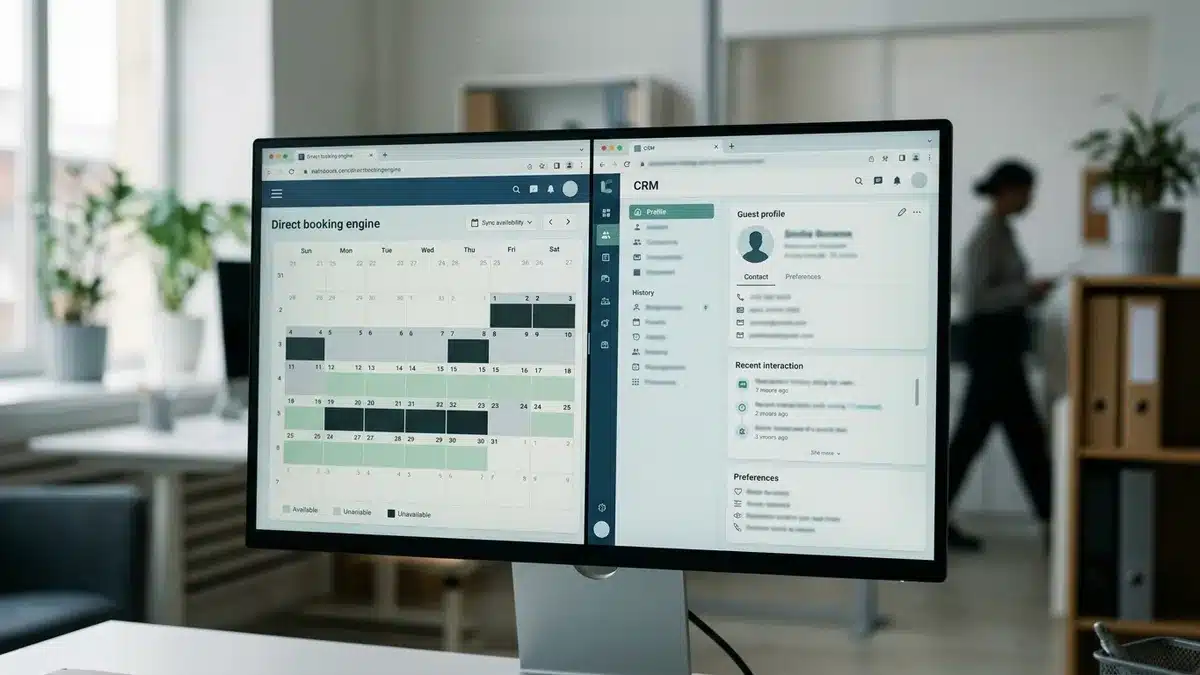
Most of these failures trace back to the same root cause: disconnected systems. A PMS that doesn’t talk to your website in real time will eventually drift out of sync on pricing or availability. That’s the exact operational gap Boostly Connect closes by connecting your PMS, website, and CRM so all three stay accurate automatically, rather than relying on manual updates across separate tools that inevitably fall out of step.
What Should Individual Homeowners Do If They Don’t Qualify for Direct Listing?
If you’re an individual homeowner excluded from direct Google Vacation Rentals eligibility, your realistic path is appearing indirectly through an already-integrated OTA listing or by working with a certified property management partner or channel manager that aggregates eligible inventory under its own business registration. You don’t lose access to the feature; you just don’t control the submission yourself.
This is a gap most competing guides skip entirely, probably because it’s a less flattering answer than “just sign up.” In practice, if your properties are already listed on a major OTA that maintains a Google integration, you may already be appearing in Vacation Rentals results without realizing it. Check your Google Search or Maps results for your property name and address to see if you’re already surfacing.
For hosts serious about long-term visibility, the better move is building toward the eligibility threshold rather than staying dependent on someone else’s integration. Registering as a property management business, even a small one, and connecting through a PMS-driven website changes your eligibility picture entirely. Our piece on growing your vacation rental business without more OTA listings walks through what that transition looks like operationally.
How Do You Optimize a Google Vacation Rentals Listing Once It’s Live?
Optimizing a live Google Vacation Rentals listing means treating it as one more channel competing for the same guest attention as your direct booking website. That requires consistent pricing and fresh, complete data maintained on an ongoing basis rather than a one-time setup. Google’s system rewards feeds that stay current and penalizes ones that drift.
First, monitor pricing parity weekly, since seasonal rate changes or last-minute discounts on your PMS need to reflect in the Google feed just as quickly as they reflect on your own site. Second, refresh photos periodically. A listing photographed once in 2022 looks dated by 2026, and stale imagery correlates with lower click-through in every booking channel we’ve studied. Third, keep amenities and house rules updated any time you make a physical change to the property, from adding a hot tub to updating a parking policy.
Treat the landing page guests reach after clicking through as its own conversion project. A page with clear pricing and real-time availability converts meaningfully better than a generic contact form. That’s the layer real-time pricing on your own website is built to solve, since guests abandon quickly when they land on a page showing outdated rates or a “contact us for availability” message instead of a live calendar.
How Does Google Vacation Rentals Fit Into a Broader Direct Booking Strategy?
Google Vacation Rentals works best as one discovery channel inside a broader direct booking strategy, not as a standalone acquisition source, since it depends entirely on the strength of the website and booking system behind it. Hosts who treat it as a bolt-on to an already-functioning direct booking site see the most value; hosts with no direct site struggle to capture any of that traffic.
The short-term rental market continues to expand year over year, with more listings competing for the same search real estate on Google, Airbnb, and Vrbo alike. That growth means channels like Google Vacation Rentals become one more way to capture attention before a guest defaults back to a familiar OTA out of habit.
In our experience working with hosts across 25 countries, the ones who benefit most from any secondary discovery channel, Google included, are the ones who’ve already solved the harder problem: converting a click into a completed reservation without losing the guest’s contact information to a third-party platform. That’s the piece Boostly Connect’s CRM captures automatically, since every guest who books direct gets logged into your own system rather than disappearing into an OTA’s remarketing database. If you want to understand why that data ownership matters beyond a single booking, our guide on owning guest data from Airbnb lays out the long-term cost of not doing it.
Data and Evidence: What the Numbers Say About Listing Feeds and Timelines
Concrete benchmarks separate a well-prepared Google Vacation Rentals submission from one that stalls in review. The table below consolidates the verified figures referenced throughout Google’s own property-manager documentation and partner guides.
| Requirement | Verified Benchmark |
|---|---|
| Minimum photo count | At least 5 required; 8 or more recommended by most partner platforms |
| Recommended image resolution | 1,024 x 683 pixels minimum, 1,920 x 1,080 preferred, 4:3 aspect ratio |
| Price match tolerance | Within roughly 2% of website-displayed rate |
| Feed ingestion timeline | Approximately 2 to 4 weeks after partner submission |
| Direct integration timeline | 8 to 12 weeks typical, as fast as 4 weeks in some cases |
| Feed delivery method | Zipped file hosted for daily Google crawl, or structured data plus sitemap |
| Direct integration eligibility | Generally 500+ properties with a designated technical contact |
Notice how much of this table is about consistency, not creativity. Google isn’t evaluating how beautiful your listing photos are; it’s evaluating whether your data feed stays accurate day over day. That’s a systems problem before it’s a marketing problem, which is why disconnected spreadsheets and manual calendar updates cause more Google Vacation Rentals rejections than bad photography ever does.
Practical Guidance: A Step-by-Step Checklist to Get Listed
Getting listed on Google Vacation Rentals is a sequential process that starts with your business structure and ends with ongoing monitoring, not a single application you submit once. Follow these steps in order.
- Confirm your eligibility status. Verify whether you operate as a registered property management business or an individual homeowner, since this determines whether direct listing applies to you at all.
- Audit your existing connectivity partner. Check whether your current PMS or channel manager already maintains a Google integration; most established platforms do.
- Build or upgrade your direct booking website. Google’s requirements assume a live, HTTPS-secured website capable of accepting a real reservation with visible cancellation policies and house rules.
- Assemble your property data package. Gather your property name, verified address and geocode, minimum eight photos at recommended resolution, amenities list, and website URL.
- Choose your technical pathway. Decide between an XML feed through your partner or structured-data markup on your own site, based on your available technical resources.
- Submit through your partner and monitor the review. Expect a two to four week ingestion window; use that time to double-check pricing and availability sync accuracy.
- Verify the live listing. Search your own property name and address on Google to confirm the pin, price, and photos display correctly once approved.
- Establish an ongoing maintenance routine. Schedule monthly checks on rate parity, photo freshness, and amenity accuracy to avoid suppression down the line.
The step most hosts underestimate is step three. A website that can’t accept prefilled itinerary parameters or display real-time pricing isn’t ready for Google’s requirements, regardless of how good your photos are. That’s precisely the gap we designed Boostly Connect to close, syncing your PMS to a WordPress site with live availability in under 20 minutes so the website itself never becomes the bottleneck in your listing feed.
What Common Mistakes Should You Avoid When Listing on Google Vacation Rentals?
The most damaging mistake is assuming Google Vacation Rentals functions like a self-service directory listing you can set up once and forget. It’s a live data feed that requires ongoing accuracy, and treating it as static content is what causes suppression months after a successful launch.
A second common mistake is submitting a feed before your website is truly booking-ready. If your landing page can’t accept a reservation, displays outdated rates, or lacks a visible cancellation policy, Google’s referral traffic has nowhere useful to go, and your conversion rate on that channel will underperform regardless of your search visibility.
A third mistake, particularly among boutique property managers, is under-investing in photo quantity and quality. Given the five-photo minimum and recommended eight-plus threshold at higher resolutions, treating photography as an afterthought directly limits whether your listing appears at all.
Frequently Asked Questions
How do I list my property on Google Vacation Rentals?
You connect through an approved connectivity partner, such as your property management system or channel manager, which submits your property data, pricing, and availability as a feed to Google. There is no self-service form for individual property owners to submit a listing directly.
Can you suggest a website builder for vacation rentals that supports dynamic pricing integration?
Look for a website platform that syncs directly with your existing PMS rather than requiring manual rate entry, since dynamic pricing loses its value if it doesn’t update your live site automatically. Boostly Connect pulls real-time pricing straight from 27 supported PMS platforms into a WordPress site, so rate changes reflect instantly without a developer touching the code.
What are the top-rated websites for comparing and booking vacation rentals?
Guests typically compare properties across major OTAs like Airbnb and Vrbo alongside Google’s own Vacation Rentals and Hotels search panels. Your own direct booking website competes for that same attention when it displays accurate real-time pricing and availability, which is why parity between your site and any third-party feed matters for guest trust.
How do I list my vacation rental on multiple portals without managing each one manually?
A channel manager or connected PMS-to-website system pushes the same pricing and availability data to every connected portal at once, eliminating the need to update each platform by hand. Boostly Connect handles this by syncing your PMS to your website automatically, so the data feeding any downstream channel stays consistent without manual re-entry across separate tools.
How can I advertise my vacation rentals to boost direct bookings?
Combine a conversion-ready direct booking website with active guest re-engagement through email and CRM automation, since most repeat business comes from past guests rather than new discovery alone. Our guide on re-engaging past vacation rental guests covers the specific tactics that convert previous stays into repeat direct bookings.
How can I reduce manual work and automate my vacation rental operations?
Connecting your PMS, website, and CRM into a single synced system removes the manual data entry that causes pricing errors, stale calendars, and rejected feed submissions. That’s the specific problem Boostly Connect was built to solve, syncing all three systems automatically so pricing, availability, and guest records stay accurate without ongoing manual intervention.
How to market to past vacation rental guests?
Automated email and SMS sequences triggered after checkout, combined with a CRM that segments guests by stay history, convert past guests into repeat direct bookings without manual list building. Every guest who books direct through Boostly Connect gets automatically captured into the built-in CRM, which then handles review requests and repeat-stay offers on your behalf.
How much do Google Vacation Rentals charge hosts?
Google does not charge property owners a listing fee for appearing in Vacation Rentals search results. Any cost comes from the connectivity partner, PMS, or channel manager subscription you already pay to maintain your booking infrastructure, not from a per-booking commission billed by Google itself.
Conclusion: Getting Listed Is a Systems Problem, Not a Signup Form
Listing on Google Vacation Rentals in 2026 comes down to one core fact: there’s no application to fill out, only a data feed to maintain accurately through an approved connectivity partner. Get your business eligibility confirmed, your website booking-ready, and your PMS synced correctly, and the two to four week ingestion window handles the rest.
The hosts who succeed with this channel are the ones who already solved the harder problem of having a fast, accurate, conversion-ready direct booking website behind the listing. Without that foundation, Google Vacation Rentals traffic has nowhere productive to land.
If you’re trying to get your property ready for Google Vacation Rentals but your website still shows outdated rates or a static calendar, that’s the exact gap Boostly Connect was built to close. Connect your existing PMS in under 20 minutes, no developer required, and get a booking-ready direct site with live availability and real-time pricing feeding every channel you plug it into. Book a demo to see your own property data synced and ready before your next feed submission.