

How do I use email marketing to convert past vacation rental guests into direct bookings? Get permission to email each guest, send a thank-you within 48 hours of checkout, then follow with a seasonal reminder and a rebooking offer that links to your own booking site instead of a third-party platform. Set the sequence up once and it runs on a schedule.
Key Takeaways
- Operational messages (booking details, check-in, a stay question) and promotional email are two separate categories. Confirm the platform’s current terms and the privacy rules that apply to your guests before adding anyone to a marketing list.
- Consent-based list building through a digital guidebook, a post-stay invitation, or a direct booking form gives you a list you can safely email, and a guest who opts in is worth more than an address you are unsure about.
- A workable cadence: thank-you and review request within 24 to 48 hours, a soft reminder around day 7, a return-guest offer around day 30, then seasonal and anniversary emails.
- CUfinder reports in its 2026 vacation rental marketing benchmarks that the average repeat guest rate for direct bookings is 22%, so roughly one in five direct bookings comes from returning guests when hosts focus on retention marketing.
- Measure results by booking revenue net of discounts, compared with the commission the same stay would have cost on an OTA. Opens and clicks only show interest.
- We built Boostly Connect to capture every direct-booking guest into your own CRM and automate the thank-you, review request, and repeat-stay emails, so the sequence runs without manual list building.
Every time a past guest rebooks through a third-party booking app, you pay the same 15 to 20 percent commission you paid to win that guest the first time. You earned the relationship with clean sheets and fast replies. The platform kept the channel, and with it the contact data it can use to remarket to your competitors. We call this the repeat booking trap.
At Boostly Connect, we have watched hosts across 25 countries get out of that trap the same way: they build a list they own, then email it on a schedule. Our founder, Mark Simpson, personally recovered over $30,000 a year in platform fees, so this guide comes from operators rather than theory. You do not have to leave the platforms you use today to do any of it.
Below are eight steps in the order you would run them in 2026, with complete example copy for each email. US short-term rental demand growth is forecast to moderate this year while listing supply keeps expanding, which puts a premium on guests who already know your place.
Step 1: Can Hosts Use Guest Emails for Marketing?
Whether you can use a platform guest’s email address for marketing depends on how you obtained it and what the message says. Operational messages about a stay differ from promotional email, and published sources disagree about how much contact data hosts can access, so check the platform’s current terms and your local privacy law before building a list.
Operational messages cover booking confirmations, check-in details, and a question about how the stay went. Promotional messages invite someone to spend money again: a return-guest offer, a seasonal availability note, a newsletter. The first category belongs in the platform conversation. The second needs permission you can point to.
Commercial email rules apply either way. The U.S. CAN-SPAM Act, for example, requires sender identification and a working unsubscribe, and GDPR and CCPA apply once you store personal data about guests in a spreadsheet or CRM. We are not your lawyer, so confirm the details for the markets your guests come from.
Inside the booking platform, you typically have two sanctioned nudges: a re-book feature, which lets past guests quickly rebook the same property, and special offers for sending a personalized offer to a guest. Both are worth using. Both also keep the booking, and the commission, on the platform.
That gap is the reason we built the Boostly Connect CRM around guests who book on your own website: consent and contact data start in your hands, not a platform’s.
Step 2: How Can You Collect Guest Emails With Consent?
Collecting guest emails with consent means inviting a guest to join your list through a clear opt-in, explaining what they will receive, and recording that they agreed. Common channels include a digital guidebook, a Wi-Fi welcome page, a post-stay thank-you that invites them to join, and a form on your own booking website.
Give people a reason to say yes. Early access to peak-season dates and a returning-guest offer both work as opt-in benefits. Tell them how often you will write; a handful of emails a year is easy to promise and easy to keep.
Record the date and the source of each opt-in. A simple spreadsheet with name, email, stay dates, and a one-line note about the stay is enough to start a repeat-guest program. It also breaks quickly. A 2026 survey of nearly 6,000 small businesses across 25 countries by Fiverr International Ltd. found that 70% of small businesses spend less than five hours weekly addressing marketing challenges, and a list you update by hand is the first thing to slip.
What if a guest’s email cannot go on your marketing list?
Use this decision tree for every guest, not only the awkward ones:
- Guest booked direct and agreed at checkout: add them to the list and start the full sequence.
- Guest opted in through your guidebook, Wi-Fi page, or website form: add them, and save the date and source.
- Guest booked on a third-party platform and you cannot confirm permission to market: stay with operational messages through the platform, and invite them to opt in through a QR code in the house manual or a printed card in the home.
- Guest lives in a region with strict privacy law, or you are unsure: treat the guest as opt-in only.
- Guest unsubscribes or asks you to stop: remove them from every marketing sequence and keep them off permanently.
As your direct channel grows, most guests land in the first branch. Every guest who books through a Boostly Connect site is captured into your CRM automatically, which is how the tree collapses over time.

Step 3: What Is the Best Email Software for Vacation Rentals?
The best email software for vacation rentals stores guest contacts, sends automated sequences on a schedule, and links to a booking page showing live availability and pricing. General newsletter tools handle the sending, but they typically cannot see your calendar, so you keep reconciling rates and open dates by hand.
For one property and a list of a few dozen guests, a spreadsheet plus a free newsletter tool is fine. The cracks show at around the second or third listing, when you start segmenting and the manual exports multiply. Here is how the three common setups compare:
| Setup | Captures direct-booking guests automatically | Automation | Booking link shows live availability | Ongoing effort |
|---|---|---|---|---|
| Spreadsheet plus manual email | No, you type each guest in | None | Only if you update it yourself | High and constant |
| General newsletter tool | No, needs imports | Email sequences, varies by plan | No, links to a static page | Moderate |
| Boostly Connect CRM | Yes | Email and SMS automation, review requests, repeat-stay sequences | Yes, synced from your PMS (27 integrations) | Low once connected |
We lean toward an integrated CRM for a simple reason: the booking link in your email is the most important part of it. If that link lands on a page with stale rates, the sequence loses the sale. Our guide to the best CRM for short-term rental hosts who own their guest list goes deeper on what to check before you commit.
Step 4: When Should You Email Guests After Checkout?
You should send the first post-checkout email within 24 to 48 hours, while the stay is fresh, then space later messages across the following months. A practical cadence runs a thank-you and review request on day 1 to 2, a soft reminder around day 7, a return-guest offer around day 30, and seasonal touches afterward.
| Timing | Goal | Booking link? | |
|---|---|---|---|
| 24 to 48 hours | Thank-you and review request | Gratitude and a review | No, keep it clean |
| Day 7 | Social proof and a soft reminder | Stay top of mind | Soft, one line |
| Day 30 | Return-guest offer | First rebooking prompt | Yes |
| Month 3 | Seasonal update | Highlight what is coming | Yes |
| Month 6 | Availability email | Fill open dates | Yes |
| A few weeks before the stay anniversary | Same-dates reminder | Rebook the same week | Yes |
The anniversary message tends to land better than a generic coupon, because the dates are already meaningful to that guest. Add a short-notice email for open dates too. Triad Vacation Rentals reports that in 2026, last-minute demand (0 to 14 days out) represents 35 to 52% of bookings in high-traffic U.S. vacation rental markets, so a note about openings this month deserves a slot.
Timing is where manual systems fail, because nobody remembers day 7 for twelve different guests. In Boostly Connect, the CRM runs repeat-stay sequences and automated review requests off the guest record. For non-email ideas, see our guide to how to re-engage past vacation rental guests.
Step 5: What Should Each Email in the Sequence Say?
Each email in a past-guest sequence has one job: thank, request a review, invite an opt-in, remind of a season, or offer a rebooking. Keep the review request free of promotional language, because mixing a review ask with a discount can look like an incentive for reviews, and review platforms have their own rules on that.
The thank-you email (24 to 48 hours after checkout)
Subject: Thank you for staying at [Property name]
Hi [First name], thank you for choosing [Property name]. We hope the stay gave you everything you wanted. If anything fell short, reply to this message and I will read it myself. Safe travels home. [Your name]
The review request
Subject: A two-minute favor, [First name]
If you have a moment, a short review helps the next guests choose with confidence. You can leave one here: [review link]. Thank you again for staying with us.
The opt-in invitation (through a permitted channel)
Subject: First pick of our open dates
Join our guest list for early access to peak-season dates and a short local guide. Add your email here: [sign-up link]. We send a few emails a year and you can unsubscribe at any time.
The seasonal reminder (month 3 or 6)
Subject: [Season] dates are opening at [Property name]
Hi [First name], last [season] you stayed with us for [number] nights. The calendar for this [season] is live, with current rates, at [direct booking link]. A few weekends are already filling.
The rebooking offer (day 30 or the anniversary)
Subject: Your return-guest offer for [Property name]
Hi [First name], we would love to host you again. Book directly with us at [direct booking link] and you will get [your offer]. Booking direct also means you deal with us, not a middleman, if you need anything changed.
Swap the bracketed pieces for your own details, and send each email from a real name your guests recognize. The Boostly Connect CRM holds these sequences so each guest gets the right message on the right day without you opening a spreadsheet.
Step 6: Should You Offer a Discount or a Perk to Returning Guests?
A return-guest incentive can be a price discount or a non-price perk such as early access to peak dates, flexible check-in or checkout, or a small welcome extra. Perks usually protect margin better, because a discount comes straight off revenue you might have earned anyway.
| Incentive | Effect on margin | Works best for |
|---|---|---|
| Percentage discount | Reduces revenue on every night | Slow periods and shoulder season |
| Early access to peak dates | No price cut | High-demand weekends and holidays |
| Flexible check-in or checkout | Low cost, depends on turnover schedule | Properties with gaps between stays |
| Local guide or welcome extra | Small fixed cost | Guests who already liked the stay |
Set any discount below the commission you save by booking direct, and you stay ahead of the same stay on an OTA. Our breakdown of what platform commission costs you per year shows how quickly that saving adds up across a portfolio.
Use a discount sparingly and test perks first. A guest who loved your place often responds to being first in line. Boostly Connect websites also support discount codes, gift vouchers, and direct-only offers, so the incentive in your email can be tracked to a real booking.
Step 7: How Do You Segment Past Guests for Better Rebooking?
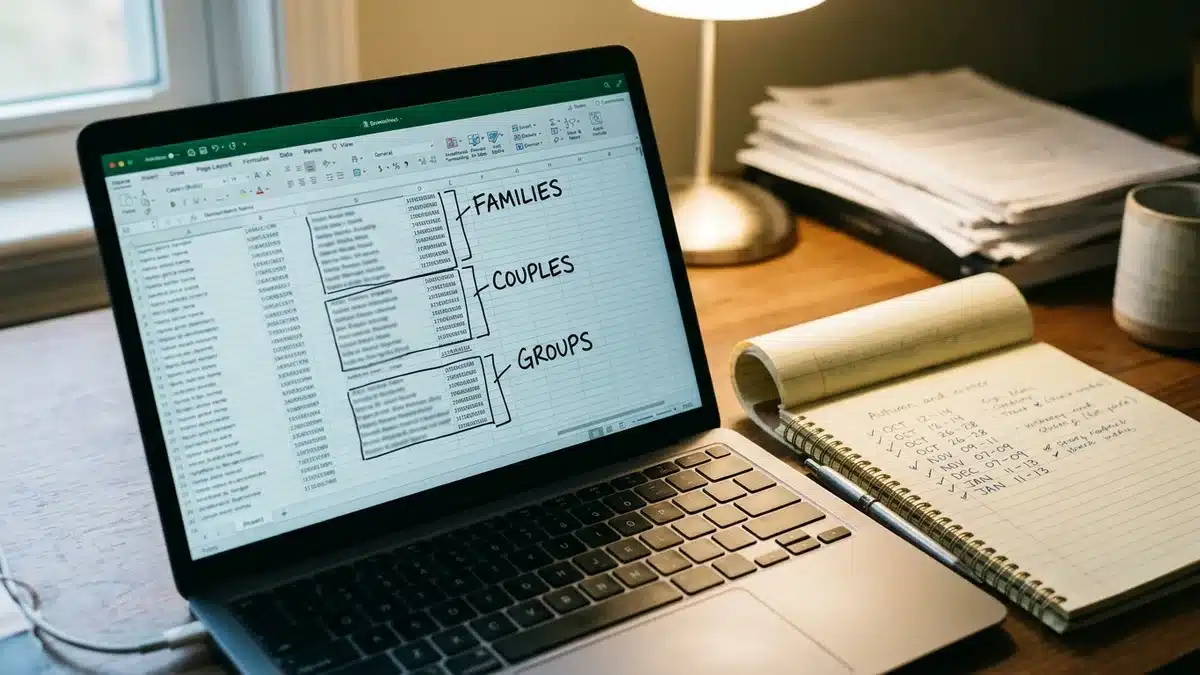
Segmenting past guests means grouping them by property stayed, season of visit, group type, and booking behavior, so each email matches what that guest cares about. A family who stayed in July wants school-holiday dates; a couple who visited in October wants quiet shoulder-season weekends.
Start with three tags: which property, which season, and who traveled (couples, families, larger groups). Even this small step lifts relevance, because the subject line can name the property and the dates that actually fit.
This is another place where spreadsheets give out, since segments need updating after every stay. The Boostly Connect CRM segments returning guests automatically, with no manual list building. If you want to understand why owning this data matters long term, read how to own your guest data.
Step 8: How Do You Measure Whether Email Converts Past Guests Into Direct Bookings?
Measuring email success for direct bookings means tracking booking revenue that traces to an email, net of any discount, and comparing it with the commission an OTA booking would have cost. Open and click rates show interest; only attributed bookings show whether the sequence paid for itself.
Start with repeat guest rate, which Hostfully defines as bookings from past guests divided by total bookings, multiplied by 100. Compare yours with the 22% benchmark noted above. Then add three habits:
- Tag every booking link in your emails so each direct booking records its source.
- Pick an attribution window, such as the 30 days after a click, and keep it constant so months stay comparable.
- Record net booking revenue after the discount, and subtract card processing fees, which direct bookings carry.
Here is an illustrative example. Say a stay totals $1,000. On an OTA charging 15 to 20 percent, you keep $800 to $850. Booked direct with a $100 return-guest discount, you keep $900 before processing fees, so you come out ahead even after the discount.
We built the Boostly Connect reporting dashboard to track direct booking revenue and ROI in one place, replacing the reconciling across a PMS, spreadsheet, and bank statement. One host in our community made a first direct booking worth £800 from a single tactic in our free challenge, and tracking is how you know which tactic did it.
What Mistakes Do Hosts Make When Emailing Past Guests?
The most common mistakes in emailing past guests are mixing review requests with offers, sending one blast and stopping, and linking to a page that cannot take a booking. Each one wastes a relationship you already paid to earn through the stay itself.
- Linking to the third-party platform listing. The guest rebooks on the platform and you pay the commission again.
- Sending the same message to your entire list. A family and a couple on a weekend away need different dates.
- Starting without a site that converts. A page with stale availability loses the guest at the last step, so read our guide to choosing a direct booking website for short-term rentals first.
- Cutting the price too deep. A discount larger than the commission you save turns a direct booking into a worse deal than the OTA.
- Skipping the unsubscribe link. It breaks the rules and damages trust.
Visitors who land on your site and leave are a separate problem, covered in our piece on how to convert website visitors to bookings. In our experience, fixing the landing page raises the return on every email you send afterward.
How Does Boostly Connect Run This Sequence for You?
Boostly Connect connects your property management system, a done-for-you WordPress booking website, and a guest CRM, so past-guest emails send automatically and link to live availability. We sync with 27 PMS integrations, including Hospitable, Hostfully, Lodgify, and Guesty.
The setup takes under 20 minutes with no developer and no code, and it costs nothing upfront for up to 10 listings. After that, every guest who books direct enters the CRM. The CRM handles email and SMS automation for past-guest nurture, automated review requests, and repeat-stay sequences, and the dashboard shows direct booking revenue and ROI. If you already hold an opted-in list, ask in a demo how it fits.
In one case, a bed and breakfast owner who handled everything personally reached 90% direct bookings, with 60% of guests returning. That result came from owning the guest relationship, which is what the sequence above builds. Our twice-weekly group coaching calls and 65% direct bookings guarantee within 12 months, or we work for free until you reach it, back that up.
You can run both channels at once. Our guide on how to balance OTA and direct bookings in 2026 covers keeping third-party platforms for new guests while moving repeat guests to your own site.

What Are the Steps at a Glance?
- Confirm what you can send: separate operational messages from promotional email, and check the platform’s current terms and applicable privacy law.
- Collect consent through a guidebook, post-stay invitation, Wi-Fi page, or booking site form, and record the date and source.
- Choose software that stores guests, automates sequences, and links to live availability.
- Send the thank-you and review request within 24 to 48 hours, then a day 7 reminder and a day 30 offer.
- Write each email with one job, and keep review requests separate from offers.
- Pick a perk or discount that stays below the commission you save.
- Segment by property, season, and group type.
- Measure attributed booking revenue net of discounts and compare it with OTA commission.
How Do You Use Email Marketing to Turn Past Guests Into Direct Bookings?
The core move is simple: get permission, send a thank-you within 48 hours, and follow with timed, relevant rebooking messages that link to your own booking site. The commission you avoid on each returning guest is the number that matters most.
Start with step 1 and step 2 this week, since consent is the part you cannot fix later. Then automate the rest, so Boostly Connect or any system you choose does the timing for you. As more guests expect to book direct in 2026 and beyond, the hosts who own the list will keep the margin.
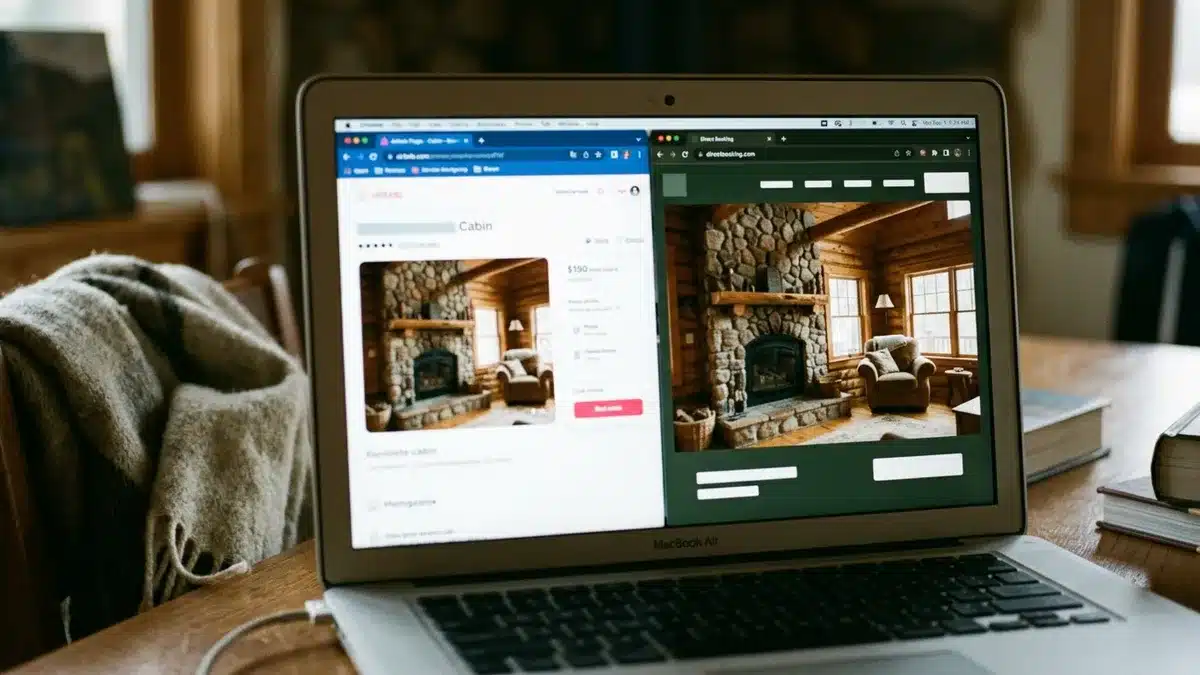
If you are ready to see an automated past-guest email sequence connected to your own PMS and booking site, book a demo with Boostly Connect. We will show you how the CRM automates review requests and repeat-stay offers, with no developer and no upfront cost for up to 10 listings. Bring your own property data and we will walk through it together.
Frequently Asked Questions
How do I market to past vacation rental guests?
Start with permission, then send a thank-you and review request within 48 hours of checkout. Follow with a soft reminder, a return-guest offer, and seasonal or anniversary emails that link to your own booking site. Segment by property and season so each message is relevant.
Can hosts use guest emails for marketing?
It depends on how you obtained the address and what the message says. Operational messages about a stay differ from promotional email, and sources disagree on how much contact data hosts can access. Check the platform’s current terms and the privacy and marketing laws that apply to your guests before adding anyone to a list.
How do I get more direct bookings without spending a fortune on marketing?
Past guests are the cheapest audience you have, because they already know your property. Email them a consent-based sequence with a direct booking link and a perk that costs less than the commission you save. A done-for-you booking site with live availability, like the one Boostly Connect builds, keeps the sale from leaking at the last step.
When should I email guests after checkout?
Send the first email within 24 to 48 hours with a thank-you and review request. Add a soft reminder around day 7 and a return-guest offer around day 30. Then use seasonal emails and a same-dates reminder a few weeks before the stay anniversary.
How many emails should I send to past guests each year?
After the post-stay sequence, a light cadence of a handful of emails a year is enough for most hosts. Tie each one to a reason, such as a season, open dates, or an anniversary. Relevance matters more than frequency, and every email needs an unsubscribe link.
Will emailing past guests hurt my listing ranking?
You do not have to choose between third-party platforms and direct bookings. Most hosts run both at the same time and simply redirect repeat guests to their own site while new guests keep finding them on the platforms.
What is the best email marketing software for vacation rentals?
Look for software that stores guest contacts, automates sequences by timing, and links to live availability and pricing. For a single property with a small list, a spreadsheet and a free newsletter tool can work. For multiple listings, an integrated CRM such as Boostly Connect removes the manual list building and sync errors.