

You lose your guest’s contact information when they book through Airbnb because the platform intentionally masks phone numbers, hides real email addresses, and routes all messaging through its own system to keep guests inside its ecosystem. Airbnb only reveals limited details, like a temporary phone number, after a reservation is confirmed, and most of that access disappears once the guest checks out.
Key Takeaways
- Airbnb assigns temporary phone numbers to guests and hosts that work for calls and texts but not WhatsApp, and these numbers typically expire around two days after checkout.
- Guest profile photos, legal names, and reservation-specific details unlock only after a booking is confirmed, never before.
- Airbnb’s policy discourages hosts from requesting off-platform contact information before booking, with limited exceptions for legal or compliance reasons that must be disclosed in the listing.
- If a guest cancels, their phone number and other contact details are removed from your reservation view, which is why hosts often think data has “disappeared.”
- Repeat guest bookings that flow through OTAs still carry standard commissions, so even returning guests keep costing you a cut if you never capture their direct contact details.
- Boostly Connect solves this permanently by capturing every guest who books through your own website directly into your CRM, so their name, email, and phone number belong to your business from the first reservation forward, not just for the length of a single Airbnb stay.
Why Do You Lose Guest Contact Information When Guests Book Through Airbnb?
You lose guest contact information on Airbnb because the platform’s messaging and privacy architecture is built to keep every conversation inside Airbnb rather than in your hands. Airbnb masks real phone numbers and email addresses, replacing them with proxy numbers and relay email addresses that route through Airbnb’s own servers.
This is a deliberate design choice, not a bug hosts can work around with a setting change. Airbnb makes its money on repeat business and search ranking, and if you had a guest’s real number and email from the first stay, you’d have no reason to book that guest’s next trip through Airbnb again. Airbnb’s Re-book feature exists precisely because Airbnb wants returning guests routed back through its own app, not your inbox.
We’ve worked with hundreds of hosts inside the Boostly Connect community who assumed a guest’s contact details were simply lost due to a technical glitch, when in reality the platform had removed access after a cancellation or checkout window closed. Understanding the mechanics behind this masking is the first step to building a strategy that doesn’t depend on Airbnb ever changing its mind.

What Guest Information Does Airbnb Share With Hosts?
Airbnb shares a limited, staged set of guest information that expands only after a reservation is confirmed. Before booking, you see a guest’s first name, a brief profile description, and their review history, but their profile photo stays hidden and no direct contact method is provided.
Once a reservation is confirmed, Airbnb unlocks the guest’s preferred first name, legal last name, and profile photo. You also gain access to a temporary phone number generated specifically for that reservation, plus whatever information the guest chose to share in their profile. You still cannot see their real email address or permanent phone number at any point in the process.
Guests receive a parallel set of details about you. According to Airbnb’s own documentation, guests can access your contact number, full listing address, arrival guide, check-in method, and house manual as soon as their reservation is confirmed, and this same information also appears in the Trips tab of their account. The exchange is symmetrical, but Airbnb mediates all of it rather than either party connecting directly.
This staged disclosure model is exactly why hosts feel like they never own a guest relationship on Airbnb. You get access to communicate, not the contact record itself, and the moment that reservation status changes, so does your access.
When Does Airbnb Reveal a Guest Phone Number?
Airbnb reveals a guest’s phone number only after a reservation is confirmed, and that number disappears from your reservation details if the booking is later canceled. This timing rule applies consistently, whether the guest booked instantly or after a request-to-book approval.
To find it on desktop, most hosts need to go through several clicks: start in the Today tab, move to Upcoming reservations, then open the three-dot menu under Manage reservation. Airbnb doesn’t display it prominently, and that friction is by design, since Airbnb wants hosts using its in-app messaging first, treating the phone number as a fallback rather than the default channel.
The number itself is temporary, not the guest’s real line. It works for calls and SMS but does not work with WhatsApp, which trips up hosts who assume any phone number will support any messaging app. As of 2026, these temporary numbers commonly expire around two days after checkout, at which point any further contact requires going back through Airbnb’s messaging system entirely.
If the guest cancels before the stay, the phone number disappears from your view immediately. This is one of the most common reasons hosts report “losing” contact information: the number was never permanently yours, it was a temporary bridge tied to an active reservation, and canceling that reservation severed the bridge.
Why Does Airbnb Hide Guest Email Addresses?
Airbnb hides real guest email addresses because email is the easiest channel for a host to move a relationship off-platform permanently. Instead of a guest’s actual inbox, Airbnb routes all message-based communication through masked relay addresses tied to the reservation.
A phone number expires and resets with each new booking, but an email address, once captured, becomes a permanent marketing asset. That’s precisely why Airbnb never exposes it. If you had a guest’s real email after their first stay, you could email them directly next spring with a returning-guest discount and skip Airbnb’s commission entirely on that second booking. Airbnb’s business model depends on preventing exactly that outcome at scale.
This is also the strongest argument for building a system where guest emails never depend on OTA policy in the first place. When a guest books through your own website, their real email lands in your CRM the moment the reservation is confirmed, not a masked alias that expires. That’s a core reason we built Boostly Connect the way we did: every direct booking automatically populates a guest record with a real name, email, and phone number, fully owned by you rather than mediated by a third party.
The practical gap here is significant. Repeat guests typically represent only a small share of total booking value for most short-term rental operators, and much of that repeat revenue still flows through OTAs paying standard commissions. Every one of those repeat bookings represents a guest whose real contact information you could have owned from day one.

Can Hosts Ask Guests for Contact Info Before Booking?
Airbnb’s policy against asking guests for contact information before booking exists to prevent off-platform transactions and protect its commission structure. Hosts who request a phone number or email in pre-booking messages risk having those messages flagged or filtered, and in repeated cases, having their account reviewed for policy violations.
There’s a narrow legal exception. Airbnb permits requesting contact information before booking only when it’s required for legal or compliance reasons, and even then, the host must clearly explain that requirement in the listing description itself, not just ask for it privately in messages. This exception is rarely relevant for typical vacation rental hosts and exists mainly for niche regulatory situations.
What this means practically: if you’re relying on in-message requests to build a contact list, you’re fighting the platform’s own filtering technology, one guest at a time, with no guarantee of success. A better long-term approach is giving guests a reason to book directly with you the next time, where contact capture happens automatically rather than through a workaround that could get flagged.
How Can Hosts Message Guests Without Off-Platform Contact Info?
Hosts can message guests entirely through Airbnb’s in-app system without ever needing a phone number or email, since every reservation includes a dedicated message thread that stays open before, during, and after the stay. This is the intended channel, and it works reliably for standard operational communication.
The problem isn’t that in-app messaging fails at its job. It disappears the moment you need it for anything beyond that single reservation. You can’t export a guest list from Airbnb messages, build a marketing sequence around Airbnb’s inbox, or run an automated review-request campaign without contact data that belongs to you rather than to the messaging thread.
This is the gap where most hosts get stuck. In our experience helping operators transition toward direct bookings, the ones who make progress fastest connect their existing property management system to a CRM built for guest ownership rather than trying to manually track contact details from Airbnb threads. Boostly Connect’s CRM captures every direct-booking guest automatically, with built-in email and SMS automation for review requests and repeat-stay nurture sequences, so you’re not manually exporting anything or building spreadsheets guest by guest.
For hosts who want a deeper breakdown of what a guest-owned system actually looks like in practice, our guide on the best CRM for short term rental hosts who own their guest list walks through the mechanics in more detail.
What Are Red Flags for Airbnb Guests?
Red flags for Airbnb guests include incomplete profiles with no reviews, last-minute booking requests combined with unusual questions about self check-in or lock codes, and requests to communicate or pay outside the Airbnb platform. You should also watch for guests who book for a stated small group but ask detailed questions about maximum occupancy or parking for multiple vehicles.
A guest account created the same day as the booking request, paired with zero prior reviews, warrants a closer look at the message thread before automatically approving. Many legitimate first-time Airbnb users fit that exact profile, so this alone doesn’t mean a problem. Combined with other signals, though, like refusing to answer basic questions about the trip purpose or pushing hard for early check-in without explanation, a slower, more deliberate screening process is worth the extra few minutes.
This is a separate issue from the contact information masking discussed throughout this article. Screening for red flags happens using the limited pre-booking profile data Airbnb provides, not through direct contact details, which remain hidden regardless of how thoroughly you vet a guest before accepting their reservation.
Guest Data Access: Pre-Booking vs. Post-Confirmation vs. Post-Checkout
The clearest way to understand what contact information you can access is to separate it into three distinct stages, since Airbnb treats each stage with different disclosure rules. The table below breaks down what’s actually available at each point, based on Airbnb’s published help documentation.
| Stage | Phone Number | Email Address | Profile Photo | Other Details |
|---|---|---|---|---|
| Pre-booking (request stage) | Not available | Not available | Hidden | First name, review history only |
| Post-confirmation | Temporary number unlocked | Masked relay address only | Visible | Legal last name, arrival guide, check-in method |
| Post-checkout | Expires roughly two days after checkout | Relay may deactivate | Remains from prior stay | Access to reservation record fades over time |
| After cancellation | Removed immediately | Removed immediately | Removed | Reservation details no longer accessible |
At no stage does a host gain permanent access to a guest’s actual, personal email address or phone number. Every column in that table describes a temporary or masked substitute, not the underlying contact record. That’s the structural reality every host operating solely inside Airbnb has to accept, unless you build a parallel channel where guests give you their real details directly.
What Is the Best Airbnb Guest CRM Software?
The best guest CRM software for Airbnb hosts is one that captures contact information at the point of direct booking rather than trying to extract it from Airbnb’s masked messaging system after the fact, since Airbnb’s architecture makes post-hoc extraction unreliable and against platform policy. A CRM built specifically for short-term rental operators should sync with your property management system and populate guest records automatically.
Generic customer relationship tools built for other industries typically don’t understand reservation dates, check-in instructions, or repeat-stay patterns the way a purpose-built short-term rental CRM does. That mismatch creates extra manual work translating booking data into a format the CRM can use.
Boostly Connect approaches this differently by connecting directly to 27 supported property management systems, so guest records populate the CRM the moment a reservation confirms on your own website. There’s no manual data entry, no CSV exports, no copy-pasting from an Airbnb thread. The CRM also includes live chat and AI agents that handle routine guest questions automatically, which matters because the same automation that captures contact data also reduces the hours you’d otherwise spend answering repetitive check-in questions.
For a broader look at what to prioritize when evaluating CRM options, our piece on choosing a CRM built for short-term rental hosts who own their guest list covers the specific features that matter most for this use case, and if you haven’t yet connected a CRM to a proper booking engine, our guide to a direct booking website for short-term rentals is the logical next step.
How Do You Connect Airbnb Data With Your Own Guest Messaging Software?
You can’t directly export contact data from Airbnb into third-party guest messaging software, since Airbnb’s terms restrict pulling real phone numbers or emails out of its messaging system for use elsewhere. What you can do instead is capture guest contact details independently, at the moment they book through a channel you control, like your own website.
This is where most hosts hit a wall. They assume the fix is finding a clever integration or plugin that “reads” Airbnb messages and populates a spreadsheet. In practice, that approach is fragile, frequently breaks when Airbnb updates its interface, and skirts platform policy in ways that can put your listing at risk.
The more durable fix is architectural: connect your existing PMS (whether that’s Hospitable, Guesty, Lodgify, Hostfully, or another supported system) to a direct booking website with a built-in CRM, so contact capture happens natively rather than through a workaround. That’s the exact problem Boostly Connect was built to solve, syncing your PMS, your website, and your CRM so all three operate together automatically, with no ongoing manual intervention required once it’s set up. To understand the full mechanics of guest data ownership beyond just Airbnb’s masking policy, our guide on how to own guest data from Airbnb and why it matters goes deeper into the broader strategy.
For hosts specifically weighing whether a rebuild is worth the effort, it helps to look at what re-engagement actually produces once you own the contact record. Our article on how to re-engage past vacation rental guests in 2026 covers the follow-up sequences that only work once contact data belongs to you outright.
What Is the 80/20 Approach to Airbnb Bookings?
There is no official “80/20 rule” published by Airbnb governing bookings, guest behavior, or contact data access. Hosts sometimes reference an informal 80/20 split when describing how a small share of returning guests can generate a disproportionate share of repeat revenue, but this is a general business heuristic, not an Airbnb policy or documented platform mechanic.
What matters more than any named rule is the underlying pattern: repeat guests typically make up a small slice of total bookings for most operators, while hosts who invest deliberately in direct-booking retention marketing tend to see a meaningfully higher share of returning guests. That gap illustrates exactly how much upside exists when you actively capture and market to guest contact data rather than letting it disappear with Airbnb’s masking system.
Practical Guidance: How to Stop Losing Guest Contact Information
Stopping the loss of guest contact information requires shifting at least a portion of your bookings to a channel you control directly, since no setting or workaround inside Airbnb permanently unlocks a guest’s real phone number or email. Here’s the sequence we recommend to hosts making this transition.
- Audit your current guest communication. Identify how many past guests you have zero contact record for beyond an expired Airbnb thread.
- Connect your existing PMS to a direct booking website rather than building one from scratch, since a native integration keeps your calendar and pricing synced without manual updates.
- Route future direct bookings into a CRM that captures name, email, and phone number automatically at the point of confirmation.
- Keep running Airbnb alongside your direct channel. You don’t need to abandon Airbnb to start owning guest data. Most hosts run both simultaneously and simply redirect returning guests to their own site for future stays.
- Use captured contact data for automated review requests and repeat-stay offers rather than manual follow-up emails sent one at a time.
- Track your direct booking percentage over time as a concrete measure of how much guest ownership you’ve recovered.
The most common mistake we see is hosts trying to solve this with a generic website builder that has no PMS connection and no CRM behind it. That produces a site that looks fine but never actually captures guest data in a usable format. Real estate and rental data platforms like the RentCast Property and Rental Data API illustrate how much structured data infrastructure matters in this space, and the same principle applies to guest contact capture: without a real integration layer, you’re just moving the manual problem from one tool to another.
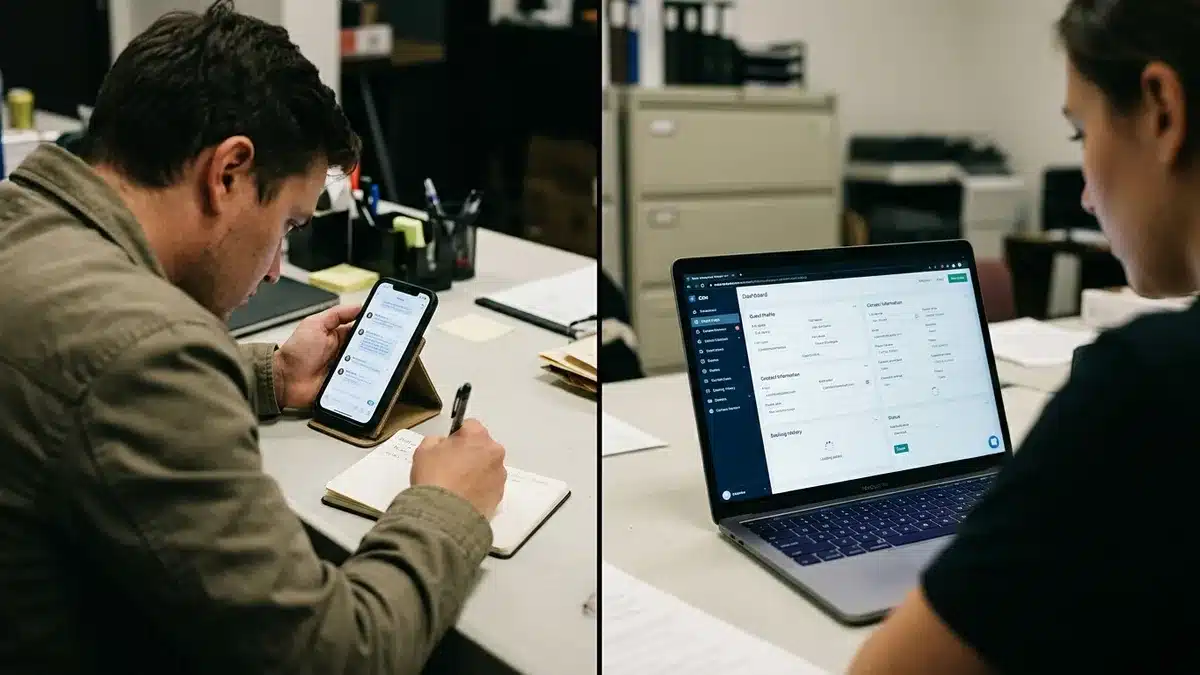
Where Can You See a Guest’s Phone Number on Airbnb?
You can see a guest’s phone number on Airbnb only after their reservation is confirmed, accessed through the Today tab, then Upcoming reservations, then the three-dot menu under Manage reservation on desktop. The mobile app follows a similar path through the reservation details screen, though the exact tap sequence varies slightly by app version.
If you don’t see a phone number where you expect it, the most common causes are: the reservation is still pending rather than confirmed, the guest canceled and the number was removed, or checkout happened more than roughly two days ago and the temporary number has expired. There’s no separate settings toggle to “turn on” contact visibility. If the number isn’t showing, it’s almost always because the reservation status doesn’t currently qualify for that stage of disclosure.
Temporary phone number functionality has historically rolled out unevenly by country, with some markets, including the United States and Canada, having more consistent access to this feature than others. If you manage properties across multiple countries, don’t assume the same troubleshooting steps apply everywhere.
Frequently Asked Questions
What percentage does Airbnb take from a booking?
Airbnb charges hosts a service fee that most commonly falls in the range publicly documented on Airbnb’s own host fee pages, and separately charges guests a service fee on top of the nightly rate. Exact percentages can vary by host fee structure (split-fee versus host-only) and by region, so check Airbnb’s current host fee documentation for the number that applies to your account type.
How much of a cut does Airbnb take compared to a direct booking?
On a direct booking through your own website, you avoid Airbnb’s service fee entirely, keeping the full nightly rate minus whatever payment processing fee your booking platform charges. Every guest who books directly instead of through Airbnb is a booking where you keep more revenue and the guest’s real contact information.
What CRM does Airbnb use internally?
Airbnb doesn’t publish details about its internal customer relationship management systems, and that information isn’t relevant to hosts, since you interact with Airbnb’s guest messaging interface, not its backend CRM. What matters for your business is the CRM you use to manage your own guest relationships, a completely separate system from anything Airbnb runs internally.
Can I send automated SMS to guests?
Within Airbnb’s own system, you’re limited to its in-app messaging and the temporary phone number system described earlier, which does not support automated SMS campaigns. Once a guest books directly through your own website and enters your CRM, automated SMS becomes possible as part of a broader guest communication sequence, provided you’re compliant with relevant messaging consent regulations for your region.
What is the most common item stolen from an Airbnb guest?
This question falls outside contact data policy and relates to general guest safety concerns rather than Airbnb’s contact information masking system. Small, easily concealed valuables like electronics and jewelry are cited most often in general property theft discussions across the short-term rental industry, though this varies significantly by property and location.
Why does my guest’s contact information disappear after they cancel?
Airbnb removes phone number and other reservation-specific access immediately once a booking is canceled, since that access was tied to an active, confirmed reservation rather than being a permanent contact record. This is one of the most common sources of host confusion, since it feels like data loss when it’s actually the platform reverting to its default hidden state.
Do I need to stop using Airbnb to own my guest data?
No. Most hosts run Airbnb and a direct booking channel simultaneously, using Airbnb for new guest discovery and their own website for repeat bookings and guest ownership. You don’t have to choose one over the other, and abandoning Airbnb entirely isn’t necessary to start building a contact database that belongs to you.
Conclusion: Owning Guest Contact Data Starts With Your Own Booking Channel
Airbnb masks guest phone numbers and email addresses, replacing them with temporary numbers and relay addresses, because keeping communication on-platform protects its commission model and repeat-booking pipeline. That’s not going to change in 2026, and there’s no setting inside your Airbnb host dashboard that unlocks permanent access to a guest’s real contact details.
The workaround isn’t fighting Airbnb’s messaging filters or hoping a plugin extracts data it was never designed to release. Build a direct booking channel where guests hand over their real name, email, and phone number the moment they confirm a reservation with you, with no third party standing between you and them. That’s the exact infrastructure gap Boostly Connect was built to close, syncing your existing PMS to a direct booking website and CRM in under 20 minutes so every direct guest becomes a permanent contact record instead of a temporary, expiring one.

If you’re ready to stop losing guest contact information to a platform that was never going to hand it over permanently, book a demo with Boostly Connect and see exactly how your PMS, website, and CRM connect together with your own property data.