

Your Airbnb listing most likely vanished from search because of one of five things: it got Snoozed, Paused, or Deactivated without your noticing; it’s stuck in a new-listing indexing delay; a calendar or booking-rule filter is silently excluding it; your location pin drifted off; or your response rate and pricing dropped your ranking below page one. Each has a specific fix, and most take under an hour to resolve.
Key Takeaways
- Listing status issues (Snoozed, Paused, Deactivated, or Unlisted) are the most common and fastest fix, usually visible in Dashboard > Your Listing > Manage Listing and Calendar.
- Newly published or recently edited listings can take 24 to 72 hours to appear in guest search, according to Airbnb Help Center article 687.
- A strict minimum stay (like 14 nights) or long advance notice window can quietly filter your listing out of most guest searches even when it’s fully active.
- Testing your listing in an incognito browser window, with exact dates, guest count, and a tight map zoom, is the most reliable way to see what guests actually see.
- Response rate, decline rate, Instant Book, pricing, and reviews all factor into Airbnb’s ranking algorithm, meaning a listing can be technically visible but buried past page one.
- Boostly Connect gives you a direct booking channel synced to your existing PMS, so a temporary Airbnb visibility problem never has to mean zero bookings that week.
If you’ve refreshed your Airbnb search results for the third time today and your own listing still isn’t showing up, you’re not imagining it. This happens to active, well-reviewed listings more often than most hosts realize, and it’s rarely one single cause. It’s usually a combination of a status setting, a filter, and a timing issue stacking on top of each other.
In 2026, Airbnb’s search and ranking system weighs more signals than it did even two years ago: response time, Instant Book adoption, pricing competitiveness, and review recency all factor in alongside the basic visibility settings. We work with hosts across Boostly Connect every week who’ve built their entire booking calendar around Airbnb’s algorithm, so when that algorithm suddenly stops showing them, the panic is real. We’ve seen the pattern enough times to walk you through the actual diagnosis, not just a generic checklist.
This guide covers the specific reasons your listing disappears, how to test what guests are actually seeing, and what to do once you’ve found the cause. We’ll also cover why leaning entirely on one platform’s search algorithm is a structural risk worth solving permanently, not just patching this one time.
Is Your Listing Actually Deactivated, Snoozed, or Paused?
Listing status is the first thing to check, and it’s the most common reason a listing disappears overnight. Airbnb has four states that pull a listing from search entirely: Snoozed, Paused, Deactivated, and Unlisted. A listing in any of these states won’t show up no matter how good your reviews or pricing are.
Check Dashboard > Your Listing > Manage Listing and Calendar. Your listing should show as “Listed” with a green status dot. If it shows anything else, that’s your answer. Snoozing can happen accidentally if you or a co-host toggled it while adjusting settings, and Pausing sometimes gets triggered automatically after certain account flags or unresolved guest issues.
Deactivation is more serious and usually comes with an email notification, though those emails get missed constantly, especially by hosts managing multiple properties across several inboxes. If you manage more than one listing, this is exactly where things get messy fast, because you’re checking status across separate dashboards with no single view.
This is one of the operational gaps managing multiple vacation rentals without chaos is built around solving. A single connected system means you’re not relying on catching a status change buried in an email you skimmed at midnight.
Why Does a New Listing Take Days to Appear in Search?
A newly published Airbnb listing can take 24 to 72 hours to become visible in guest search results, according to Airbnb Help Center article 687. This delay also applies to listings that were recently edited significantly, such as a title rewrite, new photos, or a pricing overhaul, not just brand-new ones.
If you published or heavily edited your listing in the last three days, the disappearance you’re seeing might just be indexing lag, not a real problem. Airbnb’s system needs to re-crawl and re-rank the listing internally before it surfaces to guests searching your market.
The mistake we see hosts make here is panicking and making more edits during this window, which can restart the indexing clock. If you changed your title yesterday and it’s still invisible today, resist the urge to change it again. Give it the full 72-hour window first.
Once your listing is live and stable, the smarter long-term move is not depending on that indexing clock at all for repeat guests. A guest who already stayed with you shouldn’t have to search Airbnb and wait on an algorithm to find you again. That’s the exact gap a direct booking website for short-term rentals closes, since returning guests can book straight from a link you control instead of re-searching a marketplace.
Could a Calendar or Booking Rule Be Filtering You Out?
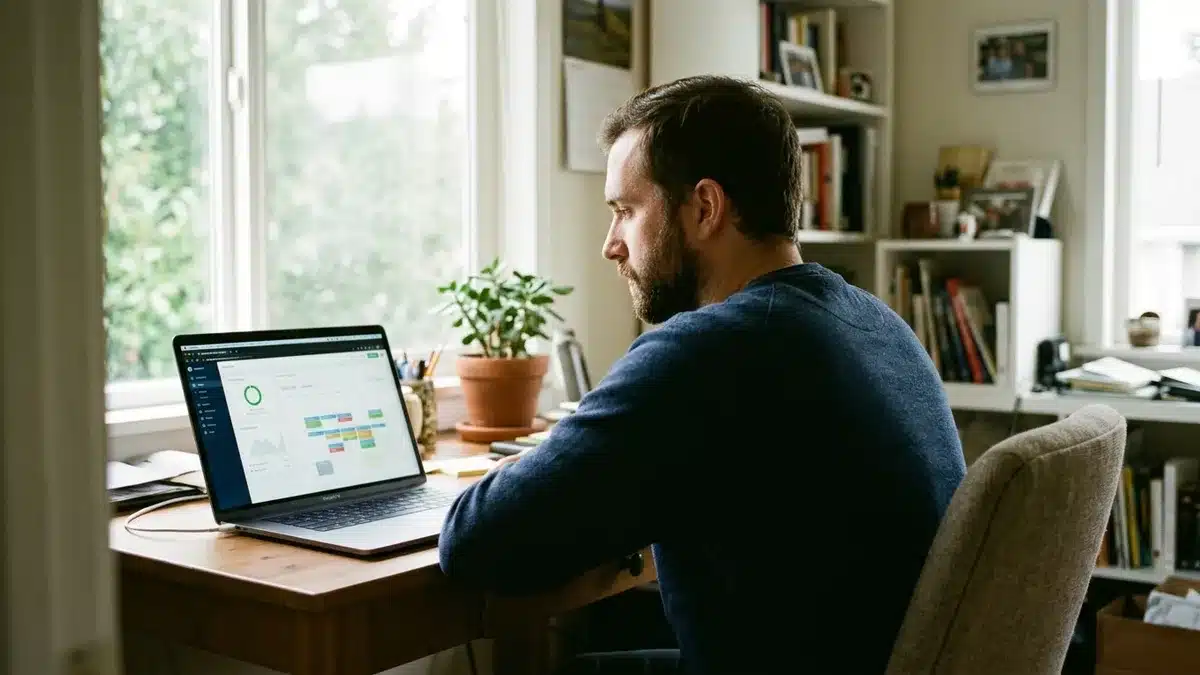
Calendar and booking-rule filters silently exclude listings from search even when the listing itself is fully active and Listed. A strict minimum stay requirement, such as 14 nights, or a long advance notice window, such as 30 days, removes your property from most standard guest searches without any warning or notification.
Here’s how this plays out: a guest searches for a 3-night weekend stay two weeks out. If your minimum stay is set to 7 nights or your advance notice is 21 days, you simply don’t appear as an option, even though nothing is technically “wrong” with your listing. You’re not hidden, you’re filtered.
Check your calendar settings for minimum stay, maximum stay, and advance notice under your booking settings. If you set a long minimum stay to reduce turnover costs, or a long advance notice window to manage cleaning schedules, that decision has a direct visibility cost you may not have connected to your recent booking drop.
Availability also matters here. If your calendar shows no open dates for the range a guest is searching, you won’t appear, which sounds obvious but gets missed constantly by hosts who block dates for maintenance and forget to reopen them promptly. Review your open availability the same way you’d review pricing, as a lever that directly affects whether you show up at all.
How Do You Test What Guests Actually See in Search?
Testing your listing’s visibility means searching Airbnb the way an actual guest would, not the way you normally browse your own account. Open an incognito or private browser window, since your logged-in host account can show your own listing differently than an anonymous guest search would.
Use exact dates rather than “flexible” date ranges, since flexible search behaves differently. Enter a realistic guest count for your property type, and zoom the map in tightly using the plus symbol on the map, then click “Redo Search Here” once you’ve zoomed to your specific neighborhood. A market-wide search zoomed too far out can bury your listing among hundreds of others even when it ranks well locally.
Community threads on Airbnb’s own help forums note that some markets return a capped number of results, commonly cited around 300 listings, meaning your property could simply be beyond that visible cutoff in a broad search even while being perfectly rankable in a tighter, zoomed search.
Run this test three or four times with varying date ranges and guest counts. If you appear for a tight map zoom and specific dates but not a broad zoomed-out search, that’s a ranking and competition issue, not a visibility bug. If you don’t appear in either, go back and re-check status and calendar settings first.
Is Your Location Pin Placed Correctly on the Map?
An inaccurate location pin can exclude your listing from map-based searches even when everything else about your listing is correct. Airbnb’s search results rely heavily on map boundaries, so a pin dropped even a few blocks off, especially near a neighborhood border, can push your property out of the search area guests are actually browsing.
This matters more in dense urban markets where neighborhood boundaries carry real search weight, and in rural or vacation markets where a pin placed on the wrong side of a lake, ridge, or town line can put you in an entirely different search zone than intended. Guests searching a specific neighborhood or town name won’t see you if your pin technically sits outside it.
Double-check your address and pin placement under your listing’s location settings. Compare it against the map manually, not just the address text, since geocoding errors happen more often than hosts expect, particularly for properties on rural roads or in newer developments not yet fully mapped.
Once you’re confident your pin is accurate, it’s worth confirming your business shows up consistently elsewhere too. Listing accuracy on Apple Maps and other map services helps guests find you through channels beyond Airbnb search alone, which matters more as guests increasingly cross-reference a property before booking.
Are Ranking Signals Like Response Rate and Pricing Pushing You Down?
Ranking signals determine where your listing appears among competing properties, separate from whether it’s technically visible at all. Airbnb’s algorithm weighs response rate, decline rate, Instant Book adoption, pricing competitiveness, and review recency, meaning a fully active, correctly configured listing can still get buried past the first few pages of results.
Response rate is one of the most controllable levers here. Airbnb’s own resources recommend fast response times and Instant Book adoption specifically because both signal reliability to the algorithm, according to Airbnb’s guidance on expanding availability and booking tools. If you’re slow to respond to inquiries, or you decline more often than you accept, that pattern compounds over weeks, not just the current search moment.
Pricing matters too. Compare your total price, including cleaning fees, against three real comparable listings in your market. If you’re priced meaningfully above comparable properties with similar amenities, you’ll rank lower even with a perfect status and calendar setup, since price competitiveness is a direct ranking input.
This is exactly where the frustration compounds for hosts running one or two properties by hand: you’re checking response times, comparing competitor pricing, and monitoring reviews manually, on top of everything else running the property requires. A connected system that automatically routes guest messages and tracks these signals removes a layer of that manual monitoring, which is one reason automating how to get more direct bookings for your vacation rental matters even while you’re still troubleshooting an OTA ranking dip.
What’s the Difference Between Being Invisible and Being Low-Ranked?
Being invisible means your listing does not appear in guest search results at all, typically caused by status, indexing delay, or hard filters. Being low-ranked means your listing does appear, just far enough down the results that guests rarely scroll to find it, which is caused by response rate, pricing, or review signals rather than a technical block.
Your listing stats separate these two problems. Check your impressions and views under your listing’s performance data, referenced in Airbnb Help Center article 39 as the way to verify actual search visibility. If your impressions are near zero, you have a visibility problem: status, indexing, or filters. If impressions are reasonable but clicks and bookings are low, you have a ranking and conversion problem instead.
This distinction changes your entire troubleshooting path. Hosts often spend hours rewriting their listing description or swapping photos, assuming a ranking problem, when the real issue is a Snoozed status or a 30-day advance notice window quietly filtering them out entirely. Check status and stats before you touch your content.
| Symptom | Likely Cause | Where to Check |
|---|---|---|
| Zero impressions, listing shows “Snoozed” or “Paused” | Status issue | Dashboard > Your Listing > Manage Listing and Calendar |
| Zero impressions, published in last 72 hours | Indexing delay | Wait out the window before editing again |
| Zero impressions on tight-zoom incognito search | Calendar or booking rule filter | Minimum stay, advance notice, availability settings |
| Appears on tight zoom, not on wide map search | Ranking and competition depth | Compare pricing against 3 comparables |
| Reasonable impressions, low clicks/bookings | Ranking signal (response rate, price, reviews) | Listing performance stats, article 39 |
How Do You Document a Visibility Problem Before Contacting Airbnb Support?
Documenting a visibility problem means gathering screenshots, timestamps, and search parameters before you open a support case, because a vague “my listing disappeared” report gets a slower, less specific response than one backed by evidence. Support teams move faster when you hand them exactly what you tested and what you found.
Capture a screenshot of your listing status page showing the date and current setting. Then run your incognito search tests and screenshot each result, noting the exact dates, guest count, and map zoom level you used for each one. Pull your impressions and views numbers from your listing performance stats for the same date range.
Lay this out chronologically: when you last edited the listing, when you first noticed the drop, and what each test showed. This turns a confusing “it just vanished” report into a specific, timestamped case that’s much easier for a support agent to act on quickly.
Most hosts skip this step and end up in a longer back-and-forth simply re-explaining what they already tested. A little documentation upfront, five or ten minutes, routinely saves days of support delay later.
Why Building a Direct Booking Channel Protects You From This Exact Problem
A direct booking channel is a website and CRM system a host controls independently of any OTA, meaning a status glitch, an indexing delay, or an algorithm ranking shift on Airbnb has zero effect on whether guests can find and book your property. Your visibility problem stops being a business-ending event and becomes a minor inconvenience.
Every troubleshooting step in this guide is reactive. You’re checking settings, running tests, and waiting on support after the disappearance already happened and bookings already stopped. That reactive posture is the real cost of building a business entirely inside one platform’s search algorithm, one you don’t control and can’t fully audit.
We built Boostly Connect specifically because we watched hosts lose entire weeks of bookings to exactly this kind of unexplained visibility drop, with no fallback channel to catch the demand in the meantime. Connecting your existing property management system, whether that’s Hospitable, Guesty, Lodgify, OwnerRez, or Hostfully, to your own website takes under 20 minutes with no developer, and it means returning guests and new visitors can book you directly, independent of whatever Airbnb’s algorithm is doing that week.
This doesn’t mean abandoning Airbnb. Most hosts we work with run both channels simultaneously, using their direct site specifically to capture repeat guests and reduce how much of their revenue depends on one search algorithm’s mood. If you want the fuller playbook on that balance, our guide on how to balance OTA and direct bookings in 2026 walks through the exact split we see working best.

What Practical Steps Should You Take Right Now?
Start with status, then move outward to timing, filters, location, and ranking, in that exact order, since each step is faster to check than the last and rules out the simplest explanations first.
- Check your listing status. Confirm it shows “Listed” with a green dot under Manage Listing and Calendar, not Snoozed, Paused, Deactivated, or Unlisted.
- Confirm you’re past the indexing window. If you published or heavily edited within the last 72 hours, wait before making further changes.
- Review your calendar rules. Check minimum stay, maximum stay, and advance notice settings for anything that might silently filter you out of common searches.
- Run incognito guest-side tests. Use exact dates, a realistic guest count, and a tightly zoomed map, testing three or four combinations.
- Verify your location pin. Compare your address against the actual map placement, especially near neighborhood or town borders.
- Pull your impressions and views. Use your listing performance stats to tell whether you’re invisible or just low-ranked.
- Check pricing against three comparables. Include cleaning fees in your total price comparison, not just the nightly rate.
- Document everything before contacting support. Screenshots, timestamps, and search parameters speed up resolution significantly.
A common mistake we see is skipping straight to step 7 or 8, rewriting descriptions and adjusting prices, before confirming status and calendar settings first. Fix the cheap, fast checks before the time-intensive ones.
Frequently Asked Questions
What percentage does Airbnb take from hosts?
Airbnb typically charges hosts a service fee that most commonly falls under a split-fee structure, though the exact percentage varies by host type and listing setup. Check your specific listing’s payout summary in your Airbnb dashboard for your current rate, since fee structures have changed over time and vary by region.
How much of a cut does Airbnb take compared to booking direct?
Airbnb’s host service fee applies to every booking made through the platform, while a direct booking made through your own website has no OTA commission attached. This is the core reason many hosts build a parallel direct booking channel from zero alongside their Airbnb listings rather than replacing them.
What CRM does Airbnb use for hosts?
Airbnb does not provide hosts with a dedicated CRM for managing guest relationships or marketing to past guests; its internal messaging system is built for booking communication, not guest data ownership or remarketing. That’s why many hosts pair Airbnb with a separate CRM built for short-term rental hosts to capture and own their own guest list.
Why did my Airbnb listing disappear overnight with no warning?
The most common overnight causes are an accidental Snooze or Pause toggle, a Deactivation notice you missed in your inbox, or a calendar rule like advance notice that quietly started filtering you out once your open dates shifted. Check your listing status first, since it resolves the majority of sudden disappearances within minutes.
How long does it take for a new Airbnb listing to show up in search?
A new or significantly edited Airbnb listing can take 24 to 72 hours to become visible in guest search, according to Airbnb Help Center article 687. Avoid making further major edits during that window, since additional changes can restart the indexing process.
Can a minimum stay requirement really hide my listing from search?
Yes. A strict minimum stay, such as 14 nights, or a long advance notice window filters your listing out of most guest searches that request shorter or sooner stays, even though your listing status remains fully active. This is one of the most overlooked causes of a sudden booking drop.
Will switching focus to direct bookings hurt my Airbnb ranking?
No. Running a direct booking website alongside your Airbnb listing does not affect your Airbnb search ranking, since the two channels operate independently. Most hosts we work with keep both channels active, using Airbnb for new guest discovery and their own site for repeat bookings and referrals.
How do I know if my listing is invisible versus just low in the rankings?
Check your impressions and views under your listing performance stats. Near-zero impressions point to a status, indexing, or filter problem, while reasonable impressions with few bookings point to a ranking issue tied to pricing, response rate, or reviews.
Conclusion: Get Your Listing Back and Build a Backup Channel
Most Airbnb visibility drops trace back to one of five fixable causes: status, indexing delay, calendar filters, location accuracy, or ranking signals. Work through them in that order, starting with the simple status check, and you’ll usually find your answer within the hour rather than guessing at content rewrites that don’t address the real problem.
The deeper lesson is one we keep coming back to with every host we talk to at Boostly Connect: a booking business built entirely on one platform’s search algorithm is a business with a single point of failure. Fixing today’s disappearance matters, but building a direct channel that doesn’t depend on Airbnb’s ranking mood is the move that actually protects your revenue going forward, into 2026 and beyond.
If a search algorithm you don’t control shouldn’t be the only thing standing between you and your next booking, a direct site synced to your existing PMS closes that gap without replacing what already works. Book a demo with Boostly Connect and see your own listings connected to a direct booking website in under 20 minutes, no developer required.