

Accepting payments for direct bookings means connecting a secure payment gateway, such as Stripe, directly to your property website so guests can pay by card at checkout, with deposits, balances, and refund terms clearly stated before they enter card details. Done correctly, it takes minutes to set up and removes the 15 to 20 percent commission you currently hand to OTAs on every reservation.
- A secure payment gateway is non-negotiable: Stripe, Square, or PayPal are the standard choices for processing card payments directly on a vacation rental website, and PCI-DSS compliance is handled by the gateway, not you.
- Staged payments build trust, not suspicion: A smaller deposit at booking followed by a balance payment before arrival mirrors what guests already expect from hotel and OTA checkouts.
- Checkout copy matters as much as the technology: Guests abandon direct booking pages when the payment step feels unfamiliar or under-explained, not because the gateway is insecure.
- Documentation is your best chargeback defense: A signed rental agreement, ID verification for higher-risk bookings, and saved guest messages protect you when a dispute happens.
- Direct booking channels increasingly demand payment infrastructure that doesn’t feel homemade: Industry benchmarks show direct bookings already make up a meaningful share of total reservation volume for operators who invest in this experience.
- Boostly Connect builds the payment layer in for you: Every property page syncs live pricing and availability from your existing PMS, with secure Stripe checkout built into the site and no added booking fees stacked on top.
If you have been putting off building a payment system for your direct booking channel because it sounds like a technical project, you are not alone. Most hosts we talk to at Boostly Connect have the same hesitation: they know OTA commission is eating their margin, but they assume accepting card payments on their own site requires a developer, a merchant account application, and weeks of setup.
That assumption is outdated. As of 2026, gateway providers like Stripe process the entire compliance and security burden for you, and the real work is in configuring your payment schedule and writing checkout copy that doesn’t spook a first-time direct booker. This guide walks through both, step by step, including the parts most guides skip entirely: how to word your checkout page so guests feel protected instead of pressured.
We built Boostly Connect specifically because too many hosts either avoided direct payments altogether or bolted together a payment plugin that broke every few months. What follows is the exact sequence we recommend, whether you build it manually or let a done-for-you system handle it.
How Do I Accept Payments Through My Website?
You accept payments through your website by connecting a payment gateway, such as Stripe, Square, or PayPal, to your booking engine or property page, so the guest enters card details on your own domain and the gateway processes the charge securely. The gateway then deposits funds into your linked bank account, typically within a few business days.
For most independent hosts and boutique property managers, Stripe is the fastest path to a working setup. It integrates with WordPress booking plugins, most property management systems, and standalone booking engines without requiring custom development. You create an account, verify your business details, link a bank account, and Stripe issues an API key that your website’s booking form uses to process transactions.
The friction point isn’t the gateway itself, it’s the reconciliation between your PMS calendar, your website’s booking form, and the payment record. Manually, this means updating availability by hand every time a direct payment clears, then cross-checking it against your PMS so you don’t double-book a night that just got confirmed on your website.
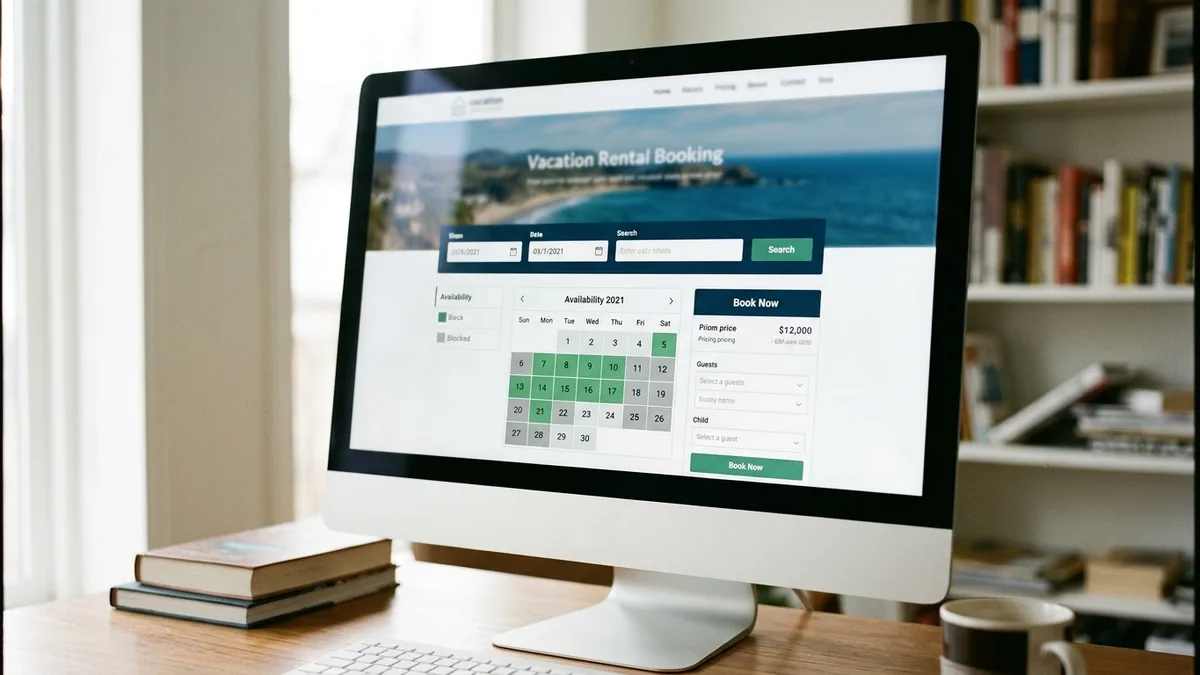
That’s the exact workflow Boostly Connect eliminates. Because your PMS, whether that’s Hospitable, Hostfully, Lodgify, or Guesty, syncs live to your Boostly Connect website, a confirmed direct payment updates availability in real time across every channel automatically. There’s no manual reconciliation and no risk of a phantom booking slipping through because your spreadsheet was a day behind.
How Does Hotel Direct Billing Work, and What Does It Mean for Short-Term Rentals?
Direct billing in a hospitality context refers to charging a guest’s card directly through the property’s own payment system rather than through a third-party intermediary that holds and later disburses funds. For short-term rental hosts, this means the money lands in your account without an OTA taking a cut first.
Hotels have used direct billing for decades, typically pre-authorizing a card at booking and charging the full amount, or a portion of it, closer to arrival. Vacation rental hosts can replicate this exact structure on their own websites using the same staged payment logic: authorize or collect a deposit at booking, then charge the balance on a set schedule before check-in.
The distinction that matters for your business is ownership. When Airbnb or Booking.com processes a payment, they retain the guest’s contact and payment relationship, and you’re notified of the transaction after the fact. When you handle direct billing on your own site, the guest’s payment record, contact information, and booking history all belong to you, feeding directly into your own CRM rather than disappearing into an OTA’s database.
This is precisely why guest data ownership matters so much for repeat bookings; you can read more in our piece on how to own guest data instead of leaving it with Airbnb. Boostly Connect captures every direct booker automatically into your own CRM the moment payment clears, so that guest is yours for remarketing next season, not Airbnb’s.
What Are the Payment Options for Bookings on a Direct Booking Website?
The main payment options for direct bookings are full payment at time of booking, a deposit followed by a balance payment before arrival, and, for a smaller number of operators, manual invoicing or bank transfer for enterprise or long-standing clients. Most hosts in 2026 default to the deposit-plus-balance model because it matches guest expectations set by OTAs.
Full payment upfront reduces admin but can feel aggressive to a guest booking directly for the first time, especially if they’re comparing your checkout to the familiar staged flow on Airbnb or Vrbo. A staged deposit, commonly a percentage of the total due at booking with the remainder charged automatically a set number of days before check-in, tends to convert better because it lowers the guest’s initial financial commitment.
Manual invoicing or bank transfer still has a place. Industry guidance suggests it works best where you have an established relationship, a corporate or long-stay client, or a booking where final pricing depends on a conversation rather than a fixed nightly rate. For a typical leisure guest booking a weekend stay, though, automated card processing through Stripe, Square, or PayPal is the standard, and increasingly the expectation.
| Payment Model | Best For | Guest Experience | Admin Load on Host |
|---|---|---|---|
| Full payment at booking | Short lead-time or last-minute bookings | Fast, but feels final immediately | Low, single transaction |
| Deposit plus balance | Most leisure direct bookings | Familiar, matches OTA expectations | Moderate, requires automated reminder and charge |
| Manual invoice or bank transfer | Corporate, long-stay, or repeat clients | Personal, slower | High, requires manual follow-up |
Whichever model you choose, the schedule needs to be visible before the guest reaches the card entry field, not buried in a policy page they’re unlikely to read. We’ll get into exactly how to word that in the section on checkout trust below.

What Is the Easiest Way to Accept Credit Card Payments for a Vacation Rental?
The easiest way to accept credit card payments for a vacation rental is to use a payment gateway that plugs directly into your existing booking system, so you’re not building card processing from scratch. Stripe is the most commonly recommended starting point because it requires no monthly fee to sign up and typically deposits funds within a couple of business days.
For a host managing this manually, the setup involves creating a gateway account, verifying business and bank details, then connecting that gateway to whatever books your calendar, whether that’s a WordPress plugin, a standalone booking engine, or your PMS’s native booking widget. Each of those pieces has to talk to the others, and if one updates on a delay, you risk accepting a payment for a date that’s no longer available.
This is the exact multi-tool chaos that boutique property managers describe when they come to us. They’re running a PMS, a separate booking plugin, and a disconnected payment processor, and none of the three update each other automatically. Boostly Connect solves this by syncing your PMS, your website, and secure Stripe-powered checkout into one connected system, live availability, real-time pricing, and payment processing all update from a single source instead of three.
If you’re earlier in the process and haven’t built your booking website yet, our guide on how to get more direct bookings for your vacation rental covers the groundwork before payment setup even becomes relevant.
How Do You Set Up a Bank Account for Direct Bookings?
Setting up a bank account for direct bookings means linking a verified business or personal bank account to your payment gateway so funds from guest charges have somewhere to land. Most gateways require a confirmation step, often a small deposit and withdrawal or a code sent to your bank, before payouts begin.
Payment providers commonly won’t release payouts until this verification completes, even after the account details are entered, so build in a few days of lead time before your first expected payout if you’re launching direct payments close to an arrival date. Once verified, payouts typically arrive automatically on a rolling schedule tied to when each transaction clears.
If you’re operating under an LLC or property management company, use that entity’s bank account rather than a personal one. It keeps your books cleaner for tax purposes and makes it far easier to prove income if a lender or insurer asks for financial records, which many now require before extending financing or short-term rental coverage.
Boostly Connect’s Stripe integration handles this verification flow inside the same setup process that connects your PMS to your website, so you’re not juggling separate logins for your booking engine, your gateway, and your bank confirmation. It’s one connected setup instead of three disconnected ones.
How Do You Word Your Checkout Page So Guests Feel Protected, Not Pressured?
Checkout copy for direct bookings works best when it explains exactly what will be charged, when, and what happens if plans change, before the guest reaches the card field. Vague or missing information at this exact moment is the single biggest reason a guest abandons a direct booking and goes back to a familiar OTA instead.
This is the gap almost nobody covers well. Most guides stop at “integrate a secure gateway” and never address the psychology of a guest who has never paid a private host directly before. Airbnb and Vrbo have spent years building trust signals into their checkout: familiar logos, buyer protection language, review counts visible right on the page. Your direct booking site needs to recreate that sense of safety without those built-in crutches.
Specific tactics that work:
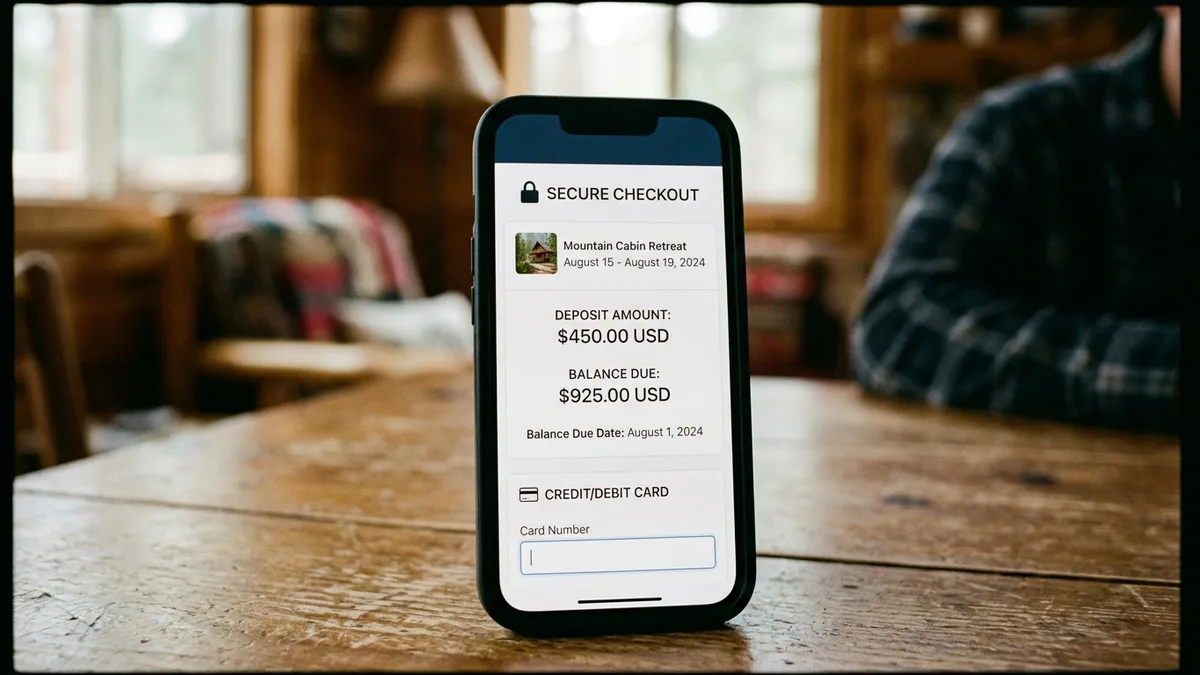
- State the exact deposit amount and balance due date in plain language directly above the payment field, not on a separate policy page.
- Use recognizable security cues, such as a small lock icon and the name of your payment processor (Stripe, for example, is a widely recognized brand guests already trust from other purchases).
- Confirm what happens immediately after payment: an instant email confirmation with dates, total cost, and a direct contact method reduces the anxious “did that actually work” moment.
- Show your cancellation and refund policy as a short summary at checkout, with a link to full terms, rather than forcing guests to hunt for it before they’ll commit.
Staged payments deserve special attention here, since almost no existing guide addresses this well. A deposit-plus-balance structure only builds trust if the guest understands, at the moment of the first charge, exactly when and how much the second charge will be. Say it plainly: “You’ll pay 30 percent today and the remaining balance automatically on [date], to the same card.” Ambiguity here reads as risk, and risk kills conversions.
Boostly Connect’s booking flow displays this schedule automatically as part of the checkout experience your PMS data feeds into, so guests see the full payment timeline before they commit, not buried in fine print they’ll never read.
How Do You Design Fallback Processes When a Payment Fails?
A fallback process for a failed direct booking payment is a predefined sequence that tells the guest exactly what went wrong and what to do next, without losing the booking or the guest’s trust. Most direct booking sites have no plan for this at all, which is a significant, largely uncovered gap in existing guidance.
When a card declines on Airbnb, the guest sees a familiar retry flow because the platform has handled millions of these events. On a small direct booking site, a generic browser error or a blank page after a decline reads as “this site is broken,” and many guests will simply leave and rebook through an OTA instead.
Build a fallback sequence that includes:
- A clear, specific decline message (“Your card was declined by your bank. Try a different card or contact your bank to authorize this charge.”) rather than a generic error code.
- An automatic retry option that doesn’t force the guest to re-enter their entire booking form from scratch.
- A visible, human contact option, phone, live chat, or email, so a guest who’s stuck doesn’t just abandon the booking entirely.
- An internal alert to you or your team the moment a payment fails, so you can follow up personally before that guest books elsewhere.
Boostly Connect’s built-in CRM includes live chat and automated messaging that can catch a guest mid-checkout if something stalls, converting what would otherwise be a lost booking into a completed one. That’s a direct answer to the “looker not booker” problem that costs hosts far more revenue than most realize.
How Do You Protect Against Chargebacks and Payment Disputes?
Chargeback protection for direct bookings comes primarily from documentation, not from the payment gateway alone. A signed rental agreement, saved guest communication, and evidence of the booking terms accepted at checkout together form your strongest defense if a guest disputes a charge later.
Specifically, keep records of the payment confirmation, the policy the guest agreed to at checkout, check-in and check-out logs, and any guest messages exchanged during the stay. For higher-risk bookings, such as large groups, last-minute reservations, or unusually high-value stays, matching the guest’s ID to their payment details before releasing check-in information adds another layer of protection.
Enabling fraud checks and additional card verification, such as 3D Secure, inside your gateway’s settings reduces fraudulent transactions before they happen. This is a setting most hosts never touch because it’s buried inside the gateway dashboard rather than the booking tool they use daily.
A signed rental agreement and a security deposit authorization collected before check-in details are released is one of the most effective, and most skipped, protections available to independent hosts. Boostly Connect’s CRM stores this documentation alongside each guest’s booking record automatically, so it’s there if a dispute ever arises, rather than scattered across email threads you’d have to search through manually.
Should You Use Instant Online Payments or Manual Invoicing for Direct Bookings?
Instant online payments through a gateway like Stripe are the right default for the vast majority of leisure direct bookings, while manual invoicing works only for specific relationship-based scenarios, such as returning corporate clients or long-stay guests where pricing is negotiated case by case.
The trade-off is speed versus flexibility. Automated card processing confirms a booking the moment payment clears, with no back-and-forth, which matters when a guest is comparing your site to the instant confirmation they’d get on an OTA. Manual invoicing, by contrast, introduces a delay while you generate and send an invoice, and during that gap, a guest with other options may simply book elsewhere.
Where manual invoicing earns its place is with clients you already know well: a returning guest booking a month-long stay, or a property manager client whose final rate depends on a conversation about add-ons. For everyone else, automation wins, both for conversion rate and for your own time.
Most operators scaling past a handful of properties can’t sustain manual invoicing at volume anyway. If you’re managing multiple units, our guide on how to manage multiple vacation rentals covers why manual processes break down specifically at that scale, and Boostly Connect’s multi-listing sync is built to prevent that breakdown before it starts.
Direct Booking Payment Setup: Data and Industry Context
Direct bookings already represent a substantial and growing share of total reservation volume for operators who invest in the checkout experience, with industry reporting placing direct channel share commonly in the 30 to 50 percent range depending on the operator’s marketing effort. That range reflects a wide gap between hosts who treat their direct channel as an afterthought and those who build it as real infrastructure.
Payment processors and direct booking platforms commonly apply transaction fees in the 2 to 4 percent range per booking, a small fixed cost compared to the 15 to 20 percent OTA commission most hosts are used to paying. On a $2,000 booking, that difference alone is worth several hundred dollars back in your pocket, every single reservation.
Regulatory context matters here too. In 2026, many U.S. jurisdictions require short-term rental operators to collect and remit transient occupancy taxes, commonly in the 8 to 14 percent range depending on the city and state, and payment processors handling these transactions must comply with PCI-DSS standards for card data security. If your payment setup doesn’t calculate and separate tax collection automatically, you’re creating manual reconciliation work every single month.
The market backdrop reinforces why this matters now. The U.S. short-term vacation rental market is projected to reach approximately $76.46 billion in 2026, and the short-term rental management software segment is projected to keep growing at a double-digit rate through the early 2030s. That growth is being driven, in large part, by operators shifting spend toward automation and payment-enabled direct booking systems rather than staying fully dependent on OTA infrastructure.
What Mistakes Do Hosts Make When Setting Up Direct Booking Payments?
The most common mistake hosts make is treating payment setup as purely technical, connecting a gateway and stopping there, without addressing the checkout copy, fallback processes, and documentation that actually determine whether a guest trusts the page enough to complete the booking.
Other frequent errors we see across the Boostly Connect community of more than 2,000 hosts:
- No visible payment schedule before checkout. Guests abandon bookings when they don’t know what they’re about to be charged, or when, before entering card details.
- Skipping fraud checks. 3D Secure and gateway-level fraud settings exist specifically to catch suspicious transactions, and leaving them off invites unnecessary risk.
- No documentation trail. Without a signed agreement and saved communication, disputing a chargeback becomes nearly impossible.
- Manual calendar reconciliation. Updating availability by hand after a direct payment clears is where double-bookings happen. This is precisely why syncing your PMS to your website automatically, rather than manually, matters at any scale beyond a single property.
- Treating manual invoicing as the default. It’s the right choice for specific relationships, not for every leisure booking.
For a broader view of how to convert the traffic you’re already getting into completed bookings, not just page views, see our guide on how to convert website visitors to bookings, which covers the funnel steps that lead up to the checkout moment discussed here.
Frequently Asked Questions
What is the easiest payment gateway for a vacation rental direct booking site?
Stripe is widely regarded as the fastest path to accepting direct payments, since it typically requires no monthly fee to sign up and deposits funds within a couple of business days. Square and PayPal are also common choices, and most booking systems, including Boostly Connect, support Stripe as a built-in checkout option.
Do I need a business bank account to accept direct booking payments?
You need a verified bank account linked to your payment gateway, and using a dedicated business account rather than a personal one keeps your bookkeeping cleaner for tax purposes. Payment providers will not release payouts until that account is verified, so complete this step before your first expected direct booking.
How much should I charge as a deposit for a direct booking?
There’s no single required percentage, but a deposit followed by an automatic balance charge closer to arrival is the most common structure, since it matches what guests already expect from OTA checkouts. Whatever percentage you choose, state it clearly at checkout so the guest knows exactly when the remaining balance will be charged.
Will accepting payments directly hurt my Airbnb ranking?
No, building a direct booking payment system on your own website does not affect your Airbnb search ranking, since Airbnb ranks listings based on activity within its own platform. Running a direct channel alongside your OTA listings is a parallel strategy, not a replacement, and most hosts run both simultaneously.
How do I protect myself from chargebacks on direct bookings?
The strongest protection is documentation: a signed rental agreement, saved guest communication, payment confirmation records, and ID verification for higher-risk bookings. Enabling fraud checks and additional card verification inside your payment gateway’s settings adds a further layer of protection before a dispute ever happens.
Can I accept payments without a website, just through email or invoice?
Yes, manual invoicing or bank transfer works for specific situations, such as long-standing clients or negotiated corporate stays, but it introduces delay and doesn’t scale well for regular leisure bookings. For most direct bookings, an automated gateway integrated into your website converts better and requires far less ongoing admin.
What happens if a guest’s card is declined during direct booking checkout?
A well-designed checkout gives the guest a clear, specific decline message and an easy retry option rather than a generic error, and alerts you internally so you can follow up before the guest books elsewhere. Sites without this fallback process risk losing the booking entirely to a competing OTA listing.
How long does it take to set up direct booking payments on my website?
Connecting a payment gateway to an existing booking system typically takes minutes once your PMS is already linked to your website, though bank account verification can add a few days before your first payout arrives. Boostly Connect’s setup, which syncs your PMS, website, and Stripe-powered checkout together, is designed to run in under 20 minutes.
Quick-Reference: Steps to Accept Payments for Direct Bookings
- Choose a payment gateway (Stripe, Square, or PayPal) and create a verified account.
- Link and verify a business bank account for payouts.
- Connect the gateway to your booking system or PMS-synced website.
- Decide on your payment model: full payment, deposit plus balance, or manual invoicing for specific clients.
- Write checkout copy that states the exact schedule, security cues, and refund policy before the card field.
- Enable fraud checks and 3D Secure inside your gateway settings.
- Set up a signed rental agreement and documentation trail for chargeback protection.
- Build a fallback process for declined payments, including a human contact option.
- Confirm instant email confirmation triggers automatically after payment clears.
- Test the full flow yourself before promoting the direct booking link publicly.
The Bottom Line on Accepting Direct Booking Payments in 2026
Learning how to accept payments for direct bookings comes down to two things working together: a secure gateway like Stripe processing the transaction, and checkout copy that makes an unfamiliar payment moment feel safe. Miss either half, and you’ll either expose yourself to unnecessary fraud risk or lose bookings to abandonment at exactly the moment a guest was ready to commit.
The hosts who get this right treat their payment page as real infrastructure, not an afterthought bolted onto a website. That means a visible payment schedule, fraud protection turned on, documentation ready before a dispute happens, and a fallback plan for the payments that don’t go through cleanly the first time.
As we head further into 2026, direct booking share keeps climbing for operators who invest in this experience, while OTA commission keeps eating into the margins of those who don’t. Boostly Connect was built to close that gap: your PMS, your website, and secure Stripe checkout, all synced into one system so you’re not stitching together a gateway, a booking plugin, and a spreadsheet by hand. If you want to see exactly how that setup would look on your own property, book a demo with Boostly Connect and we’ll walk through connecting your existing PMS in real time.
If you’re still weighing whether the switch is worth it, our breakdown of how much Airbnb commission actually costs you puts the numbers side by side with what a direct booking payment system saves over a full year.