

PMS connect refers to the technology that links a property management system to a host’s website, channel manager, or CRM so reservations, pricing, and availability sync automatically in both directions. For short-term rental hosts, a working PMS connection means guests see accurate calendars everywhere, without anyone manually copying numbers between systems.
Key Takeaways
- PMS connect describes any integration that moves reservation, pricing, and availability data between a property management system and a connected platform such as a website, channel manager, or CRM.
- Two-way sync updates both systems automatically; one-way sync only pushes data outward, which creates manual reconciliation work for the host.
- Most modern PMS connections use APIs rather than older middleware, cutting setup complexity and reducing the ongoing sync errors that plague manual workflows.
- The global property-management-software market is estimated at $3.8 billion in 2026 and projected to reach $5.9 billion by 2033, a 6.4% CAGR, according to Grand View Research.
- Boutique operators and multi-property portfolios face the highest risk from broken PMS connections because a single sync error touches pricing across every listed channel at once.
- Boostly Connect supports 8 PMS integrations and syncs live availability and pricing to a host’s own website in under 20 minutes, with no developer required.
If you manage even a handful of short-term rental listings in 2026, you have probably run into the same headache: your property management system holds the master calendar, but your website, your channel manager, or your CRM doesn’t automatically know what it knows. That gap is where PMS connect technology lives, and getting it wrong costs hosts real money in double bookings and missed direct reservations.
At Boostly Connect, we work with hosts and property managers every day who are trying to untangle a patchwork of plugins that were never designed to talk to each other. The pattern is consistent: a host adds a new tool, it half-works for a few months, then a sync error causes a double booking or a stale price on the website nobody catches until a guest complains.
This guide breaks down what PMS connect actually means, how it works technically, which systems support it, and what to check before you trust any integration with your live calendar. We’ll also cover the specific gaps most PMS connect guides skip entirely, like data validation, security, and what a broken sync actually looks like in practice.
What Is PMS Connect and Why Does It Matter for Short-Term Rental Hosts?
PMS connect is the general term for any integration that links a property management system to another platform, such as a website, channel manager, accounting software, or guest CRM, so data flows automatically instead of requiring manual entry. It matters because a disconnected PMS forces you to update prices, availability, and guest records in multiple places by hand.
Specifically, most PMS connections handle three categories of data: reservations (new bookings, modifications, cancellations), pricing and availability (rates, minimum stays, blocked dates), and operational records (housekeeping status, payment confirmations, guest messages). As a result, a well-built PMS connection removes the need for a host to log into five different dashboards every morning just to confirm the calendar is accurate.
Notably, this isn’t a single product. Several distinct approaches exist across the hospitality industry, ranging from enterprise hotel integrations that link a PMS to accounting platforms like Microsoft Dynamics 365, to short-term rental specific connections that sync a PMS directly to a WordPress website. The mechanics differ, but the goal is the same: eliminate manual re-entry and keep every connected system showing the same numbers.
For independent hosts and boutique property managers, the most relevant version of PMS connect is the website-facing kind. That’s the layer where a guest actually books, and it’s the layer most disconnected setups fail at first. In our experience working with vacation rental operators, the website is almost always the last system to get accurate data and the first one guests use to judge whether a booking will go smoothly.
How Does a PMS Connection Actually Work Behind the Scenes?
A PMS connection works by using an application programming interface, or API, that lets two systems exchange data in a structured format without a human copying anything by hand. The PMS pushes updates out; the connected platform pulls them in, and both systems refresh on a schedule, typically ranging from real time to a few minutes.
Older integration methods relied on middleware, a separate software layer sitting between the PMS and the connected system to translate data formats. This added cost and another point of failure. Modern API-based connections skip that step entirely. For example, one hospitality integration provider notes that its hotel communications link works without costly middleware, connecting hotels ranging from 5 to 500 rooms directly.
Once the connection is live, most systems validate incoming data before posting it. This validation step matters more than most hosts realize: it checks that room types, rate codes, and currency fields match before anything updates live, catching errors before they reach a guest-facing calendar.
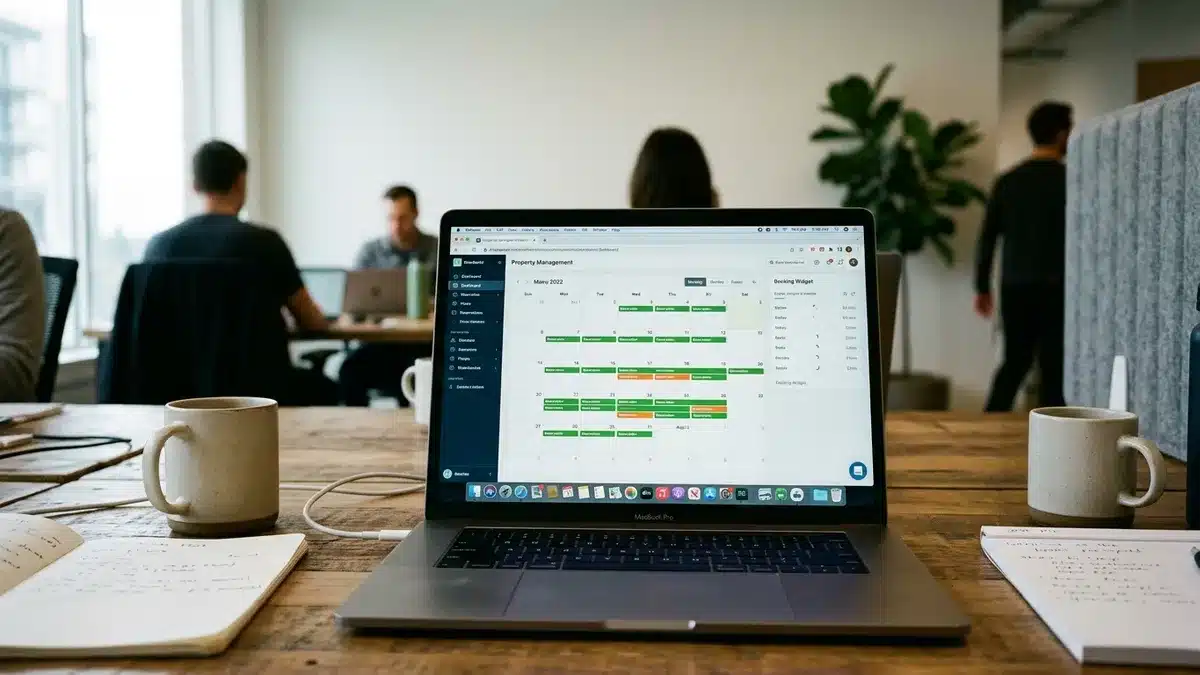
For short-term rental hosts specifically, this typically means your PMS holds the source-of-truth calendar, and the connected website pulls live availability and real-time pricing from it. That’s exactly the architecture Boostly Connect uses: connect your existing PMS once, and your direct booking website reflects your real calendar automatically, without a middleware layer or a developer maintaining the link.
Which Property Management Systems Support PMS Connect Integrations?
Support for PMS connect integrations varies widely by provider, with some hospitality-specific tools naming a short list of enterprise systems and others supporting dozens of platforms built specifically for short-term rentals. Enterprise hotel integrations commonly list systems such as Oracle Opera Cloud and Fidelio Suite8 as supported connections, with additional systems available upon request.
Short-term rental hosts have a different set of concerns. You’re less likely to be running enterprise hotel software and more likely using a PMS built for vacation rentals, such as Hospitable, Guesty, Lodgify, OwnerRez, or Hostfully. The question isn’t whether your PMS technically has an API. It’s whether the connected platform, your website builder or channel manager, has already built and tested that specific integration.
This is where a lot of DIY setups fall apart. A host might plug a booking calendar widget into their site, discover it connects to one PMS but not the one they actually use, and end up manually re-entering rates anyway.
Boostly Connect sidesteps this by supporting 8 PMS integrations out of the box, including the major short-term rental platforms hosts already run. You connect your existing system once, in a few minutes, and your website inherits the same live calendar your PMS already manages, without switching PMS providers or maintaining a second data source.
What Is the Difference Between One-Way and Two-Way PMS Sync?
One-way PMS sync pushes data outward from the property management system to a connected platform, such as sending confirmed reservations to an accounting tool, without sending anything back. Two-way sync exchanges data in both directions, so a change made on the website, like a new booking or a canceled reservation, feeds back into the PMS automatically.
One-way interfaces are common in specific use cases. For example, one online booking interface used in hospitality sends reservation modifications and cancellations from a booking channel into the PMS, positioning itself as a way to reduce manual entry errors during that specific data flow.
The limitation is obvious once you scale past a single channel: if your PMS updates a price but the one-way feed doesn’t pull that change back, your website shows outdated rates until someone notices.
| Sync Type | Data Direction | Best Fit | Main Risk |
|---|---|---|---|
| One-way sync | PMS to connected system only | Sending confirmed bookings to accounting or reporting tools | Website or channel data can go stale if nothing feeds back |
| Two-way sync | PMS and connected system update each other | Live booking websites, channel managers, CRMs | Requires reliable validation to prevent conflicting updates |
| Manual entry | Human re-enters data in each system | Single-listing hosts with very low booking volume | Highest error rate, most time cost, no real-time accuracy |
For a direct booking website, two-way sync is the only option that actually works long term. A guest booking directly needs to see availability that matches what’s showing on Airbnb or Vrbo at that exact moment, and your PMS needs to know about that direct booking the second it happens so it doesn’t get double-booked elsewhere. Boostly Connect runs on two-way sync by design, which is why a booking made on a host’s own website automatically blocks that date everywhere else the property is listed.
What Should You Check Before Trusting a PMS Integration With Live Data?
Before trusting any PMS connect integration with your live calendar, you should confirm four things: data validation behavior, security and permission scope, direction of sync, and what happens during downtime. These four checks determine whether an integration protects your bookings or quietly introduces errors nobody notices until a guest arrives to find their room already occupied.
Data validation matters first. Reputable integrations check incoming data, room types, rate codes, currency fields, before posting it live. If a provider can’t explain how it validates data, ask directly; a system that pushes unchecked data straight to your website is a system that will eventually publish a wrong price.
Security and access scope come next. Ask what permissions the integration requires inside your PMS, whether it can modify reservations or only read them, and where guest data is stored once it passes through the connection. Notably, competitor research on PMS integrations rarely addresses security, audit trails, or data residency in any depth, which is a gap worth pressing any provider on directly.
Downtime handling is the check most hosts skip. If your PMS goes offline or the API connection drops, does your website freeze on the last known availability, or does it fail open and risk showing dates as available that aren’t? Ask this question before you sign up, not after a double booking happens.
Finally, confirm the support model. One enterprise PMS integration provider lists support availability as Monday through Friday during standard business hours, which matters if your booking issue happens on a Saturday night. Boostly Connect’s setup process is designed to remove this risk category almost entirely: the PMS-to-website-to-CRM connection is built to run without ongoing manual intervention, and hosts get access to twice-weekly group coaching calls rather than a support ticket queue for troubleshooting.
What Does a Real PMS Connect Workflow Look Like Step by Step?
A real PMS connect workflow moves a single reservation event, like a new booking, a modification, or a cancellation, through several systems automatically within seconds to minutes, depending on the platforms involved. Understanding this flow helps you spot where a broken integration is likely to fail.
- Guest books a stay on a direct booking website or an OTA channel like Airbnb.
- The booking event fires and the connected system sends reservation details, dates, guest name, rate, to the PMS via API.
- The PMS validates the data, checking that room type, dates, and pricing fields match expected formats before accepting the update.
- The PMS updates the master calendar, blocking those dates across every connected channel to prevent a double booking.
- Connected platforms pull the updated availability, so the website, channel manager, and any other listed channel reflect the new booking within minutes.
- Guest data feeds into the CRM, if one is connected, capturing contact details for future marketing rather than leaving that data locked inside the OTA that generated the booking.
- Payment and housekeeping records update
This is the exact workflow gap most PMS connect content skips: nobody shows what happens to a cancellation, or where guest contact data ends up after step six. That last step is where a lot of hosts lose control of their own guest relationships. If your PMS connect setup doesn’t route guest data into a CRM you own, every guest who books through an OTA stays an OTA guest forever, even on their second or third stay. Boostly Connect closes that specific gap: every guest who books direct through the connected website lands automatically in the host’s own CRM, so the contact stays with the property owner instead of being retained by a third-party platform for remarketing.

What Are the Benefits of Connecting Your PMS to Your Website?
Connecting a PMS directly to a website eliminates the manual double-entry that causes pricing errors and double bookings, while giving hosts a channel that doesn’t charge a commission on every reservation. The benefit compounds as a host adds listings, since manual reconciliation work scales linearly with property count while an automated connection doesn’t.
Reduced manual work is the most immediate benefit. Industry analysis of PMS integrations consistently frames the value in terms of automation, fewer manual entry errors, and centralized information rather than technical architecture, and that framing holds true for short-term rental hosts managing their own site. If you’re currently updating a website calendar by hand, you already know how many hours that costs across a month.
Improved data quality is the second benefit, and it’s less obvious until you’ve been burned by it. A validated, synced PMS connection means the price a guest sees is the price the PMS actually charges, every time, not a stale number a host forgot to update after a seasonal rate change.
Owning the guest relationship is the benefit most articles about PMS connect never mention, because most PMS integration providers aren’t thinking about direct bookings at all. When your PMS connects to your own website and CRM instead of only to OTA channels, every direct booking captures a guest record you control. That’s the specific mechanic behind Boostly Connect’s approach: PMS, website, and CRM operate as one connected system so a host’s marketing list grows every time a guest books direct, rather than staying locked inside a platform that resells that same guest’s attention to competitors.
If you want a deeper look at what a booking-ready site needs beyond the PMS connection itself, our guide to what a direct booking website is and why you need one covers the pieces that turn a synced calendar into actual reservations.
What Mistakes Do Hosts Commonly Make With PMS Connections?
The most common mistake hosts make with PMS connections is assuming any integration labeled “PMS connect” behaves the same way, when sync direction, validation, and update frequency vary significantly between providers. That assumption leads hosts to trust a one-way feed with a job that requires two-way sync, which surfaces as stale pricing or duplicate bookings weeks later.
A second common mistake is skipping the validation question entirely. Hosts often check whether an integration exists for their PMS but never ask how incoming data gets checked before it posts live. As covered above, unvalidated data is how a wrong currency field or an incorrect rate code ends up on a live booking page.
A third mistake, specific to growing operators, is layering plugin on top of plugin as the portfolio grows, rather than consolidating onto one connected system. Boutique property managers and multi-property operators feel this acutely: what worked for three listings breaks down at fifteen, because each additional tool is another potential point of failure in the sync chain. This is precisely the operational strain that pushes multi-property operators toward a single connected infrastructure layer instead of a stitched-together stack, which is the entire premise behind how Boostly Connect handles PMS, website, and CRM as one system rather than three separate tools competing for the same data.
How Do PMS Connections Fit Into a Broader Direct Booking Strategy?
A PMS connection is the infrastructure layer underneath a direct booking strategy, but it isn’t the whole strategy. It ensures your website shows accurate pricing and availability; it doesn’t generate traffic, convert visitors, or bring past guests back for a second stay. Those pieces need to be built on top of a reliable sync, not instead of one.
Once your calendar syncs correctly, the next priority is making sure the website itself is built to convert visitors into direct bookings, which is why we cover SEO fundamentals in our guide to SEO for Airbnb listings and practical tactics in how to get more direct bookings. A synced PMS with no visitors is just an accurate calendar nobody sees.
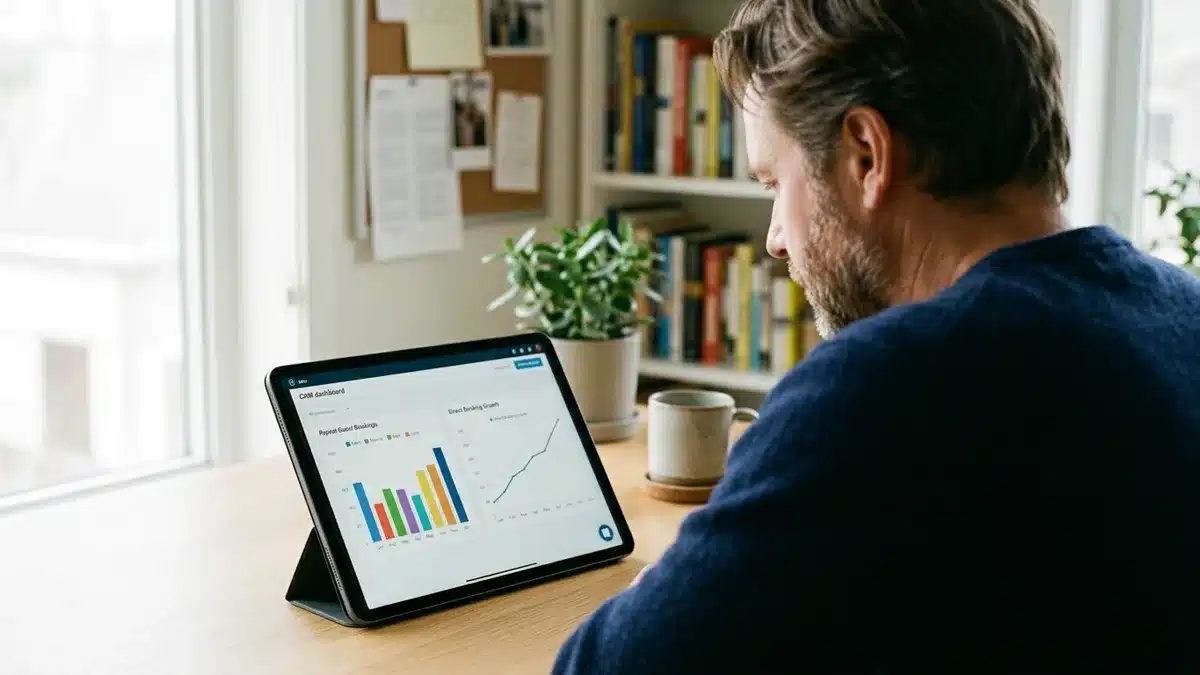
Guest retention is the other half. Once a PMS connection routes guest data into a CRM, hosts need an actual follow-up system, not just a stored contact record. Our piece on how to re-engage past vacation rental guests walks through what to do with that captured data once it’s sitting in your CRM.
This is the layered approach we recommend to every host we work with: get the PMS connection right first, since everything downstream depends on accurate data, then build the website and retention system on top. Boostly Connect was built around this exact sequence, connecting the PMS, the website, and the CRM as one system so a host isn’t solving each layer with a separate vendor.
Frequently Asked Questions
What does PMS connect mean for a short-term rental host?
For a short-term rental host, PMS connect means your property management system automatically shares reservation, pricing, and availability data with your website, channel manager, or CRM, instead of requiring manual updates in each system separately.
Do all PMS integrations sync data in both directions?
No. Some integrations only push data one way, such as sending confirmed reservations to an accounting tool without pulling changes back. Two-way sync, where both systems update each other, is required for a live booking website to stay accurate.
How long does it take to connect a PMS to a website?
This varies significantly by provider and by how many custom rules the connection needs. Boostly Connect syncs an existing PMS to a direct booking website in under 20 minutes, with no developer or coding knowledge required.
Will connecting my PMS to my own website affect my Airbnb ranking?
Running a connected direct booking website alongside Airbnb does not require pulling your listing down or reducing your OTA activity. Most hosts run both channels simultaneously, using the PMS connection to keep pricing consistent across every channel while gradually shifting repeat guests toward booking direct.
What happens if my PMS integration goes down?
Behavior varies by provider, so this is a question to ask before committing to any integration. Ask specifically whether your website freezes on last-known availability or risks showing dates as open that shouldn’t be, since that determines your double-booking exposure during an outage.
Which property management systems can connect to a direct booking website?
Short-term rental hosts commonly run systems such as Hospitable, Guesty, Lodgify, OwnerRez, and Hostfully. Boostly Connect supports 8 PMS integrations, letting hosts plug in their existing system without switching platforms.
Does a PMS connection include guest data, or just calendar data?
It depends on what’s connected. A basic PMS-to-website sync typically only moves calendar and pricing data. A PMS connected to a CRM, as with Boostly Connect’s setup, also captures guest contact information from every direct booking, keeping that data with the property owner instead of the OTA that originated it.
Is a two-way PMS sync more expensive than a one-way feed?
Pricing varies by provider and depends on what other tools are bundled with the sync, such as a CRM or marketing automation. Rather than comparing sync type alone, evaluate the full connected system, PMS, website, and CRM, together, since a cheaper one-way feed often costs more in manual reconciliation time.
Conclusion: Getting Your PMS Connection Right in 2026
PMS connect technology solves a specific, expensive problem: manual data entry across disconnected systems that leads to pricing errors, double bookings, and lost guest data. The hosts who get this right in 2026 aren’t the ones with the most plugins. They’re the ones running a single, validated, two-way sync between their PMS, their website, and their CRM.
Getting there doesn’t require months of custom development or a technical hire. It requires connecting the systems you already run to a website built to convert visitors into direct bookings, which is exactly what Boostly Connect does in under 20 minutes, across 8 supported PMS platforms, with guest data flowing straight into your own CRM instead of staying locked inside an OTA.
If you’re tired of manually syncing tools that don’t talk to each other, or you’ve simply outgrown a plugin stack that keeps breaking, book a demo with Boostly Connect and see your own PMS, website, and CRM connected live, with your actual property data, in under 20 minutes.