

Rental calendars direct refers to embeddable availability widgets that short-term rental owners place on their own website to show guests which dates are open, without any built-in payment processing or guest management behind them. They work fine as a static display, but in 2026 most hosts need a system that actually converts that availability into a paid, direct reservation, not just a calendar graphic sitting next to a phone number.
Key Takeaways
- A rental calendars direct approach typically shows availability only. It does not process payments, collect deposits, or manage guest communication, so you still need a separate booking and CRM workflow.
- Free or low-cost calendar widgets often run on outdated formats like Flash, which most modern browsers no longer support, creating broken embeds on older websites.
- Industry marketing benchmarks for 2026 show mobile devices account for 68.5% of vacation rental website traffic, so any calendar tool that isn’t fully responsive is losing bookings before a guest even sees your dates.
- Syncing availability through iCal feeds from Airbnb, Vrbo, and other channels prevents double bookings, but refresh delays between platforms can still create conflicts if you’re relying on a display-only widget with no two-way sync.
- Vacation rental marketing data from 2026 puts the average direct booking retention rate at 45%, meaning guests who book direct once are meaningfully more likely to do it again, but only if your website captures their contact information the first time.
- Boostly Connect replaces the standalone calendar widget model entirely by syncing your existing property management system straight into a WordPress website with live availability, real-time pricing, and built-in checkout, so guests book and pay without ever leaving your site.
If you’ve searched for a way to show real-time availability on your own website, you’ve probably run into products built around a single feature: a calendar you paste onto a page. That approach made sense a decade ago when most rental owners just wanted visitors to see which weeks were open. It solves almost nothing else.
In 2026, the short-term rental market is bigger and more competitive than it’s ever been. The U.S. vacation rental industry is projected to reach $76.46 billion this year, up from $72.00 billion in 2026, according to industry market research. With that much supply chasing guest attention, a calendar that only displays open dates without letting anyone act on them leaves real revenue on the table.
We built Boostly Connect because we kept hearing the same complaint from hosts: they’d embedded a free calendar, guests could see the dates were open, and then guests would just… call, or worse, book through Airbnb anyway because there was no way to reserve and pay right there on the page. This article walks through what a rental calendars direct setup actually includes, where it falls short for hosts who want real direct bookings, and what a full booking and CRM system needs to do instead.
What Is a Rental Calendars Direct Widget and How Does It Work?
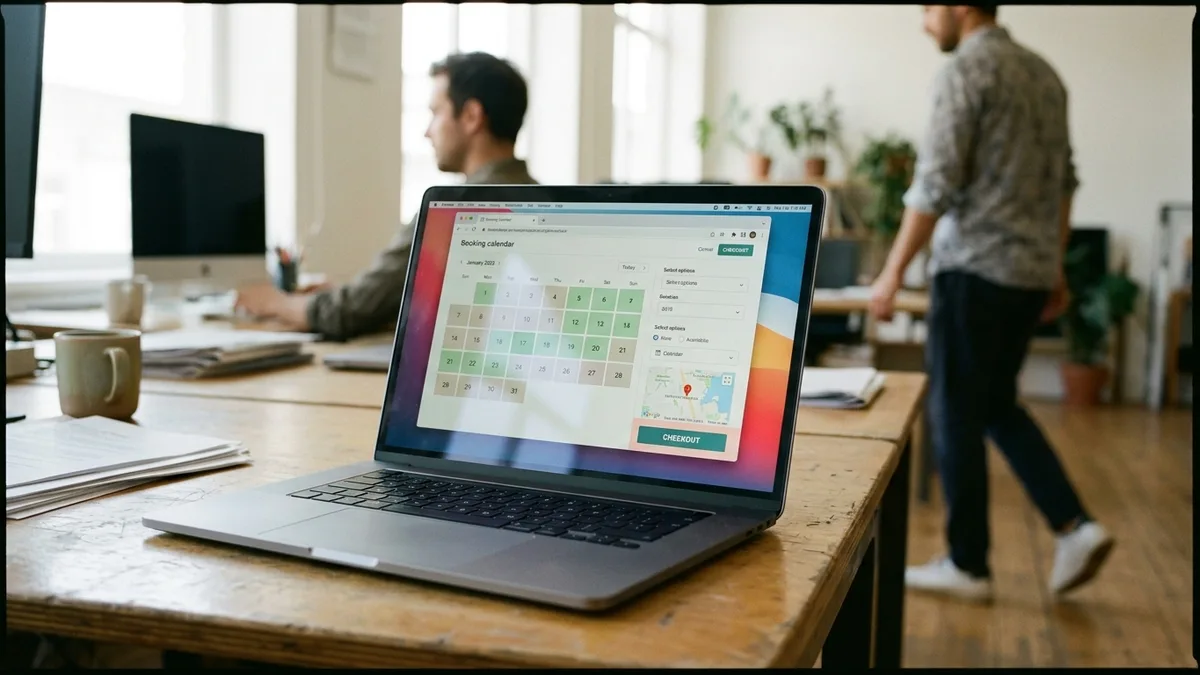
A rental calendars direct widget is an embeddable HTML display that shows which dates a rental property is booked or open, generated by a third-party service and pasted into your website’s code. It pulls data from your existing booking calendar and renders it as a visual grid, typically with no payment or messaging functionality attached.
Most versions come in two formats: single-unit calendars for owners with one property, and multi-unit calendars for owners managing several listings on one page. Some services offer basic customization, letting you adjust the calendar’s size, header text, and color scheme to loosely match your site’s branding.
The setup process is usually simple: you copy a block of generated embed code from the provider’s dashboard and paste it into your website’s HTML, whether that’s a static site, a WordPress page, or a page builder like Wix or Squarespace. Once embedded, the calendar is supposed to update automatically whenever you change availability in your source system.
Here’s the catch. A calendar that only displays dates is a dead end for the guest. They see the property is available in July, but there’s no button to click, no deposit to pay, and no confirmation email waiting in their inbox. That’s the exact gap Boostly Connect was designed to close, syncing your property management system so the same live availability data also drives a functioning checkout, not just a static grid.
Single-Unit Versus Multi-Unit Calendars: What’s the Real Difference?
Single-unit calendars display availability for one property, while multi-unit calendars show several properties at once, usually as a shared grid or a set of tabs a guest can toggle between. The choice matters most for hosts managing more than one listing who want visitors to compare options without leaving the page.
Single-unit calendars are typically simpler to embed and load faster since they’re rendering one dataset. They work well if you own a single cabin, condo, or beach house and just need a straightforward “open or booked” display for that one property.
Multi-unit calendars solve a different problem: showing portfolio-wide availability at a glance. For an owner managing five or ten units, a multi-unit format theoretically lets a landlord-facing or guest-facing visitor scan every property’s open dates in one view, rather than clicking through separate pages.
In practice, older multi-unit calendar formats built on Flash technology have become a serious liability. Flash was discontinued by every major browser years ago, so any multi-unit calendar still coded in that format simply won’t render for a visitor today. If you’re a boutique property manager weighing calendar options in 2026, confirm the format is modern HTML5 before you commit, and even then, ask whether the display can actually take a booking, not just show one is possible. Multi-property portfolio operators face this exact bottleneck, which is why our playbook on getting more direct bookings covers what a functioning multi-property booking flow needs beyond a shared calendar grid.
How Does iCal Syncing Work With Airbnb, Vrbo, and Other Channels?
iCal syncing is the process of connecting your website’s calendar to external booking platforms so that a reservation made on one channel automatically blocks that date everywhere else. It works by exchanging a calendar feed URL between your property management system and each connected platform, typically Airbnb, Vrbo, and other listing sites.
The setup usually involves generating an export link from each platform, then importing it into your central calendar tool, and vice versa. Once connected, the systems check for updates on a recurring schedule, not instantly.
That refresh delay is the biggest risk in an iCal-only setup. Most platforms refresh feeds anywhere from every few minutes to several hours apart, which means a guest could theoretically book the same date on two different channels in that gap. For a host running five or more listings, that’s not a hypothetical, it’s a recurring headache that eats into a Saturday morning.
Troubleshooting stale availability usually starts with checking whether the feed URL is still active, since platforms occasionally rotate or expire these links without much warning. If your calendar hasn’t updated in a day or more, regenerate the feed URL and reconnect it manually rather than waiting for auto-refresh to catch up.
This is exactly the kind of manual babysitting that grows worse as your portfolio grows. Boostly Connect eliminates the iCal guessing game by syncing directly with your existing PMS, whether that’s Hospitable, Hostfully, Lodgify, or Guesty, so availability updates in real time across your direct booking website instead of waiting on a delayed external feed.
Does a Free Availability Calendar Actually Cost Nothing?
A calendar advertised as free typically still involves a trial period, ongoing advertising to fund the service, or a pay-as-you-go billing structure that kicks in after an introductory window. Many free calendar tools follow a model where new accounts get a 30-day trial, after which continued use requires providing payment details for a monthly plan.
Reading the fine print matters here. Marketing copy on a homepage might promise the tool is entirely free with no costs ever, while the terms of service page describes monthly billing, no refunds for partial months, and pricing that can change at any time. That inconsistency is common enough in this space that it’s worth reading both pages before you embed anything.
Free tiers are also often subsidized by advertisements displayed alongside your calendar, sometimes for services like travel insurance that have nothing to do with your property. Those ads help the provider keep the lights on, but they also mean a guest browsing your availability sees banner ads that dilute your branding.
Support is another place free tools cut corners. Many calendar-only services offer email support exclusively, with no phone line, which can leave you stuck for a day or more if a sync issue happens right before a check-in. Independent vacation rental owners who’ve tried the DIY calendar route often tell us they underestimated how much time these gaps cost them, which is one reason we built Boostly Connect as a done-for-you system with ongoing coaching support rather than a set-it-and-forget-it widget you’re left to troubleshoot alone.
What’s the Difference Between an Availability Display and a Real Booking Engine?
An availability display only shows guests which dates are open, while a real booking engine lets guests select dates, pay a deposit or full balance, and receive an automated confirmation, all without the host lifting a finger. The distinction matters because a calendar with no checkout function still requires the guest to call, email, or message you to actually reserve anything.
That extra friction is where you lose bookings. A guest browsing your site at 11pm on a Tuesday isn’t going to wait until your office opens to find out if you got their message. If a competing listing on Airbnb lets them book instantly, they’ll book there instead, even if your rate is lower.
A functioning booking engine also needs to handle the payment side: collecting a deposit, scheduling a balance payment, processing refunds according to your cancellation policy, and managing chargebacks if a dispute arises. None of that exists in a display-only calendar, no matter how nicely it’s styled.
Boostly Connect solves this by connecting your PMS-synced availability directly to a checkout flow on your own website, so the same dates a guest sees as open are the same dates they can book and pay for in one session. That’s the difference between a calendar that generates interest and a website that generates revenue.
What Should You Look for in a Rental Calendars Direct Setup in 2026?
The strongest rental calendars direct setup in 2026 combines live PMS-synced availability, mobile-responsive design, and an integrated checkout, rather than a standalone widget bolted onto an otherwise static site. Evaluate any tool against five practical criteria before you commit.
| Criteria | Display-Only Calendar Widget | Boostly Connect Direct Booking Site |
|---|---|---|
| Availability source | iCal feed with periodic refresh delay | Live PMS sync (8 integrations) with real-time updates |
| Payment processing | Not included; guest must contact host separately | Built-in checkout with deposit and balance payment |
| Guest data capture | None; no CRM or contact record created | Every direct booking auto-captured into Boostly CRM |
| Mobile responsiveness | Varies by provider; older formats may not render on mobile | Mobile-first WordPress site built for 2026 traffic patterns |
| Support model | Email-only in many cases, no phone support | Guided setup plus twice-weekly group coaching calls |
Notice the pattern: a display-only widget answers exactly one question for a guest (is my date open), while a connected system answers that question and then closes the sale. If you’re a first-time direct booking adopter trying to figure out whether the investment is worth it, this comparison is the whole argument. Our guide on what a direct booking website actually needs to include goes deeper on the specific features that separate a functioning site from a placeholder page.
How Do Repeat Guests Fit Into a Direct Booking Calendar Strategy?
Repeat guests are travelers who previously stayed with you and are searching for your property again, and they represent one of the highest-value opportunities a direct booking calendar can capture, if the system behind it saves their contact information the first time. Vacation rental marketing benchmarks for 2026 show an average repeat guest rate of 22% for direct bookings, meaning roughly one in five reservations already comes from someone who’s stayed before, according to CUfinder’s 2026 marketing benchmark data.
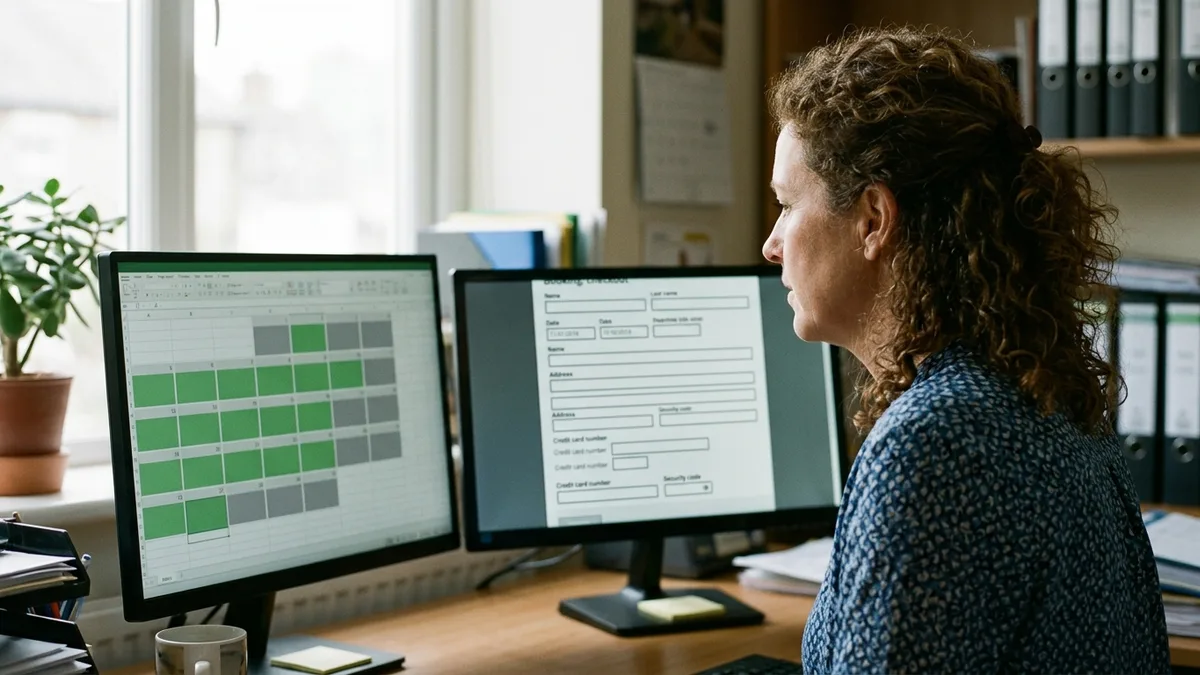
A display-only calendar has no way to remember that guest. They see the same static grid every time they revisit your page, with no record that they stayed with you last spring, no discount code waiting for them, and no email reminding them your property is open for the dates they usually travel.
That same 2026 benchmark data shows a 45% direct booking retention rate, meaning guests who complete one direct booking are substantially more likely to book direct again rather than defaulting back to an OTA. But retention only happens if the first booking captures their email and preferences somewhere you control.
This is the gap that costs growth-stage rental entrepreneurs the most money without them realizing it. Every guest who books through Airbnb has their contact data retained by Airbnb, not you, so you can’t market to them directly next season. Boostly Connect automatically captures every direct booking guest into your own CRM, complete with built-in email and SMS automation, so repeat guests get a reason to come back to your site instead of searching Airbnb again. Our post on how to re-engage past vacation rental guests breaks down the specific outreach sequence that turns a one-time booker into a returning one.
What Are the Practical Steps to Move From a Calendar Widget to a Full Booking System?
Migrating from a display-only calendar to a full booking system means connecting your existing PMS, replacing the static widget with a live checkout, and preserving your current Airbnb and Vrbo listings while you build the new channel. Follow these steps in order to avoid disrupting bookings mid-transition.
- Audit your current calendar setup. Note which platform generates it, whether it’s HTML5 or an outdated format, and whether it currently syncs via iCal or a direct API connection.
- Confirm your PMS is supported for a direct integration. Boostly Connect supports 8 PMS integrations, covering most common platforms hosts already use, so check whether yours connects natively before building anything custom.
- Keep your Airbnb and Vrbo listings active during the transition. You don’t need to abandon OTA channels to add a direct booking option; most hosts run both simultaneously and simply redirect repeat guests to their own site over time.
- Replace the static calendar embed with a connected booking page that pulls live availability and pricing from your PMS, not from a periodically refreshed iCal feed.
- Set up guest data capture so every direct reservation, deposit, and inquiry lands in a CRM you control, not scattered across email threads and spreadsheets.
- Test the full guest journey yourself: browse your site on mobile, select dates, and walk through checkout as if you were a guest, to confirm nothing breaks between availability and payment.
Tech-averse self-managing hosts often assume this kind of migration requires a developer or weeks of setup. It doesn’t have to. Boostly Connect connects an existing PMS to a live WordPress website in under 20 minutes, with no coding and no upfront cost for the first ten listings, precisely because we built the process for hosts who’d rather spend their time on guests than on plugins.
What Mistakes Do Hosts Commonly Make With Direct Booking Calendars?
The most common mistake is treating an availability calendar as the finish line rather than the starting point of a direct booking strategy. Hosts embed a widget, feel like the job is done, and then wonder months later why direct bookings never materialized.
A second mistake is ignoring mobile performance. With mobile devices accounting for 68.5% of vacation rental website traffic in 2026 industry benchmarks, a calendar that renders awkwardly or requires pinch-zooming on a phone is actively costing you bookings, not just annoying a small slice of visitors.
A third mistake is skipping SEO entirely because the calendar itself isn’t a search-visible page. A static widget embedded on an otherwise thin website won’t rank for anything, so even guests actively searching for your property by name may struggle to find your site over your Airbnb listing. If your site has this exact problem, our guide on why your website isn’t ranking well covers the structural fixes that matter most.
Boutique property managers in particular tend to underestimate how much a mismatched tech stack costs them in credibility. A premium brand deserves a booking experience that feels premium too, not a free widget with someone else’s advertising bolted to the side. That mismatch is exactly why Boostly Connect bundles the website, PMS sync, and CRM into one connected system instead of leaving you to stitch pieces together.
Frequently Asked Questions
What is a vacation rental direct booking?
A vacation rental direct booking is a reservation a guest makes straight through your own website rather than through Airbnb, Vrbo, or another OTA, meaning you keep the full payment and the guest’s contact information instead of splitting it with a third-party platform.
How can I reduce manual work and automate my vacation rental operations?
You reduce manual work by connecting your PMS, website, and CRM into one synced system so pricing, availability, and guest records update automatically instead of requiring separate manual entry in each tool. Boostly Connect handles this by syncing all three layers together in under 20 minutes, eliminating the sync errors that come from stitching together disconnected plugins.
How do I get more direct bookings from Instagram and Facebook?
You get more direct bookings from social platforms by linking your bio and posts directly to your own booking website rather than to your Airbnb listing, so followers land somewhere you control the checkout and capture their contact data. Consistent posting that showcases the property alongside a clear “book direct” link performs better than occasional promotional posts with no destination.
How do I get more direct bookings without spending a fortune on marketing?
You get more direct bookings without a large marketing budget by focusing first on repeat guests and past inquiries, since re-engaging someone who already stayed with you costs far less than acquiring a brand-new guest through paid ads. Automated email sequences to past guests, paired with a website that actually converts visits into bookings, typically outperform one-off ad spend for smaller portfolios.
Which payment setup is best for deposits, refunds, chargebacks, and payout control in direct bookings?
The best payment setup for direct bookings is one integrated directly into your booking checkout, so deposits, balance payments, refunds, and chargeback disputes are all tracked in one place rather than reconciled manually across bank statements and spreadsheets. Look for a system that lets you set your own deposit percentage and cancellation terms rather than inheriting a platform’s default policy.
How can a direct booking website help attract more bookings?
A direct booking website attracts more reservations by giving guests a way to see live availability and complete a purchase without leaving your page, which removes the friction of waiting for a manual response. It also lets you run promotions, discount codes, and loyalty offers that OTAs typically restrict or don’t support at all.
Will switching to direct bookings hurt my Airbnb search ranking?
No, most hosts run Airbnb and a direct booking website simultaneously without any negative effect on OTA ranking, since ranking algorithms respond to your response rate, reviews, and booking activity on that platform, not to whether you also accept bookings elsewhere. The two channels can coexist while you gradually shift repeat guests toward your own site.
Conclusion: Choosing Between a Calendar Widget and a Real Direct Booking System
A rental calendars direct widget answers one question well: is this date open. It stops short of everything else a modern host needs in 2026, including payment collection, guest data capture, and the kind of mobile-first design that matches how travelers actually browse. With mobile traffic at 68.5% of vacation rental site visits and direct booking retention sitting at 45% once a guest books direct the first time, the cost of relying on a display-only calendar isn’t hypothetical, it’s a measurable gap between what your site shows and what it actually sells.
The fix doesn’t require a developer, a new tech stack, or months of setup. It requires connecting the PMS you already use to a website built to convert, complete with a CRM that remembers every guest who books with you. That’s the exact system Boostly Connect was built to deliver.

If you’re ready to see what a direct booking website connected to your own PMS looks like in practice, rather than a static calendar with someone else’s ads next to it, book a demo with Boostly Connect and watch your listings sync into a live site in under 20 minutes.