

If you’re asking why isn’t my Airbnb showing up in search, the answer is almost always one of seven things: your listing status changed, it’s still in the 24 to 72 hour indexing window, your calendar or booking rules are blocking specific dates, your map pin is off, guest search filters are excluding you, your ranking signals have slipped, or your account has a verification or suspension issue. Most hosts fix this within a few days once they know exactly where to look.
Key Takeaways
- A new Airbnb listing typically needs 24 to 72 hours to fully index after publishing, so disappearing on day one is often not a real problem.
- Listing status matters more than ranking theory: a property marked Unlisted, Snoozed, or Suspended will not appear in any search, regardless of price or photos.
- Broad map searches in markets with more than roughly 300 listings may not display every property; narrowing by date, price, or room type often reveals the listing.
- Booking rules like minimum stay, advance notice, and orphan nights can make a perfectly active listing invisible for specific date ranges only.
- Cancellations, slow response times, and stale photos are ranking signals, not visibility switches, so they lower your position rather than remove you entirely.
- Relying solely on Airbnb’s search algorithm leaves your visibility outside your control; Boostly Connect gives hosts a second, self-owned discovery channel that doesn’t depend on any OTA’s algorithm changes.
Every host eventually types some version of “why isn’t my Airbnb showing up in search” into Google, usually while refreshing the guest app for the tenth time in a row. It’s a frustrating position: you know the listing is live in your dashboard, but a guest search from a different browser turns up nothing. In 2026, with U.S. short-term rental supply projected to grow from 1.69 million to 1.77 million listings according to AirDNA’s 2026 outlook, competition for search real estate is only getting tighter.
We work with hosts across 25 countries at Boostly Connect, and the pattern is consistent: most “my listing vanished” panics trace back to one of a handful of fixable causes, not some mysterious algorithm penalty. This guide walks through each one in the order you should check them, starting with the fastest fixes and moving into the deeper ranking and technical issues that take longer to resolve.
We’ll also cover something most troubleshooting guides skip entirely: why building a direct booking presence alongside your Airbnb listing means a temporary visibility dip never has to mean zero bookings for the week.
Is Your Listing Status Actually Set to Active?
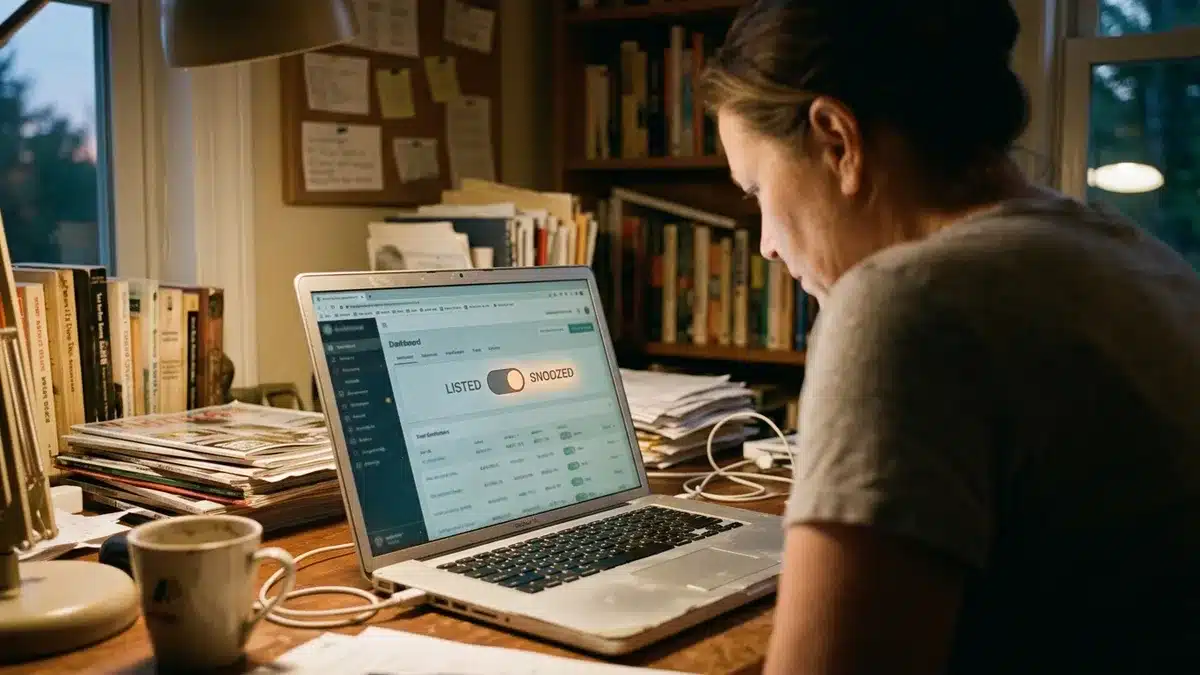
Listing status is the single most common reason a property disappears from Airbnb search, and it’s also the fastest one to check. A listing can be marked Listed, Unlisted, Snoozed, Paused, Unpublished, or Suspended, and only “Listed” (shown with a green dot in your host dashboard) makes it eligible to appear for guests.
Hosts frequently toggle “Snoozed” by accident while adjusting settings on a phone, or a co-host flips a listing to Unlisted while editing amenities. First, open your dashboard and confirm the status directly rather than relying on memory. If it reads anything other than Listed, that alone explains a complete disappearance, not just a drop in position.
Notably, this is different from a suspension. A suspended account or listing is removed for a policy or verification reason and typically shows a specific notice in your dashboard, along with any flagged Listing issues under Insights. If you see a suspension notice, that requires resolving the underlying issue before the listing returns, not just flipping a switch.
The uncomfortable truth here is that your entire booking pipeline sits inside a system you don’t control. One accidental toggle, and every guest search stops finding you. That single point of failure is exactly why we built a direct booking channel into Boostly Connect: even if an Airbnb status issue takes days to sort out, your own website keeps taking reservations the whole time.
Could Your Listing Still Be in the Indexing Window?
New Airbnb listings go through a pending state and then an indexing period before they appear reliably in guest search, typically 24 to 72 hours after publishing. If you just completed identity verification and published today, the listing showing up sporadically or not at all is normal, not a bug.
During this window, Airbnb is still confirming your listing meets basic quality checks and finishing the crawl that makes it eligible for search results. A listing can technically be “published” in your dashboard while still working through this backend process. If it’s been longer than 72 hours and you still see nothing, move on to checking your search filters and map placement, since indexing delay is no longer the likely cause.
For hosts launching a first property, this delay is also the moment they realize how fragile relying on a single channel really is. If your first three days of listing life produce zero visibility on Airbnb, and you have no other booking surface, you’ve lost days of potential revenue you can never recover. That’s part of why we recommend every new host also stand up a direct booking website before or during the Airbnb launch, so the indexing delay on one platform doesn’t mean total silence everywhere.
Are Guest Search Filters Quietly Excluding You?
Guest search filters, including dates, guest count, price range, amenities, Instant Book, room type, and accessibility options, determine which listings appear for a specific search, and a mismatch on even one filter removes your property from those results. This is arguably the most overlooked cause because the listing is genuinely fine; it just doesn’t match what the guest selected.
For example, if a guest filters for “pool” and your amenity list doesn’t have that box checked, even though your property has a pool, you won’t appear. Same logic applies to price range, bedroom count, and Instant Book toggles. Review your amenities list line by line and confirm every feature your property actually has is checked, not just the obvious ones like Wi-Fi and parking.
Broad, unfiltered searches carry their own limitation too. In dense markets, community guidance notes that areas with more than roughly 300 listings may not display every property in an unfiltered search. Narrowing by dates, guest count, or room type typically surfaces listings that a broad map search omits entirely.
To test this properly, open an incognito browser window and search as a guest would, trying several date ranges and filter combinations rather than one single search. A listing that fails to appear in a broad search but shows up once you add dates and guest count isn’t broken. It’s simply working the way Airbnb’s filtering system is designed to work.
Is Your Calendar or Booking Rules Blocking the Dates Guests Want?
Calendar and booking rule mismatches happen when your minimum stay, maximum stay, advance notice, check-in day restrictions, or blocked dates make your property unavailable for the specific dates a guest searched, even while the listing itself remains fully active. This is a technical cause competitors rarely explain in enough detail, so it’s worth slowing down here.
Orphan nights are a good example: if your minimum stay is set to three nights and a single open night sits between two bookings, that lone night becomes unbookable and effectively invisible for anyone searching around it. Inflexible check-in day settings cause a similar problem. If you only allow Friday check-ins and a guest searches for a Tuesday arrival, you won’t appear, no matter how good your listing is otherwise.
Advance notice settings matter too. A 48-hour advance notice requirement means anyone searching for tomorrow night simply won’t see your property, and that’s expected behavior, not a glitch.
Run through your calendar settings specifically for: minimum and maximum stay length, advance notice window, check-in day restrictions, and any manually blocked dates that may have been set months ago and forgotten. As of 2026, Airbnb’s calendar tools let you adjust most of these per date range, so a fix here is usually same-day.
Is Your Map Pin Actually Placing You in the Right Search Area?
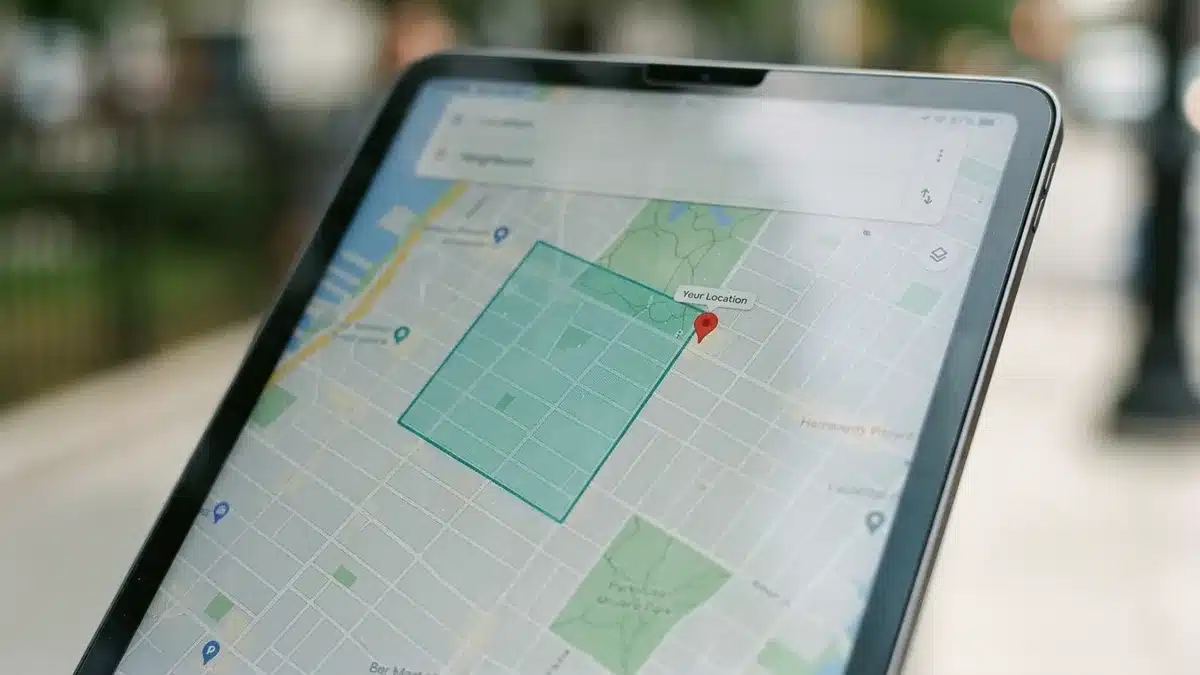
Map pin accuracy determines whether your listing appears in location-based searches, and Airbnb’s own location guidance confirms that public listing locations are shown as approximate, with the precise address revealed only to confirmed guests. An inaccurate pin can place your property in the wrong neighborhood or even the wrong search radius entirely.
This matters most for properties near borders between neighborhoods, cities, or search zones. If your pin sits a few blocks off, or an entire neighborhood away due to a geocoding error when the listing was first created, guests searching your actual area may never see it, even with perfect filters and calendar availability.
To check this, zoom into the map view on your own listing and compare the pin placement against your actual address. If it’s off, correct it inside your listing details. Community troubleshooting guidance also recommends zooming in and selecting “Redo Search Here” on the map, since a large-area map search can omit properties that a zoomed, localized search picks up immediately.
Map accuracy is also a good reminder of a bigger structural issue: your visibility on Airbnb depends entirely on Airbnb’s mapping and geocoding logic, which you can influence but never fully control. A direct booking site under your own domain, by contrast, lets guests find you by name, by market, or through your own SEO content, independent of any third-party pin placement.
Have Your Ranking Signals Slipped Without You Noticing?
Search ranking signals are the ongoing performance factors Airbnb uses to order listings within results, including response speed, acceptance rate, cancellation history, review scores, pricing competitiveness, photo quality, and booking conversion. Unlike status or filter issues, weak ranking signals don’t remove you from search; they push you further down the results page where fewer guests scroll to find you.
Cancellations carry outsized weight here. Even one or two host-initiated cancellations can noticeably reduce visibility, since Airbnb treats cancellation reliability as a core trust signal for guests. If you’ve had to cancel recently for maintenance or a personal reason, expect a temporary ranking dip even after the listing is fully bookable again.
Response time and rate matter continuously, not just at listing creation. A slower-than-usual response window this month can lower your position this month, specifically because Airbnb re-evaluates these signals on a rolling basis rather than locking in a score at launch.
Photo freshness and pricing competitiveness round out the list. A listing with photos from three years ago, or nightly rates noticeably out of step with comparable properties nearby, both signal lower relevance to Airbnb’s ranking model, even when every technical setting is correct.
The frustrating part is that these signals are largely invisible until you go looking for them in Insights. That’s precisely the kind of blind spot we built the reporting inside Boostly Connect’s booking dashboard to solve on the direct side: instead of guessing whether a slow week is a ranking problem or a seasonal dip, you get one dashboard that tracks your direct performance in real time, so at least half your booking picture is never a mystery.
Could Verification, Profile, or Suspension Issues Be the Real Cause?
An incomplete identity verification or an unfinished host profile can hold a listing out of search entirely, separate from any status toggle or ranking factor. This cause is easy to miss because the listing may look complete in your dashboard while a verification step remains unresolved in the background.
Suspension is the more serious version of this. If your account or a specific listing has been suspended, Airbnb removes it from search outright and typically flags the reason under Listing issues in your Insights tab. Common triggers include policy violations, unresolved guest complaints, or verification lapses. First, check Insights for any flagged issues before assuming the cause is technical or filter-related.
If you find a genuine suspension notice, the path forward is resolving whatever the notice specifies, then requesting reactivation through Airbnb Support. There’s no ranking trick that overrides an active suspension, so don’t waste time adjusting photos or pricing until the underlying flag clears.
This is also the scenario that most clearly shows why single-platform dependency is risky. A suspension, even a temporary one while you sort out documentation, means zero bookings from that channel until it’s resolved. Hosts who already have a direct booking site running alongside Airbnb, built through something like a direct booking playbook, keep taking reservations through their own domain the entire time Airbnb sorts out the suspension.
How Do You Test Visibility Without Fooling Yourself?
Reliable visibility testing means searching as a guest, not as the host, because Airbnb personalizes results based on the searcher’s location, device history, filters, and even prior booking behavior. A single personal search from your own logged-in account tells you almost nothing about what a genuine guest sees.
Open an incognito or private browser window and run the search fresh, without your host login active. Test multiple date ranges, not just one, since calendar rules and seasonal demand both shift which listings surface. Try a broad search and a filtered search separately to isolate whether the issue is a filter mismatch or something deeper like a map or ranking problem.
Notably, one clean incognito search that shows your listing doesn’t guarantee visibility for every guest. Personalization means two different guests searching identical dates can see different result orders. For that reason, track your listing views and impressions in Insights over a one to two week window after making any change, rather than judging the fix by a single search the next morning.
This distinction matters: a listing with zero impressions has a technical or status problem. A listing with impressions but weak booking conversion has a pricing, photo, or description problem instead. Confusing the two wastes time fixing the wrong thing.
What Do the Seven Causes Look Like Side by Side?
Understanding which category your problem falls into determines how fast it can be fixed, and how much of the fix is within your direct control. The table below groups the seven causes by typical resolution speed and whether the fix depends on Airbnb’s systems or your own settings.
| Cause | Typical Resolution Time | Who Controls the Fix |
|---|---|---|
| Listing status (Snoozed, Unlisted, Paused) | Immediate once toggled back to Listed | You, in the host dashboard |
| New listing indexing delay | 24 to 72 hours | Airbnb’s system, no action needed |
| Search filter mismatch | Immediate after correcting amenities or price | You, in listing settings |
| Calendar or booking rule conflict | Same day | You, in calendar settings |
| Map pin inaccuracy | Same day to a few days for re-indexing | You, with Airbnb re-crawling the change |
| Weak ranking signals | Weeks, as trust signals rebuild | Shared; you improve inputs, Airbnb re-scores over time |
| Verification or suspension issue | Days to weeks depending on the flag | Airbnb Support, after you resolve the underlying issue |
Notice how three of the seven causes sit entirely inside your control and can be fixed the same day, while ranking signals and suspensions take longer and depend partly on Airbnb’s own review timelines. That split is exactly why we tell hosts in our coaching calls at Boostly Connect to treat OTA visibility as one channel to manage carefully, not the only channel to depend on.
What Should You Actually Do First, and What Mistakes Should You Avoid?
Work through the seven causes in a specific order rather than jumping straight to the deepest, slowest fix. Here’s the sequence that resolves visibility issues fastest for most hosts:
- Check your listing status in the host dashboard. Confirm it reads “Listed” with a green dot, not Unlisted, Snoozed, or Paused.
- Check Insights for any flagged Listing issues or suspension notices before assuming the problem is technical.
- If the listing published within the last 72 hours, wait out the indexing window before troubleshooting further.
- Review your amenities, price range, and Instant Book settings against a guest search using those same filters.
- Audit your calendar for minimum stay, advance notice, orphan nights, and check-in day restrictions.
- Zoom into your map pin and confirm placement, using “Redo Search Here” to test a localized area search.
- If everything above checks out, review recent cancellations, response times, and photo age as ranking signal factors, then escalate to Airbnb Support if a suspension flag is present.
The most common mistake we see is hosts jumping straight to rewriting the listing description or dropping price, assuming a ranking problem, when the real cause is a Snoozed status or a calendar rule blocking that exact date range. Fix the cheap, fast causes first. Save pricing and description changes for when you’ve confirmed the listing is genuinely eligible to appear and simply ranking low.
Another mistake: judging a fix by one search the next morning. Give any change one to two weeks and track impressions in Insights, since personalization and normal search variance make single-search snapshots unreliable.
Frequently Asked Questions
What percentage does Airbnb take from a booking?
Airbnb typically charges guests around 14 percent in service fees, according to ATLAS by AvantStay’s June 2026 figures, in addition to whatever host-side service fee structure applies to your listing. The exact split varies by host fee model, so check your own payout summary for your specific commission rate.
How much commission does Airbnb take overall?
Airbnb’s fee structure combines a host-side service fee with the guest-side service fee mentioned above, and the combined effective commission most hosts experience commonly lands in a similar range to what’s charged across other major booking platforms. Review your payout details directly in your host dashboard for your exact rate, since fee structures can vary by host type and listing category.
How much of a cut does Airbnb take compared to booking direct?
Every booking made through Airbnb includes their service fee taken off the top, while a booking made through your own direct site keeps that fee inside your business instead. This is the core reason many hosts run both channels simultaneously rather than choosing one, using Airbnb for discovery and a direct booking site for repeat guests and referrals.
What CRM does Airbnb use?
Airbnb’s internal tools for hosts include guest messaging, review management, and basic guest history within the platform itself, but this data stays inside Airbnb’s ecosystem rather than becoming a portable guest database you own. Hosts who want a CRM they fully control, capturing guest emails, stay history, and contact details outside of any OTA, typically pair their listing with a separate CRM built for direct bookings.
Will fixing my Airbnb search visibility hurt my ranking if I also promote direct bookings?
No. Adjusting your listing status, calendar, filters, or map pin has no bearing on whether you also market a direct booking site. Most hosts run Airbnb and a direct channel side by side, redirecting only repeat and referral guests toward their own site while keeping the Airbnb listing fully active for new guest discovery.
How long does a new Airbnb listing take to show up in search after publishing?
New listings typically need 24 to 72 hours after publishing and completing identity verification before they index reliably in guest search. If it’s been longer than that window and the listing still isn’t appearing, work through the status, filter, and calendar checks covered above rather than waiting further.
Why does my listing show up for some dates but not others?
This is almost always a calendar or booking rule issue, such as a minimum stay setting, advance notice requirement, or a check-in day restriction that excludes the specific dates being searched. It’s a ranking or status problem far less often than hosts assume; check your booking rules for that exact date range first.
Conclusion: Get the Fast Fixes Done, Then Build a Second Channel
Most “why isn’t my Airbnb showing up in search” situations resolve within a day or two once you check status, indexing timing, filters, calendar rules, and map placement in that order. Ranking signals and suspension issues take longer, but they’re the exception rather than the norm.
What this whole troubleshooting process really exposes is how much of your booking pipeline sits inside a system you don’t control. A single toggle, a geocoding glitch, or a flagged verification step can zero out your Airbnb visibility overnight, and there’s no ranking trick that fixes that instantly. As of 2026, with U.S. short-term rental supply climbing past 1.77 million listings, that competitive pressure isn’t going away.
The hosts who handle this best don’t just fix the Airbnb issue when it happens. They’ve already built a direct booking website synced to their existing PMS, so guest discovery never depends on one algorithm alone. Boostly Connect builds that site in under 20 minutes, with no developer and a free plan for up to 3 listings on the Discover map, and pairs it with a CRM that captures every direct guest’s contact details automatically. If you want to stop being one status toggle away from a silent week, book a demo and see your PMS synced to a live, bookable website before the call ends.
If an Airbnb visibility scare has you rethinking single-channel dependency, it’s worth reading how one host approach to re-engaging past vacation rental guests turned a booking dip into a repeat-guest pipeline instead. Book a Boostly Connect demo and see exactly how your existing PMS data becomes a live, searchable website in under 20 minutes.